FOR RESTRICTED USE only Fargo Electronics, Inc.
DTC550 Direct to Card Printer/Encoder User Guide (Rev. 2.8)
3-36
Installing the DTC550 Printer Driver (continued)
Step Procedure
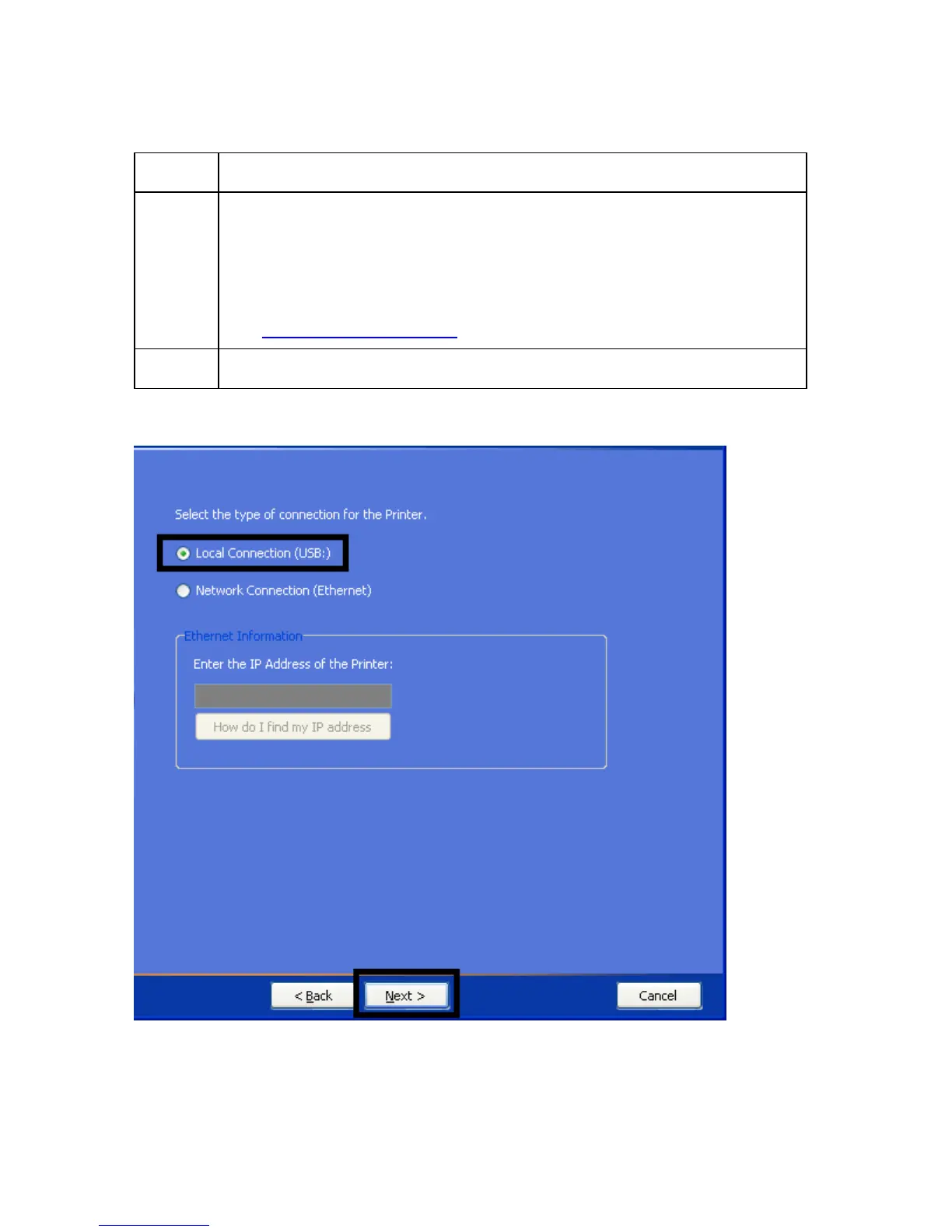
4 If installing a USB Printer, select the Local Connection (USB) radio
button. See Display A (below).
OR
If installing an Ethernet Printer, select the Network Connection (Ethernet)
radio button. Enter the IP address of the Printer. See Display B (below).
See Accessing the IP Address
.
5 Click Next to continue.
Display A - Local Connection (USB) radio button



 To Next Page