16. NAVIGATION SENSORS
16-12
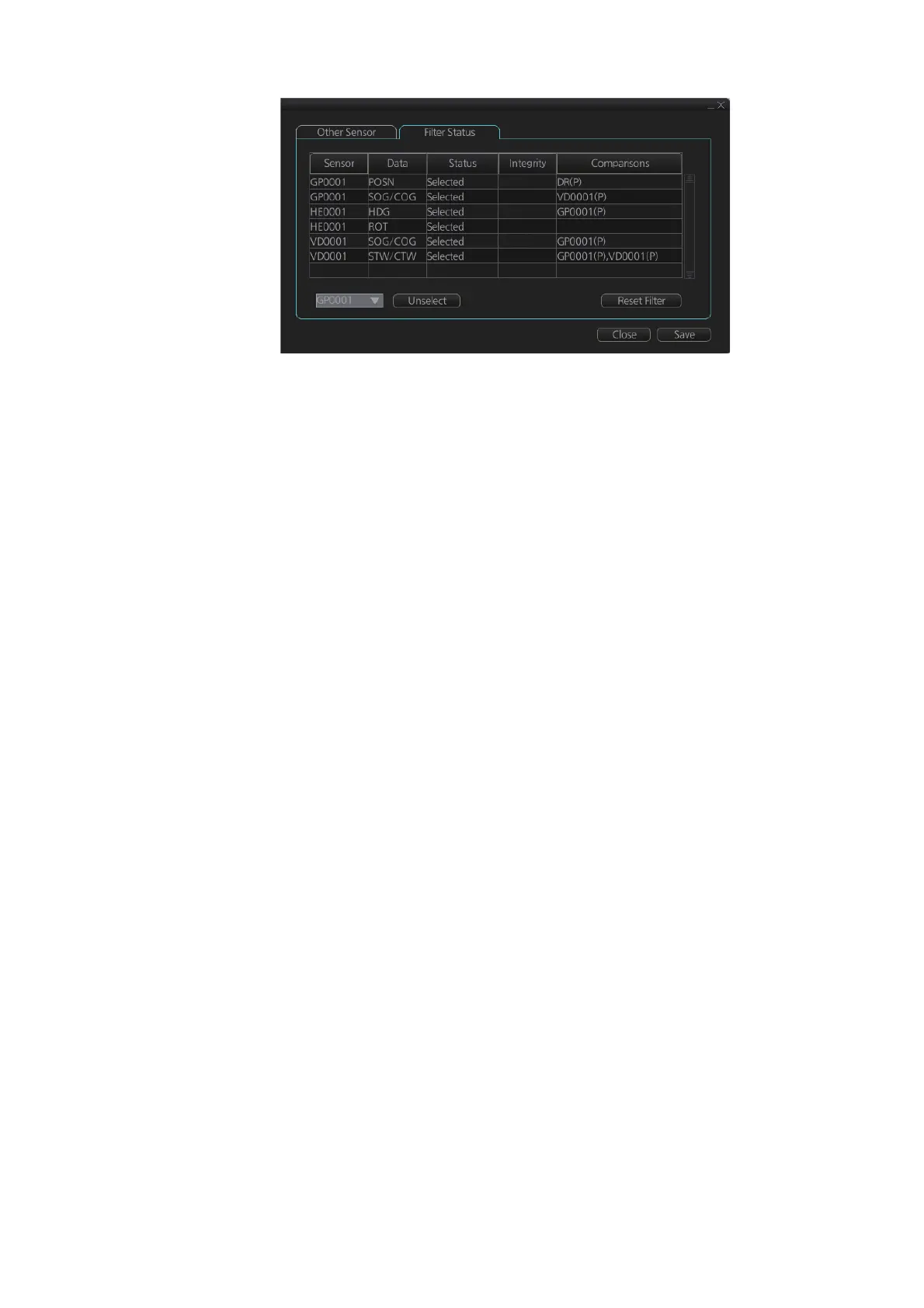
The [Status] column indicates sensor status as follows:
• [Selected] (sensor selected for use in filter)
• [Unselected] (sensor not used in filter)
• [Not Available] (no sensor information)
• [Excluded] (automatically excluded sensor)
The [Integrity] column indicates sensor integrity as either [Passed], [Low Accuracy] or
[Failed]. The integrity evaluation is [Doubtful] when there are no other sensors to com-
pare with.
The [Comparisons] column shows the sensors compared and the integrity evaluation
of compared sensors in parentheses. Using the illustration above as an example,
SOG/COG data fed from GP0002 is compared with the sensors GP0001 and VD0001.
The integrity evaluation for the compared sensors is [Passed].
To unselect a sensor manually, select the sensor from the drop-down list at the bot-
tom left corner of the page, click the [Unselect] button then click the [Save] button. [Un-
selected] appears in the [Status] column. To reselect an unselected sensor, select the
sensor from the drop-down list, click the [Select] button. [Selected] appears in the [Sta-
tus] column
The [Reset Filter] button functions to recover from sensor failure. When the button is
operated:
• Automatically excluded sensors are re-included.
• All data history is erased.
• Output values are re-estimated using new data.
• Integrity monitoring is restarted using new data.
Note 1: The filter can also be reset from the context-sensitive menu. Right-click any-
where in the Sensor information box to show the context-sensitive menu then select
[Filter Reset].
Note 2: When the filter is reset for this system, all networked equipment’s filters are
reset.
PassedPassed
PassedPassed
PassedPassed
PassedPassed
PassedPassed
PassedPassed
DoubtfulDoubtful



 To Next Page