382 D90
PLUS
LINE DISTANCE PROTECTION SYSTEM – INSTRUCTION MANUAL
CONTROL ELEMENTS CHAPTER 7: PROTECTION
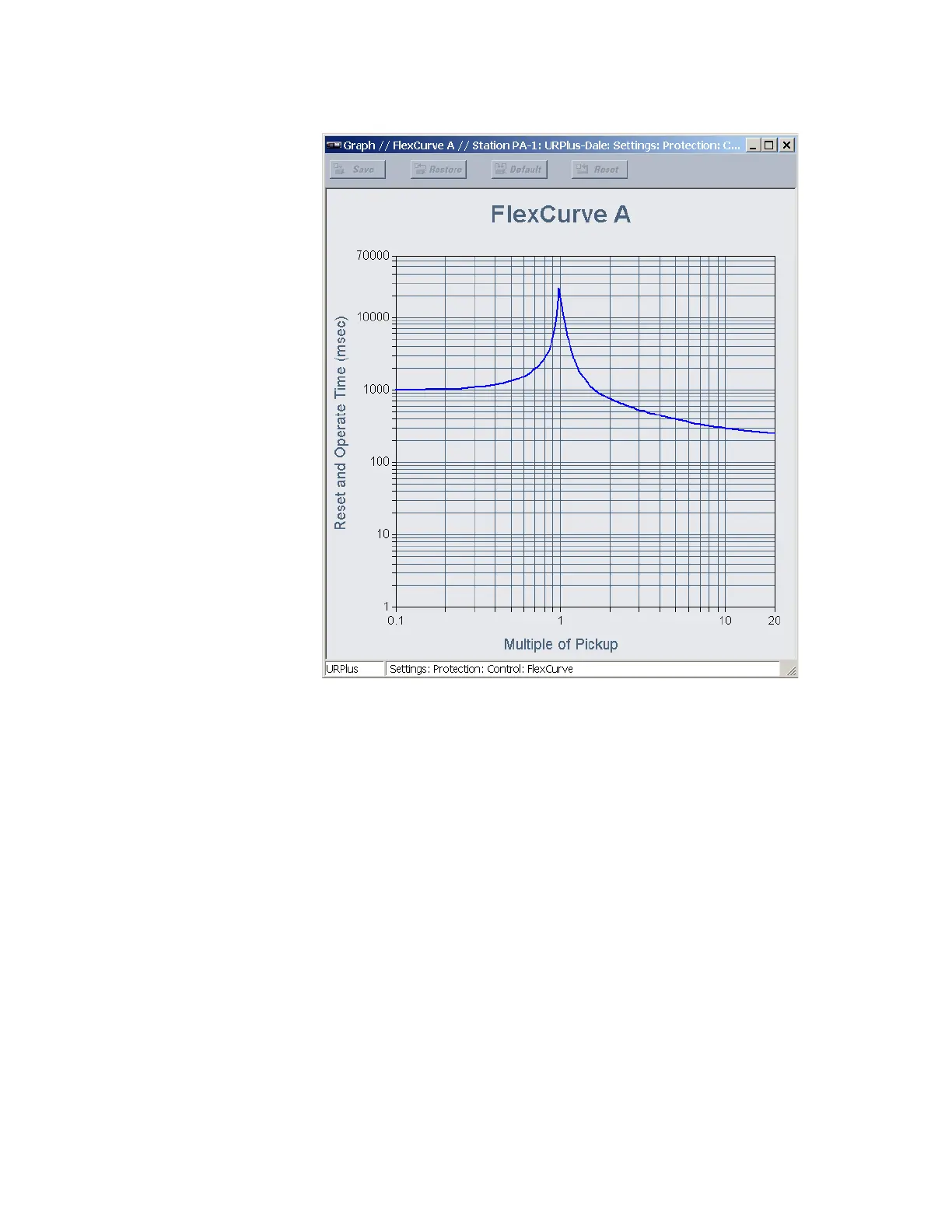
Figure 320: FlexCurve display example
Prospective FlexCurves can be configured from a selection of standard curves to provide
the best approximate fit, then specific data points can be edited afterwards. Click the
Initialize FlexCurve button to populate the pickup values with the points from the curve
specified by the
Initialize From setting. These values can then be edited to create a custom
curve. Note that the pickup multiples start at zero (implying the reset time), operating time
below pickup, and operating time above pickup. Click the Clear FlexCurve button to reset
all pickup values to zero.
Curve data can be imported from comma-separated values (CSV) files by clicking the
Import Data From button. Likewise, curve data can be saved in CSV format by clicking the
Export Data To button. CSV is a delimited data format with fields separated by the comma
character and records separated by new lines. See IETF RFC 4180 for additional details.
Recloser curve editing
Recloser curve selection is special in that recloser curves can be shaped into a composite
curve with a minimum response time and a fixed time above specified pickup multiples.
There are 41 recloser curve types supported. These definite operating times are useful to
coordinate operating times, typically at higher currents and where upstream and
downstream protective devices have different operating characteristics. The recloser
curve configuration window shown as follows appears when the
Initialize From setting is
set to “Recloser Curve” and the Initialize FlexCurve button is clicked.



 To Next Page