CHAPTER 8: AUTOMATION AUTOMATION CONTROL
D90
PLUS
LINE DISTANCE PROTECTION SYSTEM – INSTRUCTION MANUAL 449
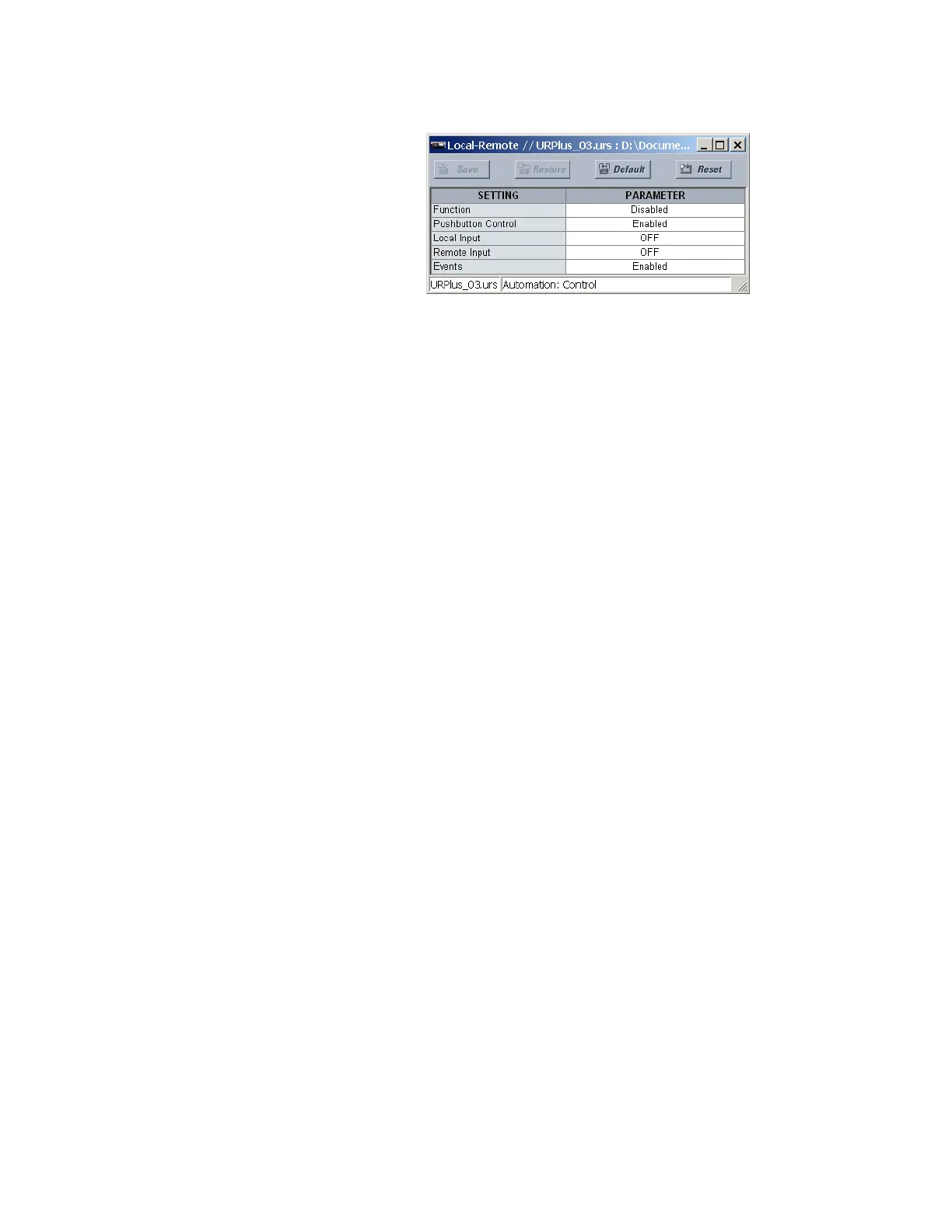
Figure 381: Local-remote control configuration settings
The following settings are available for the local-remote control scheme.
Function
Range: Enabled, Disabled
Default: Disabled
This setting enables and disables the local-remote control scheme automation logic and
front panel indications.
Pushbutton Control
Range: Enabled, Disabled
Default: Enabled
This setting enables local-remote control selection via the front panel interface and
populates the front panel display with control soft-keys.
Local Input
Range: any automation logic operand or shared operand
Default: OFF
When the operand assigned to this setting is asserted, the local-remote latch is set to
local. This setting is normally used in cases where the local-remote selection is derived
from an external switch or from a central location.
Remote Input
Range: any automation logic operand or shared operand
Default: OFF
When the operand assigned to this setting is asserted, the local-remote latch is set to
remote. This setting is normally used in cases where the local-remote selection is derived
from an external switch or from a central location.
Events
Range: Enabled, Disabled
Default: Enabled
This settings enables and disables the recording of local-remote control scheme events
in the sequence of events recorder.
The figure shows the logic diagram for the local-remote control scheme.



 To Next Page