458 D90
PLUS
LINE DISTANCE PROTECTION SYSTEM – INSTRUCTION MANUAL
AUTOMATION CONTROL CHAPTER 8: AUTOMATION
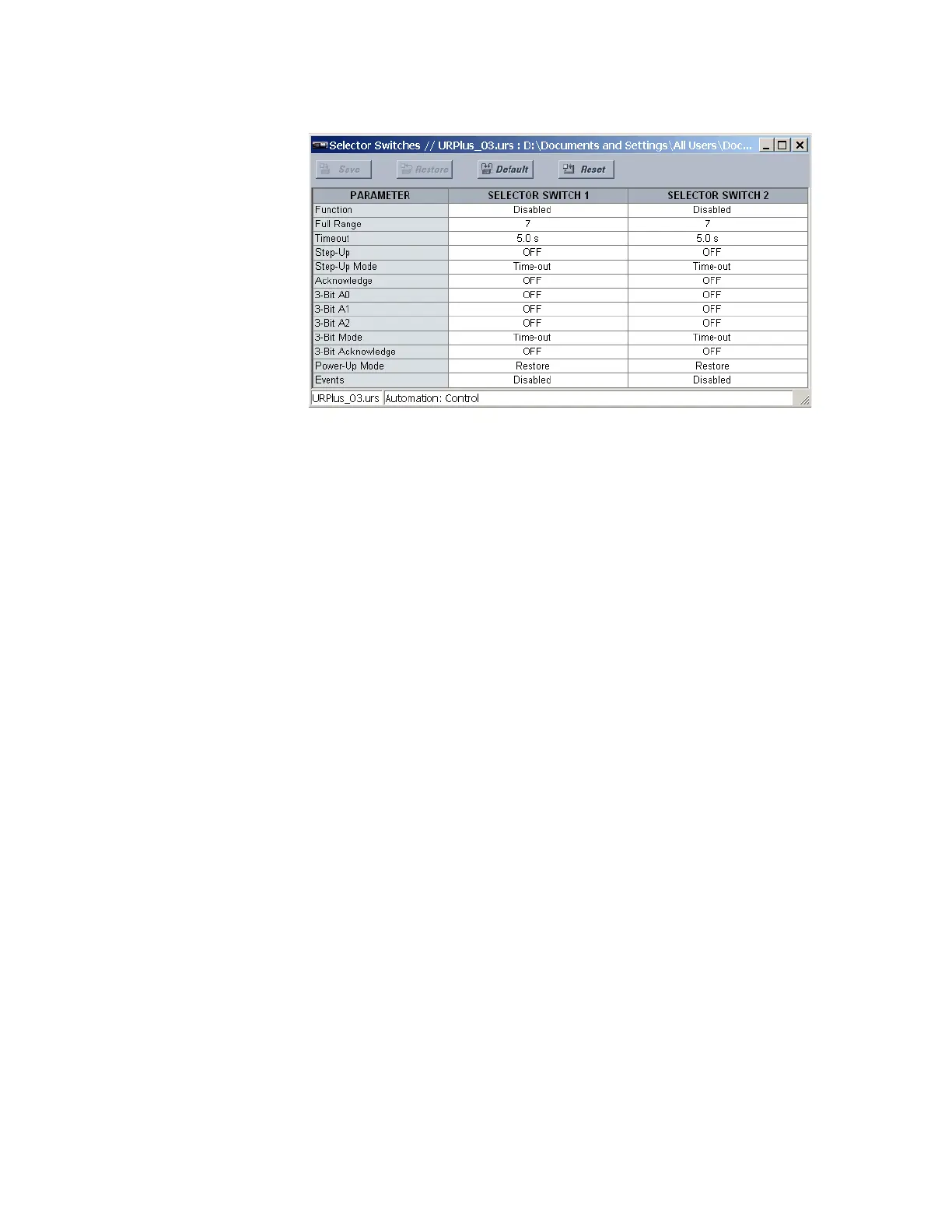
Figure 388: Selector switch configuration settings
The following settings are available for each selector switch.
Function
Range: Enabled, Disabled
Default: Disabled
This setting enables and disables the selector switch.
Full Range
Range: 1 to 7 in steps of 1
Default: 7
This setting specifies the upper position of the selector switch. When stepping up
through available positions of the selector, the upper position wraps up to the lower
position (position 1). When using a direct three-bit control word for programming the
selector to a required position, the change takes place only if the control word is within
the range of 1 to the full range. If the control word is outside the range, an alarm is
established by activating the SELECTOR ALARM operand for three seconds.
Timeout
Range: 3.0 to 60.0 seconds in steps of 0.1
Default: 5.0 seconds
This setting specifies the time-out period for the selector. This value is used by the relay
in two ways. When the
Step-Up Mode is “Time-out,” the setting specifies the required
period of inactivity of the control input after which the pre-selected position is
automatically applied. When the
Step-Up Mode is “Acknowledge,” the setting specifies
the period of time for the acknowledging input to appear. The timer is re-started by any
activity of the control input. The acknowledging input must come before this timer
expires, otherwise the change does not take place and an alarm is set.
Step-Up
Range: any automation logic operand or shared operand
Default: OFF
This setting selects a control input for the selector switch. The switch is shifted to a new
position at each rising edge of this signal. The position changes incrementally, wrapping
up from the last (the
Full Range value) to the first (position 1). Consecutive pulses of this
control operand must not occur faster than every 50 ms. After each rising edge of the
assigned operand, the time-out timer restarts. The pre-selected position is applied after
the selector times out (time-out mode), or when the acknowledging signal appears
before the element times out (acknowledge mode). Typically, a user-programmable
pushbutton is configured as the stepping up control input.



 To Next Page