462 D90
PLUS
LINE DISTANCE PROTECTION SYSTEM – INSTRUCTION MANUAL
AUTOMATION INPUTS AND OUTPUTS CHAPTER 8: AUTOMATION
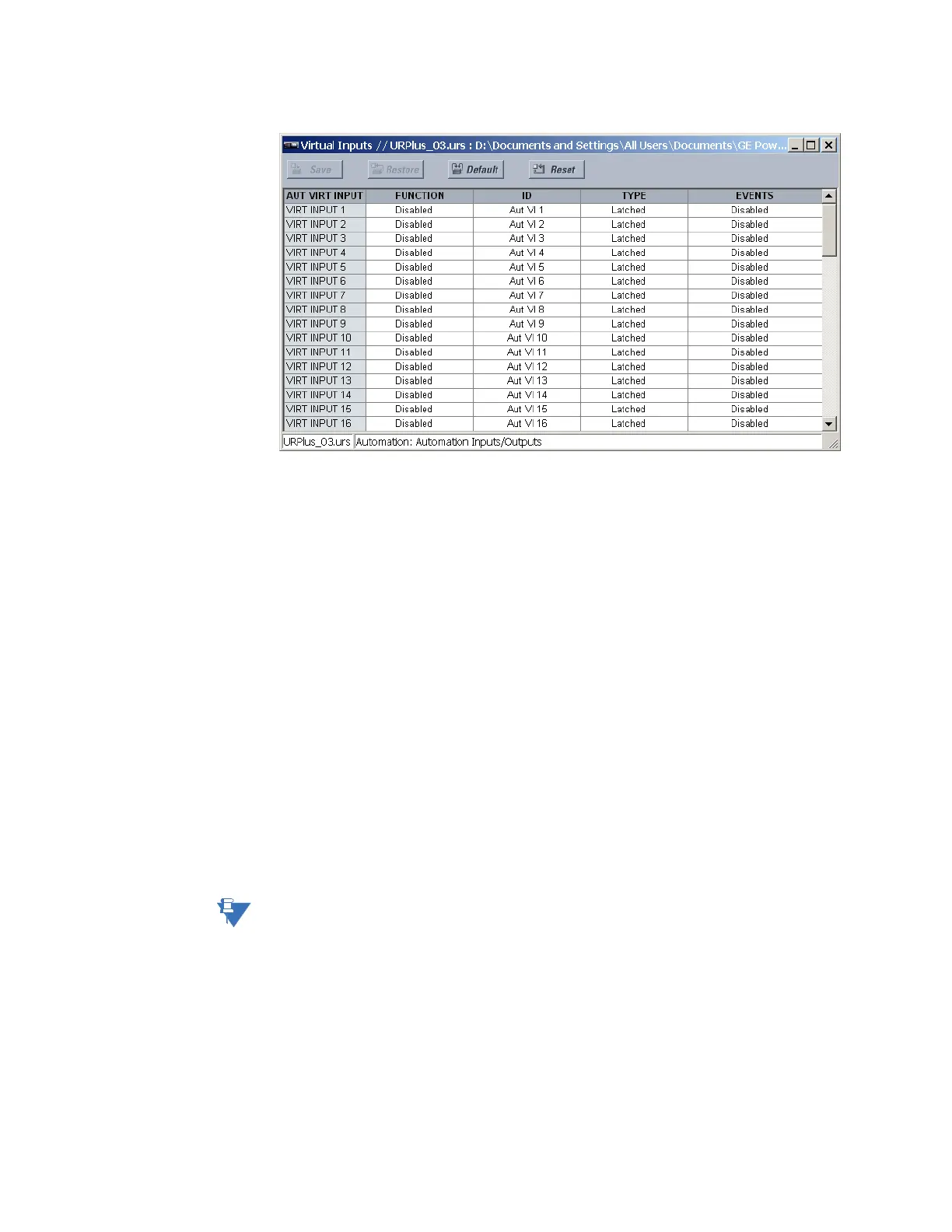
Figure 390: Automation virtual inputs configuration settings
The following settings are available for each automation virtual input. The default values
outlined are for virtual input 1.
Function
Range: Enabled, Disabled
Default: Disabled
If this setting is “Disabled,” the virtual input is forced to off (logic 0) regardless of any
attempt to alter the input. If set to “Enabled,” the input operates as shown on the logic
diagram and generates output logic operands in response to received input signals and
the applied settings.
ID
Range: up to 12 alphanumeric characters
Default: Aut VI 1
This setting specifies an identifier that can be assigned to each virtual input.
Type
Range: Self-Reset, Latched
Default: Latched
There are two types of operation: self-reset and latched. If this setting is “Self-Reset,” the
output operand is asserted (logic 1) for only one evaluation of the automation logic
equations and then it returns to 0 when the input signal transits from off to on. If set to
“Latched,” the virtual input sets the state of the output operand to the same state as the
most recent received input.
NOTE:
The self-reset operating mode generates an output operand for a single evaluation of the
automation logic equations. If the operand is to be used anywhere other than internally in
an automation logic equation, it likely has to be lengthened in time. An automation logic
timer with a delayed reset can perform this function.
Events
Range: Enabled, Disabled
Default: Disabled
If this setting is “Enabled,” every change in the automation virtual input state triggers an
event in the sequence of events recorder.
The figure shows the automation virtual input logic. The logic is identical for all automation
virtual inputs.



 To Next Page