User Manual corpuls
3
Configuration
ENG - Version 2.1 – P/N 04130.2 149
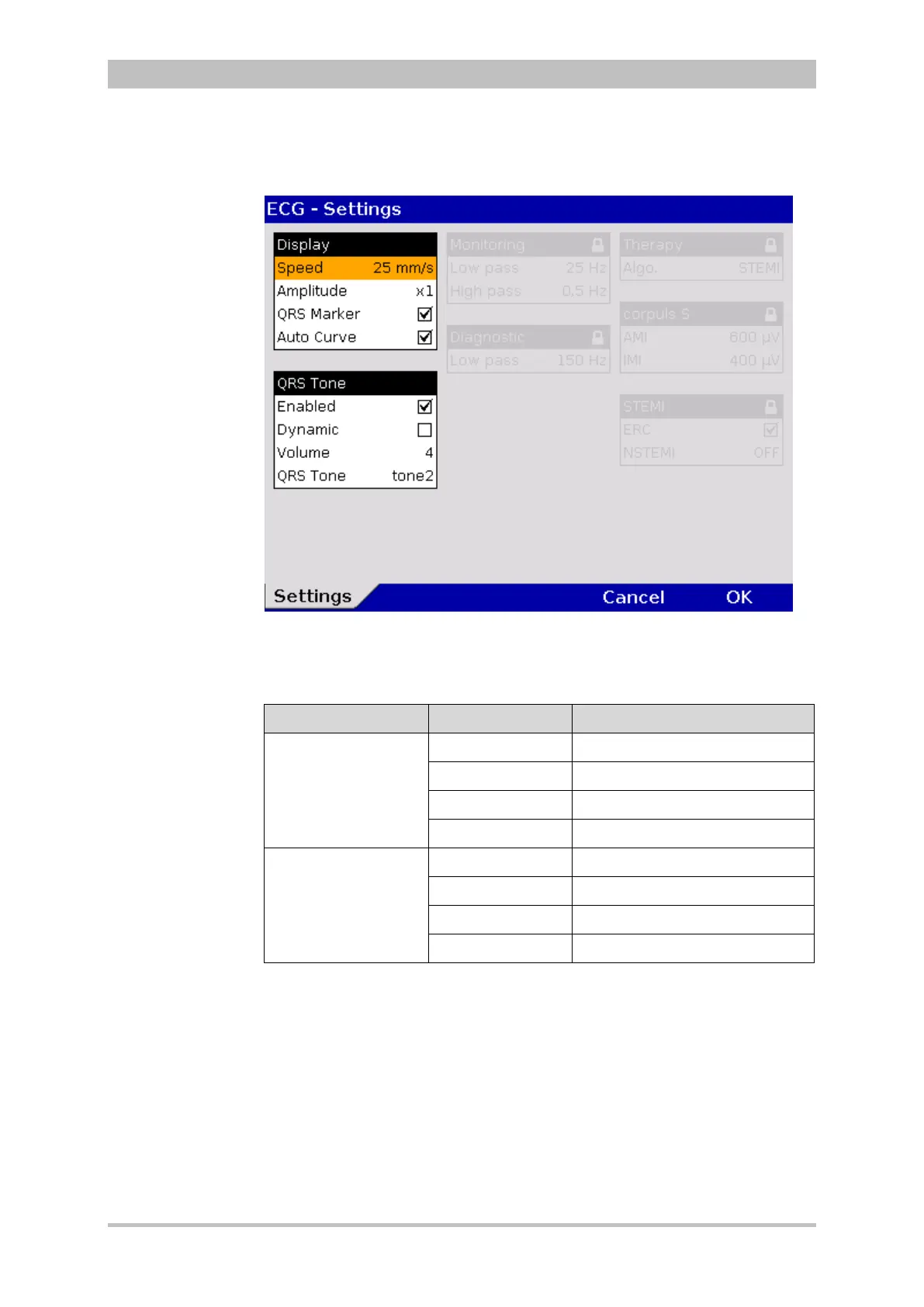
1. In the main menu, select "ECG" ► "Settings".
The configuration dialogue opens.
Fig. 7-9 ECG settings
2. Select the settings.
Table 7-5 shows the possible values.
Field Setting Values
Display
Speed 12.5 mm/s, 25 mm/s, 50 mm/s
Amplitude AUTO; x 0.25; x 0.5; x 1; x 2
QRS Marker Enabled; disabled
Auto Curve Enabled; disabled
QRS Tone
Enabled Enabled; disabled
Dynamic Enabled; disabled
Volume 3 to 10
QRS Tone Tone 1 to tone 4
7-5 Values for ECG setting
After connecting the 4-pole ECG monitoring cable (to patient and patient box)
the ECG curve of lead II appears automatically on the display if a valid ECG is
detected.
If the pitch of the QRS tone should indicate a change in oxygen saturation
(SpO
2
value), tick the checkbox in the “Dynamic” field. With this acoustic option,
for example a decrease of the oxygen saturation can be detected early on. If the
checkbox is not ticked, the dynamic pulse signal is disabled as well (see
chapter 7.2.2 Oximetry, p. 150).
The dynamic QRS tone is only available, if the device is equipped with the SpO
2
option.



 To Next Page