User Manual corpuls
3
Operation – Therapy
ENG - Version 2.1 – P/N 04130.2 87
1. Press the Pacer key to run the pacer function.
2. Press the softkey [Mode] to leave the operating mode DEMAND.
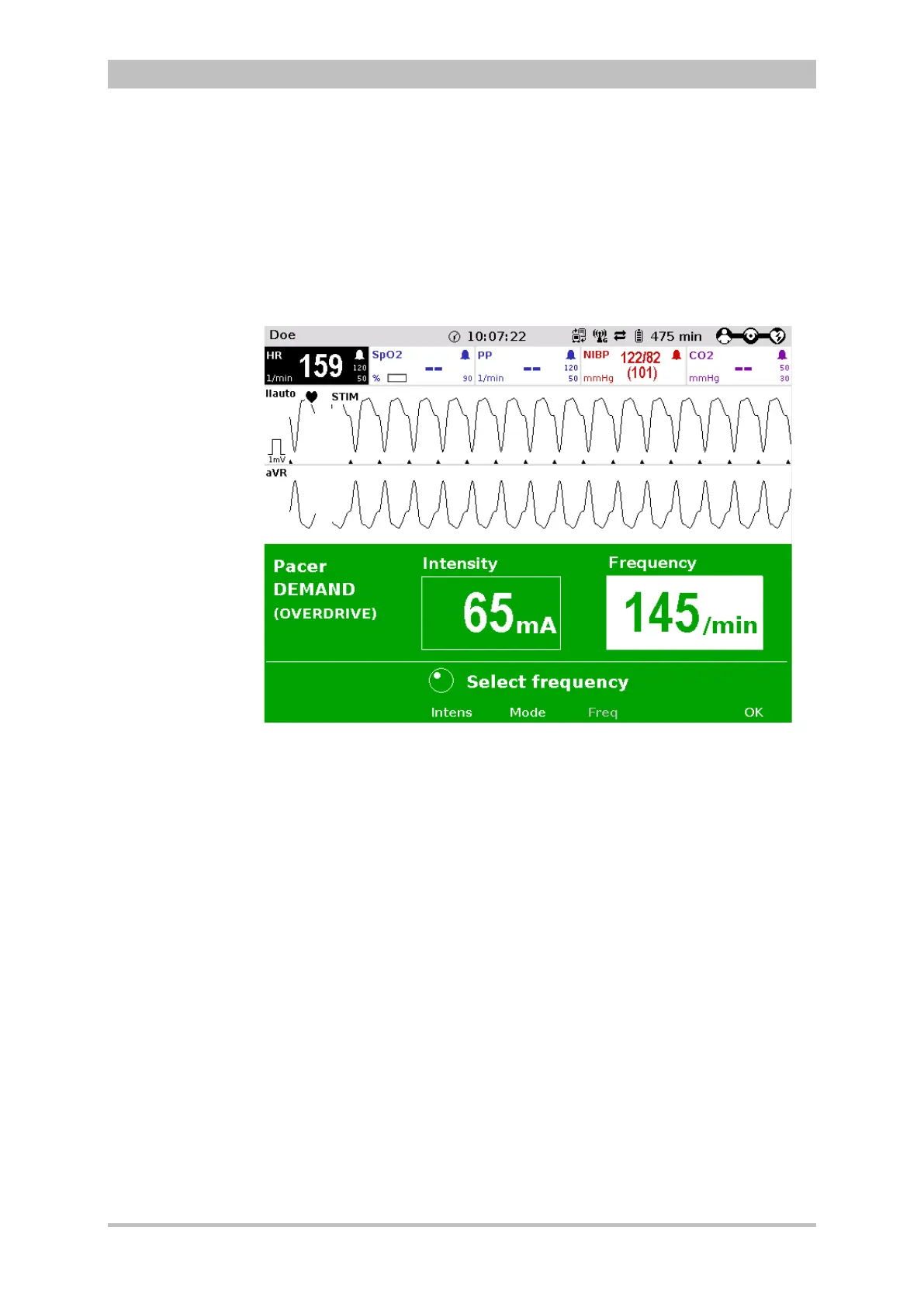
3. Press the softkey [OVR] to select the OVERDRIVE function. The pacing
frequency will be automatically adjusted to a value just below the patient’s
frequency.
4. Press the softkey [Intens] and select an intensity value between 60 and
100 mA.
Fig. 5-15 Pacer, OVERDRIVE function
5. Press the softkey [Freq] and gradually increase the frequency until the
pacer stimulates regularly. Pacing only starts when the patient’s heart rate
is exceeded.
6. If the pacing pulses are not followed by a contraction of the heart muscle,
press the softkey [Intens] and increase the intensity until the stimulation
threshold is reached and the heart rate permanently follows the pacing
frequency.
7. Press the softkey [Freq] and decrease the frequency until the required
heart rate is achieved.
8. If necessary, repeat step 6 and 7.
If necessary, press the softkey [Pause] to interrupt pacing. Answer the
confirmation prompt Pause pacing? with the softkey [Yes].
If pacing has been paused, press the softkey [Continue pacing] to continue
pacing. Answer the confirmation prompt Continue pacing? with the softkey
[Yes].
To end the current pacing, press the softkey [Off]. Answer the confirmation
prompt Switch off pacer? with the softkey [Yes] to end pacing and to reset
the pacer (DEMAND, 0 mA, 70/min).



 To Next Page