EasyManua.ls Logo

HP 262SA - Page 43

HP 262SA
390 pages
Print Icon
To Next Page IconTo Next Page
To Previous Page IconTo Previous Page
Loading...
Configuring
the
Terminal
Table
3-3.
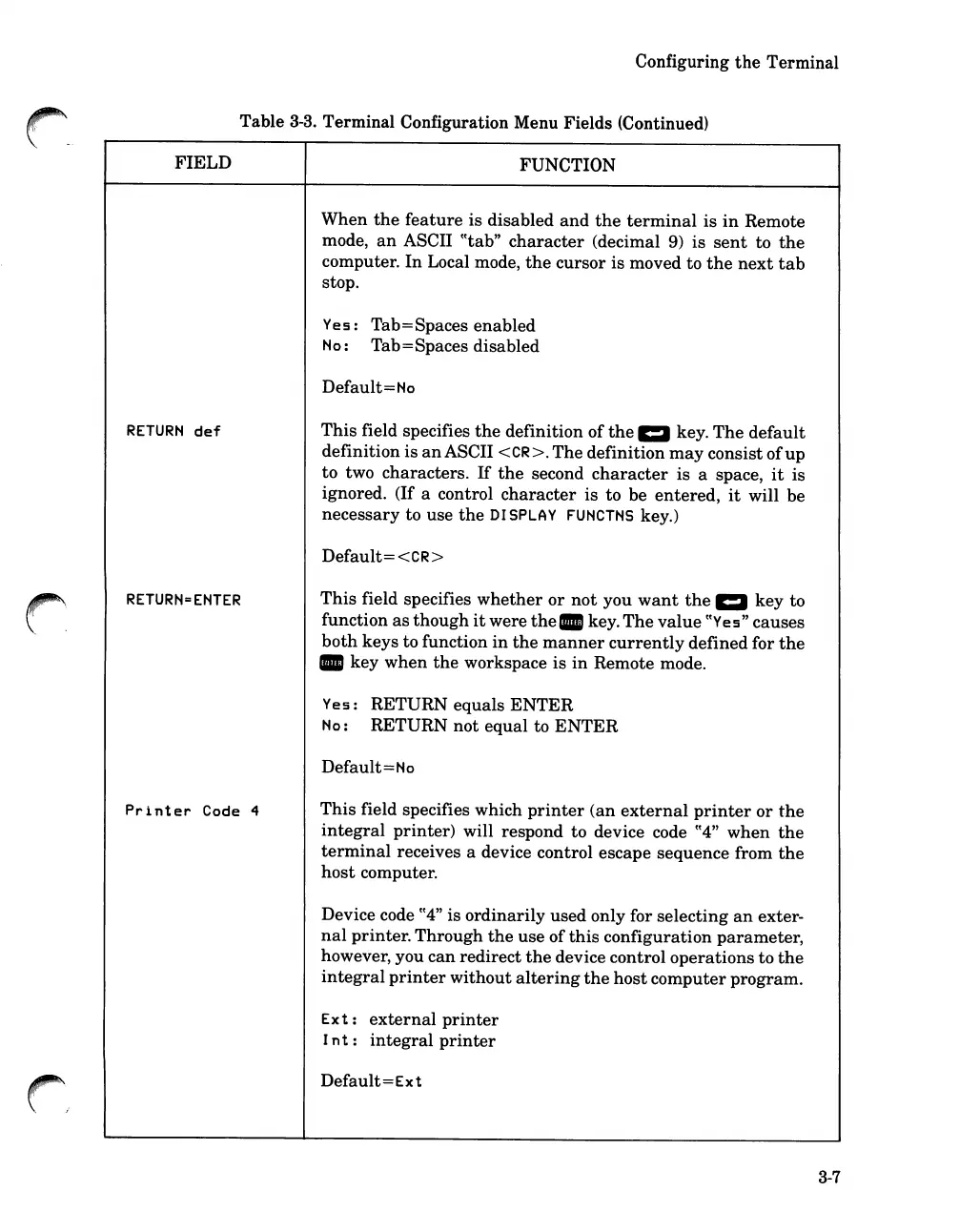
Terminal Configuration Menu Fields (Continued)
FIELD
FUNCTION
When
the
feature
is disabled
and
the
terminal
is
in
Remote
mode,
an
ASCII
CCtab"
character
(decimal
9)
is
sent
to
the
computer.
In
Local mode,
the
cursor is moved to
the
next
tab
stop.
Yes:
Tab=Spaces enabled
No:
Tab=Spaces disabled
Default
=No
RETURN
def
This
field specifies
the
definition
of
the
1:1
key.
The
default
definition
is
an
ASCII <CR>.
The
definition
may
consist
of
up
to two characters.
If
the
second
character
is a space,
it
is
ignored. (If a control
character
is to be
entered,
it
will be
necessary to use
the
OJ
SPLAY
FUNCTNS
key.)
Default
= <CR>
RETURN=EHTER
This
field specifies
whether
or
not
you
want
the
1:1
key to
function
as
though
it
were
the.
key.
The
value
CCYes"
causes
both
keys to function
in
the
manner
currently
defined for
the
key
when
the
workspace is
in
Remote mode.
Yes:
RETURN equals
ENTER
Ho:
RETURN
not
equal
to
ENTER
Default
=No
Printer
Code 4
This
field specifies which
printer
(an
external
printer
or
the
integral
printer)
will respond to device code
CC4"
when
the
terminal
receives a device control escape sequence from
the
host
computer.
Device code
cC4"
is
ordinarily
used only for selecting
an
exter-
nal
printer.
Through
the
use
of
this
configuration
parameter,
however, you
can
redirect
the
device control
operations
to
the
integral
printer
without
altering
the
host
computer
program.
Ext:
external
printer
Int:
integral
printer
Default=Ext
3-7

Table of Contents

Related product manuals