ECC800 Data Center Controller
User Manual (for ECC800-Pro)
Copyright © Huawei Technologies Co., Ltd.
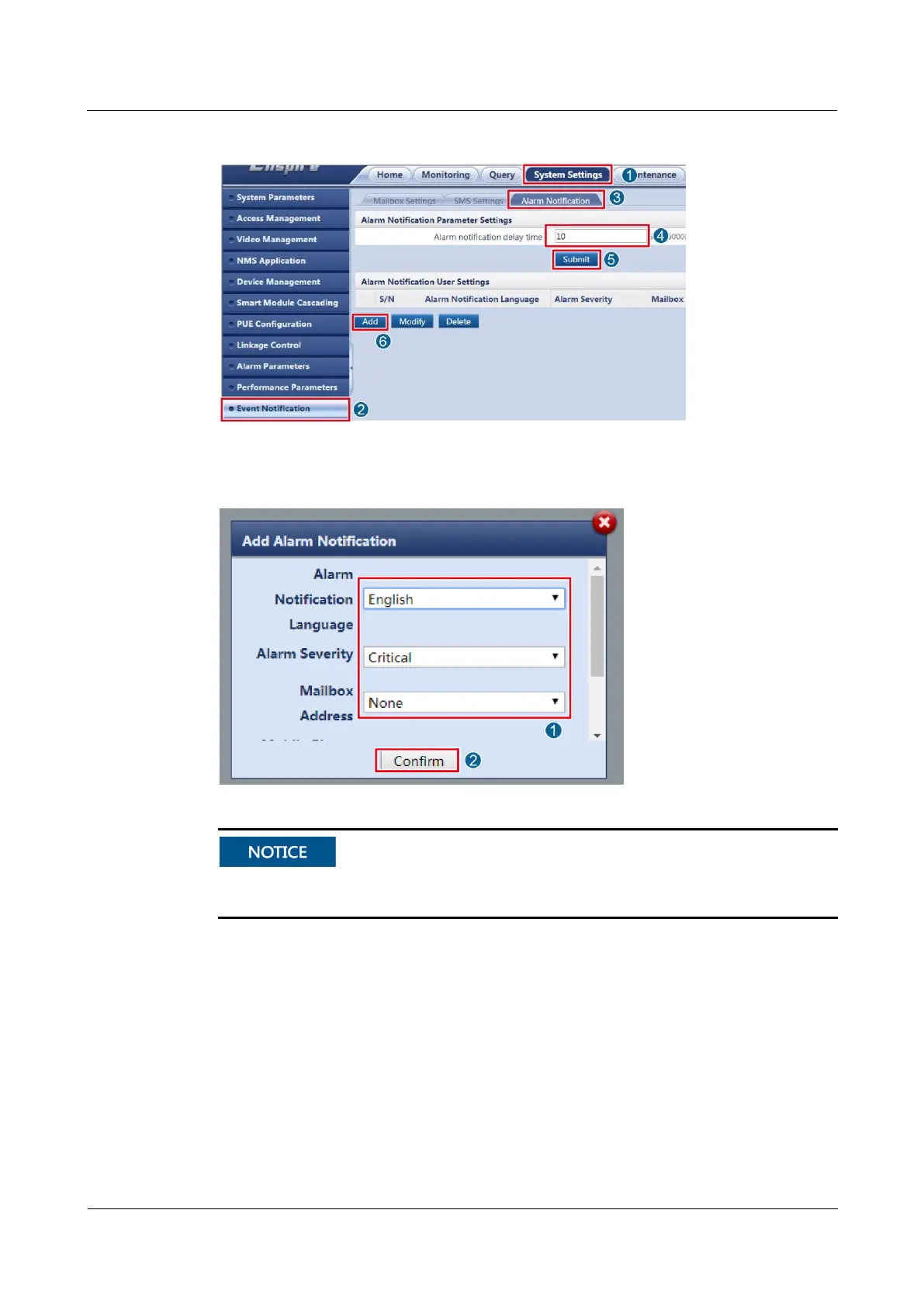
Figure 5-7 Setting the alarm notification parameters
Figure 5-8 Adding alarm notification
Mailbox Address in Alarm Notification can be selected after it is added in Mailbox
Settings. Mobile Phone Number can be selected after it is added in SMS Settings.
Step 6 Click Confirm to access the re-authentication page. Enter Login password and click Submit.
----End
Follow-up Procedure
To modify or delete the email parameter settings, click Modify or Delete.



 To Next Page