ECC800 Data Center Controller
User Manual (for ECC800-Pro)
Copyright © Huawei Technologies Co., Ltd.
6.10 Asset Management
Asset Management Flowchart
6.10.1 Commissioning the Smart U Space Manager (Connected to
a Rack Environment Unit)
6.10.1.1 Determining the Position of the Smart U Space Manager
If a smart U space manager is installed, perform the following steps to configure it.
Prerequisites
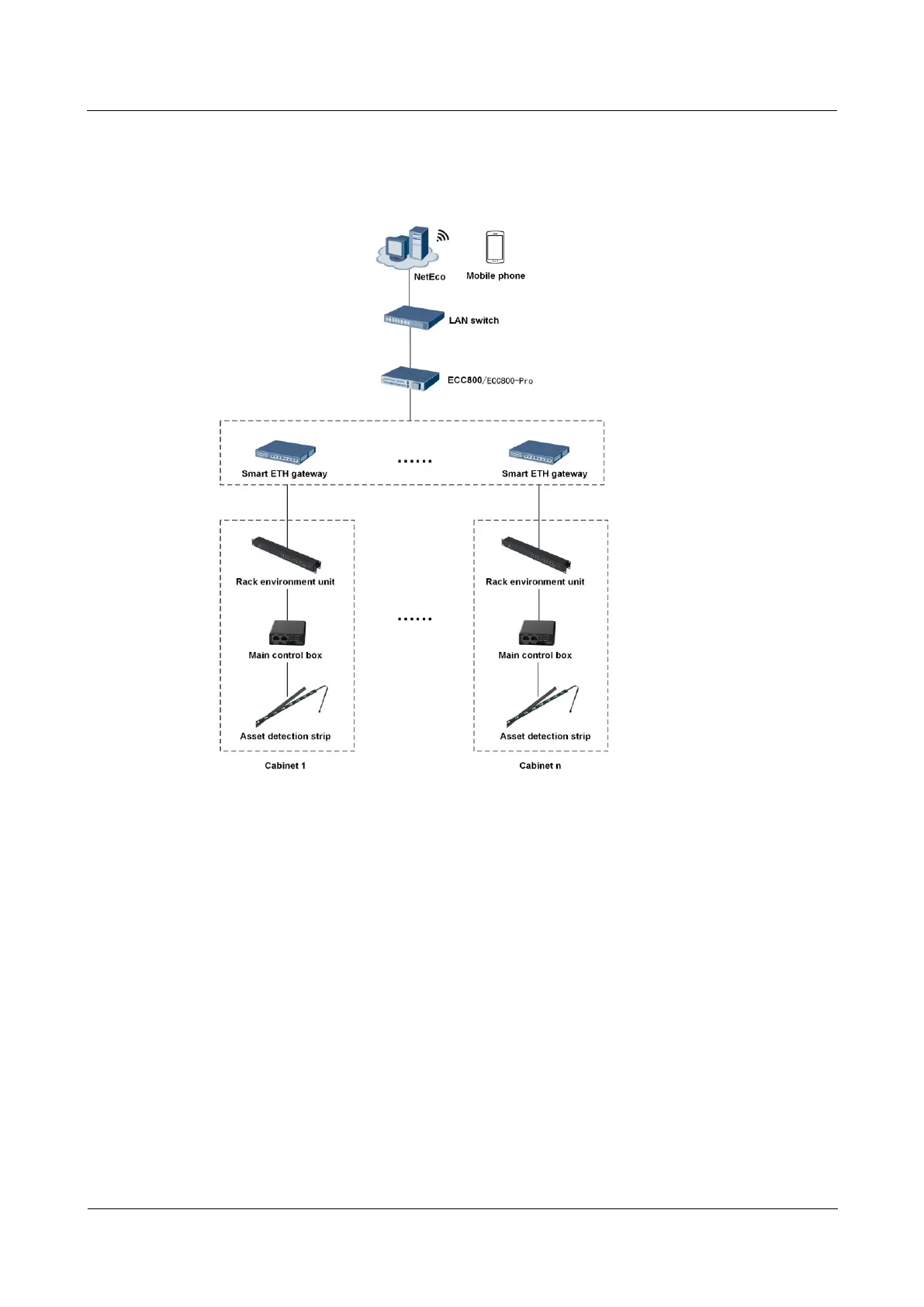
Connect the smart U space manager to the COM1 or COM2 port on the rack environment
unit.
Procedure
Step 1 Log in to the ECC800-Pro WebUI as an administrator.
Step 2 View the position of the smart U space manager.
1. Choose Monitoring > Cabinet > IT Cabinet > Smart U Space Manager.



 To Next Page