ECC800 Data Center Controller
User Manual (for ECC800-Pro)
Copyright © Huawei Technologies Co., Ltd.
on, and the yellow indicator
is blinking.
the network cable connection.
Ambient temperature:
–20°C to +50°C
Humidity: 5–95% RH
(non-condensing)
If the humidity or temperature is
abnormal, check the smart cooling
product status.
The cable connection is
secure.
7.2 Common Faults and Troubleshooting
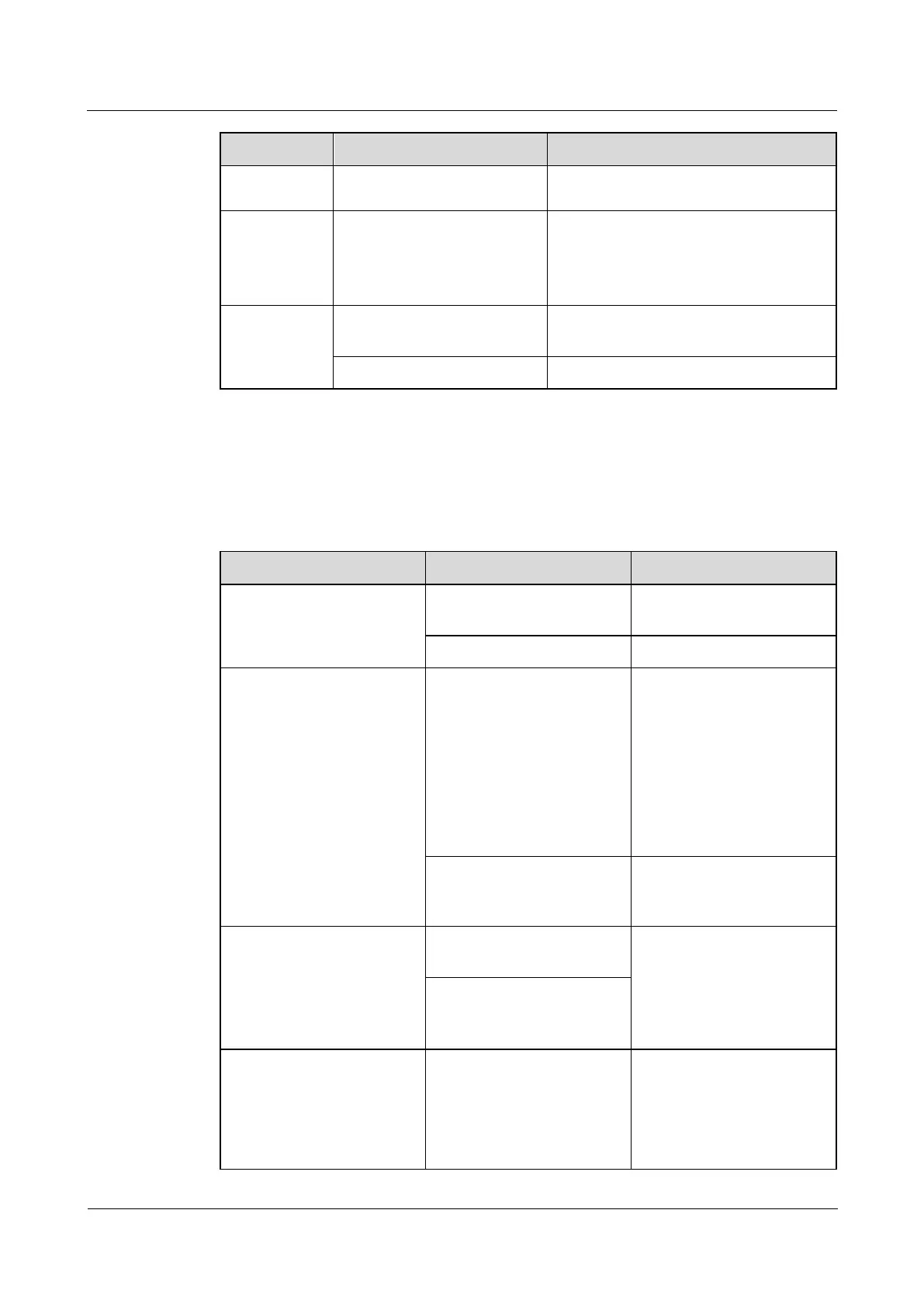
Table 7-3 Common faults and troubleshooting for PSUs
The PWR indicator (green)
is off.
Check whether the AC input
is abnormal.
The ALM indicator (yellow)
is steady on.
Over temperature protection
is triggered.
The ambient temperature
exceeds the upper
threshold, and the
cooling capacity of the
smart cooling product
needs to be increased.
The air channel is
obstructed and needs to
be unblocked.
AC input overvoltage or
undervoltage protection is
triggered.
Check whether the AC input
is abnormal.
The ALM indicator (yellow)
is blinking.
Communication with the
PSU is interrupted.
1. Clean the connector in
the rear of the faulty
PSU.
2. If the fault persists,
replace the ECC800-Pro
subrack.
Communication with the
main control module is
interrupted.
The ALM indicator (red) is
steady on.
Output overvoltage
protection is triggered.
If the PSU is locked out,
disconnect the AC input
from the PSU, and then
power on the PSU again
after the indicator turns off.
If the fault persists, replace



 To Next Page