ECC800 Data Center Controller
User Manual (for ECC800-Pro)
Copyright © Huawei Technologies Co., Ltd.
Example
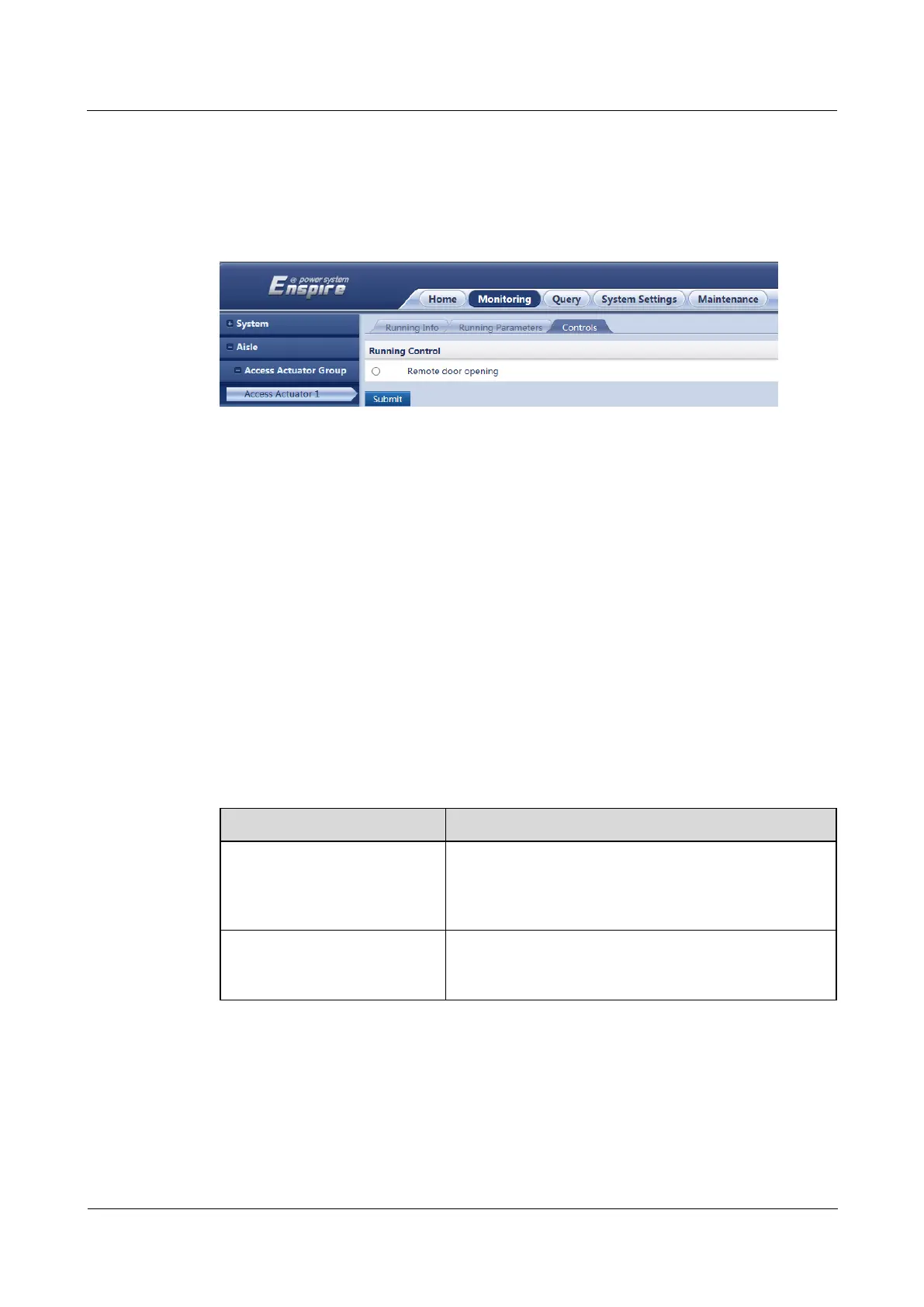
The following figure shows how to remotely open the aisle door controlled by access actuator
1.
Figure 8-36 Opening a door remotely
8.1.33 How Should I Turn On or Off Aisle Lights in the Smart
Module over the ECC800-Pro WebUI?
Context
If O&M personnel forget to turn off lights when exiting the data center, you can remotely
turn off the lights over the ECC800-Pro WebUI.
When the local light button is faulty or lights cannot be turned on through a linkage, you
can remotely turn on the lights over the ECC800-Pro WebUI.
Procedure
Step 1 Log in to the ECC800-Pro WebUI as an administrator.
Step 2 Turn on or off aisle lights.
Table 8-47 Turning on or off aisle lights
Monitoring > Aisle > AC
Actuator Group > AC
Actuator n > Running
Parameters
Set Route 1 control mode to Light.
Set Set light mode to Manual.
Monitoring > Aisle > AC
Actuator Group > AC
Actuator n > Controls
Select Remote open scuttle, select ON or OFF as
required, and click Submit.
----End
Example
The following figure shows how to turn on or off the lights controlled by AC actuator 2.



 To Next Page