ECC800 Data Center Controller
User Manual (for ECC800-Pro)
Copyright © Huawei Technologies Co., Ltd.
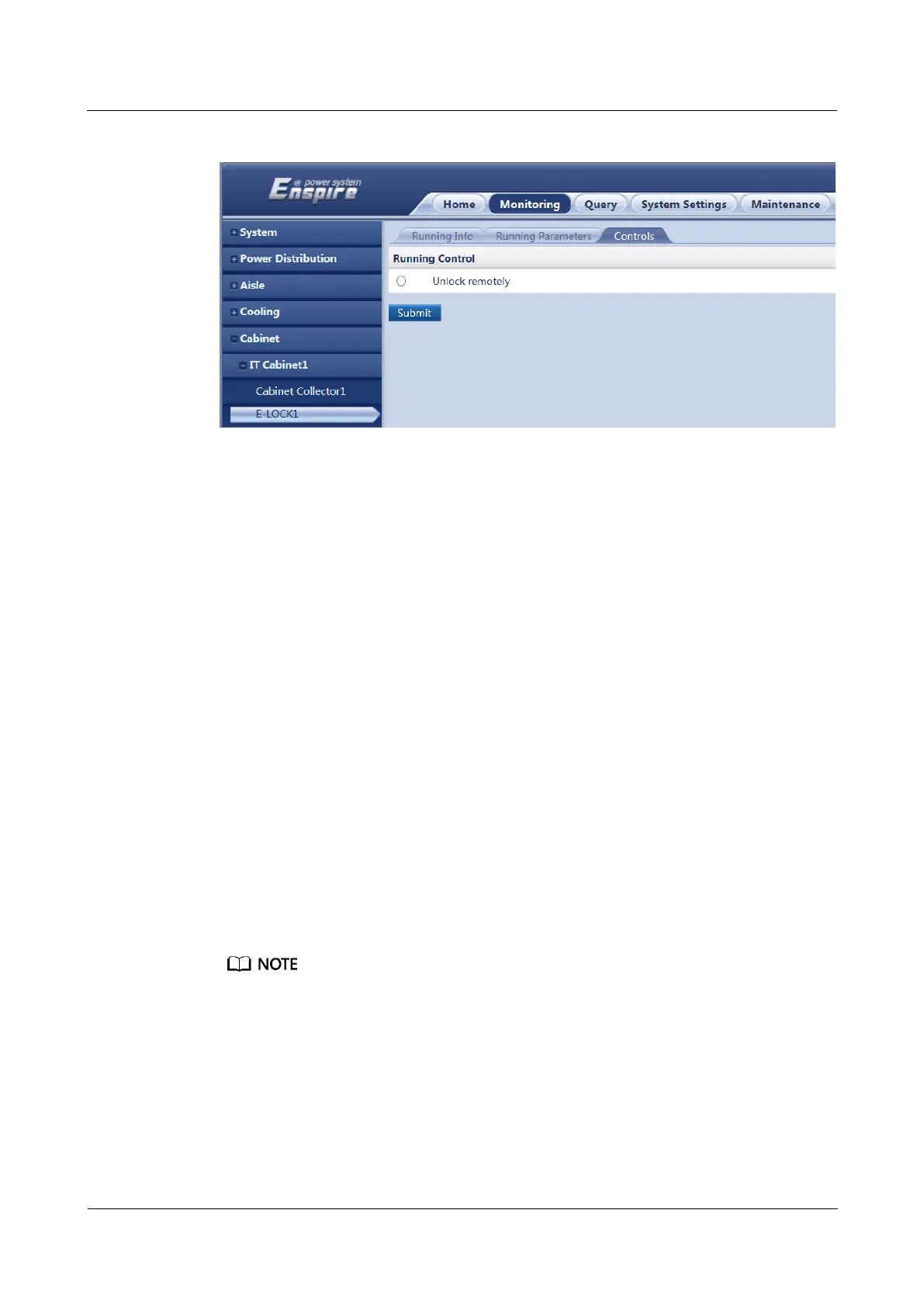
Figure 8-40 Opening a cabinet electronic lock
Follow-up Procedure
After the maintenance is complete, O&M personnel need to close the cabinet door manually.
8.1.37 How Should I Link the Smoke Alarm with the Alarm
Beacon over the ECC800-Pro WebUI?
Prerequisites
The alarm beacon is connected to the DO port on the ECC800-Pro.
Context
After the smoke alarm is linked with the alarm beacon, if smoke is detected inside the smart
module, the alarm beacon connecting to the corresponding DO port will generate an audible
and visual alarm.
Procedure
Step 1 Choose System Settings > Alarm Parameter > Alarm Linkage.
Step 2 Select Multi-Func Sensor for Device Type, select Device Type or Device for Linkage type,
and click Confirm.
Select Multi-Func Sensor n from the Device Name list if you have selected Device for Linkage type,
and click Confirm.
Step 3 Click Select in the Output Dry Contact list for Smoke alarm. On the Set Dry Contact
Outputs(Multi-Func Sensor) page, set DO to Yes and click OK.
Step 4 Click Select in the loudspeaker list for Smoke alarm. On the Please set the
sound(Multi-Func Sensor) page, set loudspeaker to Yes and click OK.
----End



 To Next Page