ECC800 Data Center Controller
User Manual (for ECC800-Pro)
Copyright © Huawei Technologies Co., Ltd.
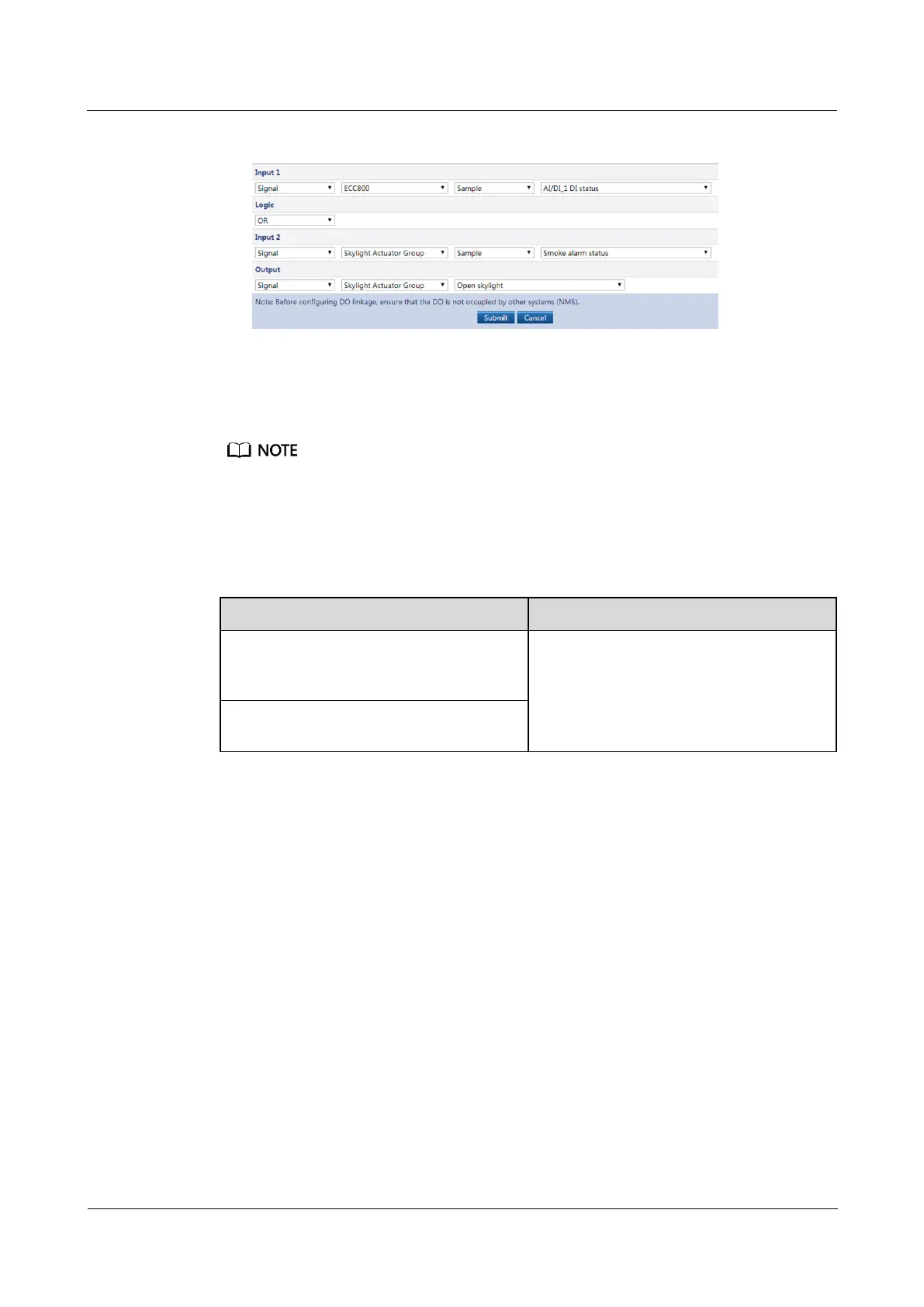
Figure 6-39 Link smoke alarm with skylight open logic
4. Click Submit.
Step 11 Ensure that Link smoke alarm with skylight open on the Linkage Group tab page is on.
Click Link smoke alarm with skylight open on the Linkage Group tab page. If it is in on state, the
corresponding logic configurations on the Linkage Logic List tab page are available. If it is in off state,
the corresponding logic configurations on the Linkage Logic List tab page are unavailable.
Step 12 Check the Link smoke alarm with skylight open linkage function.
Table 6-32 Function check
When the skylight in the aisle is closed,
press the skylight button to open the
skylight.
Smoke DI alarm is displayed on the
active alarm page of the app or WebUI.
The skylight is opened.
Simulate a smoky environment under the
smoke sensor or the multi-func sensor.
----End
Follow-up Procedure
After Link smoke alarm with skylight open linkage is triggered and the alarm is cleared,
perform the following operations:
Press the reset button on the smoke sensor to clear the alarm.
Close the skylight manually.
6.6.2 FusionModule800 Linkage Control
Prerequisites
You have obtained the IP address of the ECC800-Pro as well as the user name and
password used for WebUI login.
A PC with an IP address in the same network segment as that of the ECC800-Pro is
prepared, and the PC has connected to port WAN1 on the ECC800-Pro.



 To Next Page