ECC800 Data Center Controller
User Manual (for ECC800-Pro)
Copyright © Huawei Technologies Co., Ltd.
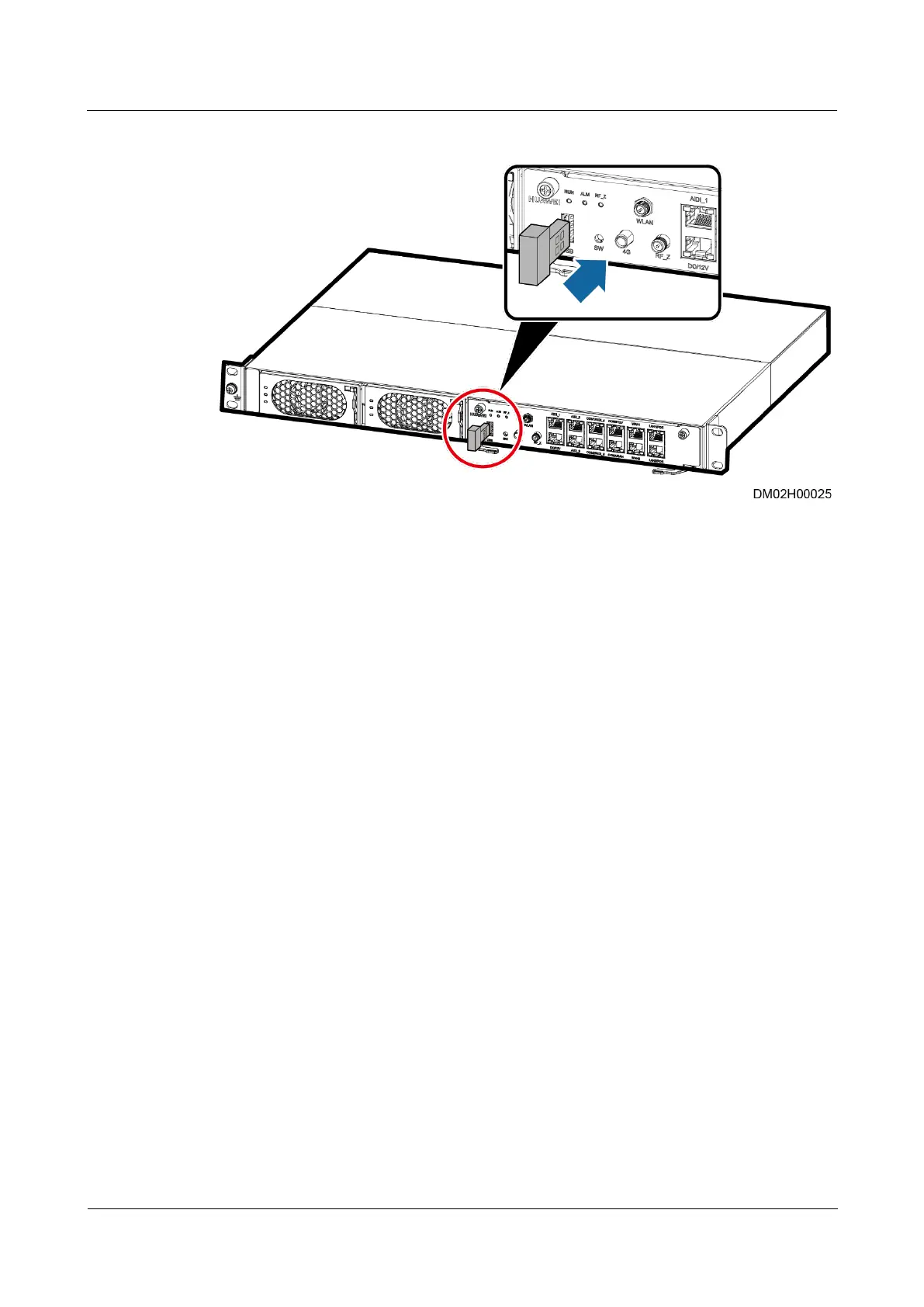
Figure 8-42 Installing a WiFi module
----End
8.2.2 How to Prepare and Login the App
Prerequisites
App operating environment requirements:
The mobile device must run Android 4.0 or later and is not root operating system (the
operating system is not flashed).
The mobile device has sufficient battery reserve.
You have obtained the IP address of the ECC800-Pro as well as the user name and
password used for WebUI login.
A PC with an IP address in the same network segment as that of the ECC800-Pro is
prepared, and the PC has connected to port WAN1 on the EECC800-Pro.
Procedure
Step 1 Download and obtain the app installation package using any of the following three methods:
Log in to Huawei AppGallery (https://a.vmall.com/), search for FusionModule, and tap
Download.
a. (Optional) Set the pad language to Chinese.
b. Open the browser on the pad, enter www.baidu.com in the address box, search for
Huawei AppGallery, select Ordinary Download, and tap Save.
c. Install the Huawei AppGallery. If the downloaded file exists in the drop-down list
box, tap the file to install the Huawei AppGallery. If the downloaded file does not
exist in the drop-down list box, choose File > Local on the desktop, find the
Download folder, and click the Huawei AppGallery installation package.



 To Next Page