ECC800 Data Center Controller
User Manual (for ECC800-Pro)
Copyright © Huawei Technologies Co., Ltd.
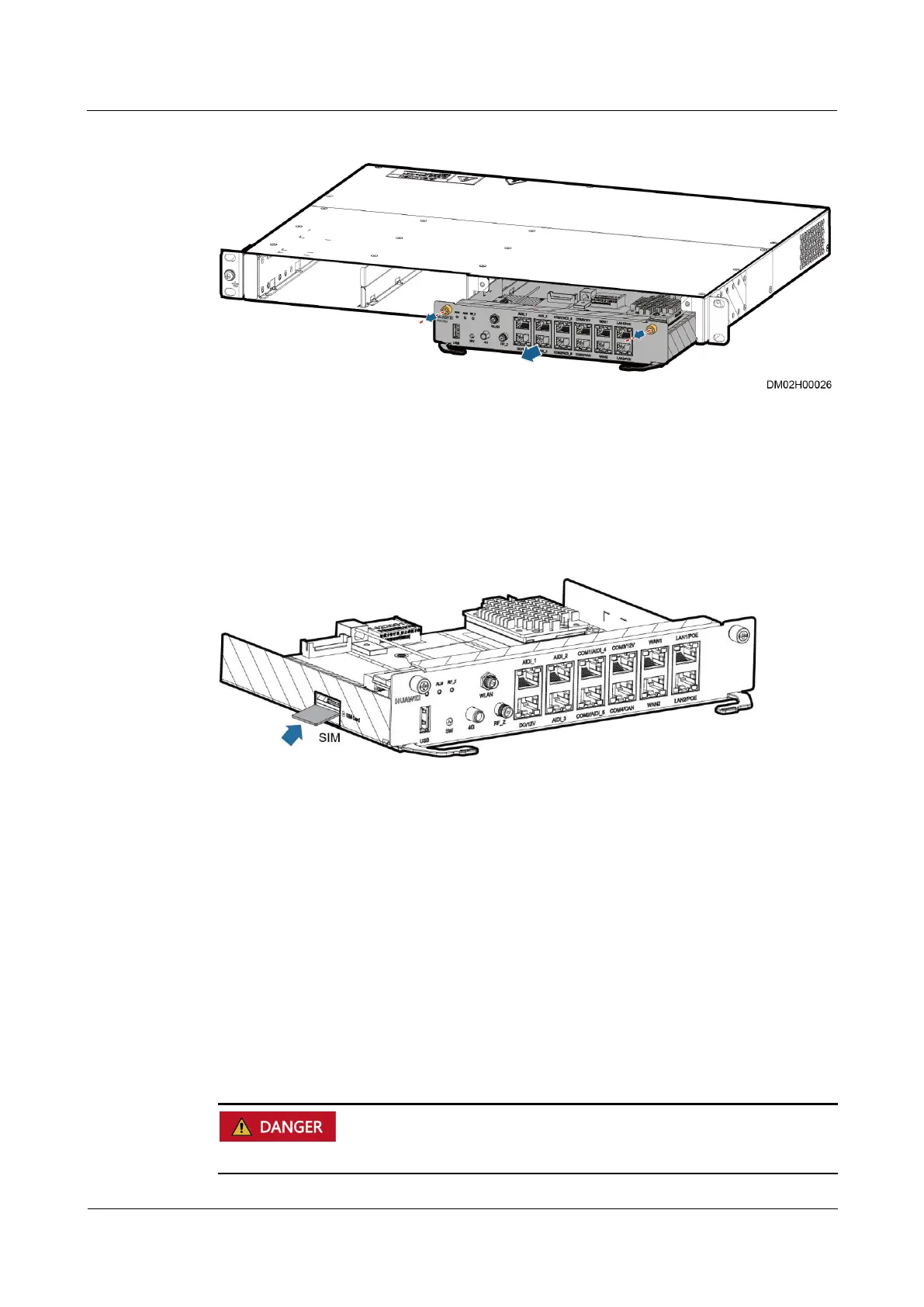
Figure 7-1 Removing the ECC800-Pro main control module
Step 5 (Optional) Remove the SIM card from the corresponding slots of the ECC800-Pro main
control module.
Step 6 (Optional) Install the removed SIM card in the corresponding slot of the new ECC800-Pro
main control module.
Figure 7-2 Installing a SIM card
Step 7 Install the spare ECC800-Pro main control module in the ECC800-Pro subrack and tighten the
screws on both sides of the ECC800-Pro main control module.
Step 8 Connect the communications cables and antennas to the ECC800-Pro main control module.
Step 9 Choose Maintenance > Configuration File and import the backup configuration file, or set
parameters for the devices that connect to the ECC800-Pro to ensure normal communication.
----End
7.3.2 Replacing an ECC800-Pro PSU
Prerequisites
Do not touch the terminals in the rear of a removed PSU to avoid electric shocks.



 To Next Page