ECC800 Data Center Controller
User Manual (for ECC800-Pro)
Copyright © Huawei Technologies Co., Ltd.
Indicators
Table 3-24 lists the structural specifications for the rack environment unit.
Table 3-24 Indicator description
Power input
status
indicator
The power input is normal.
Module
running
status
indicator
The power is abnormal or the board
program is loading.
Blinking at
long intervals
The software runs properly (the
indicator blinks at 0.5 Hz, on for 1s
and then off for 1s).
Blinking at
short
intervals
POE communication fails (the
indicator blinks at 4 Hz, on for
0.125s and then off for 0.125s).
The indicator blinks at super short
intervals for 0.5s (blinking at 10 Hz,
on for 0.05s and then off for 0.05s)
and then turns off for 0.5s. The
cycle lasts for 10s.
A system failure alarm is generated.
No system alarm is generated.
3.2.3 Smart ETH Gateway
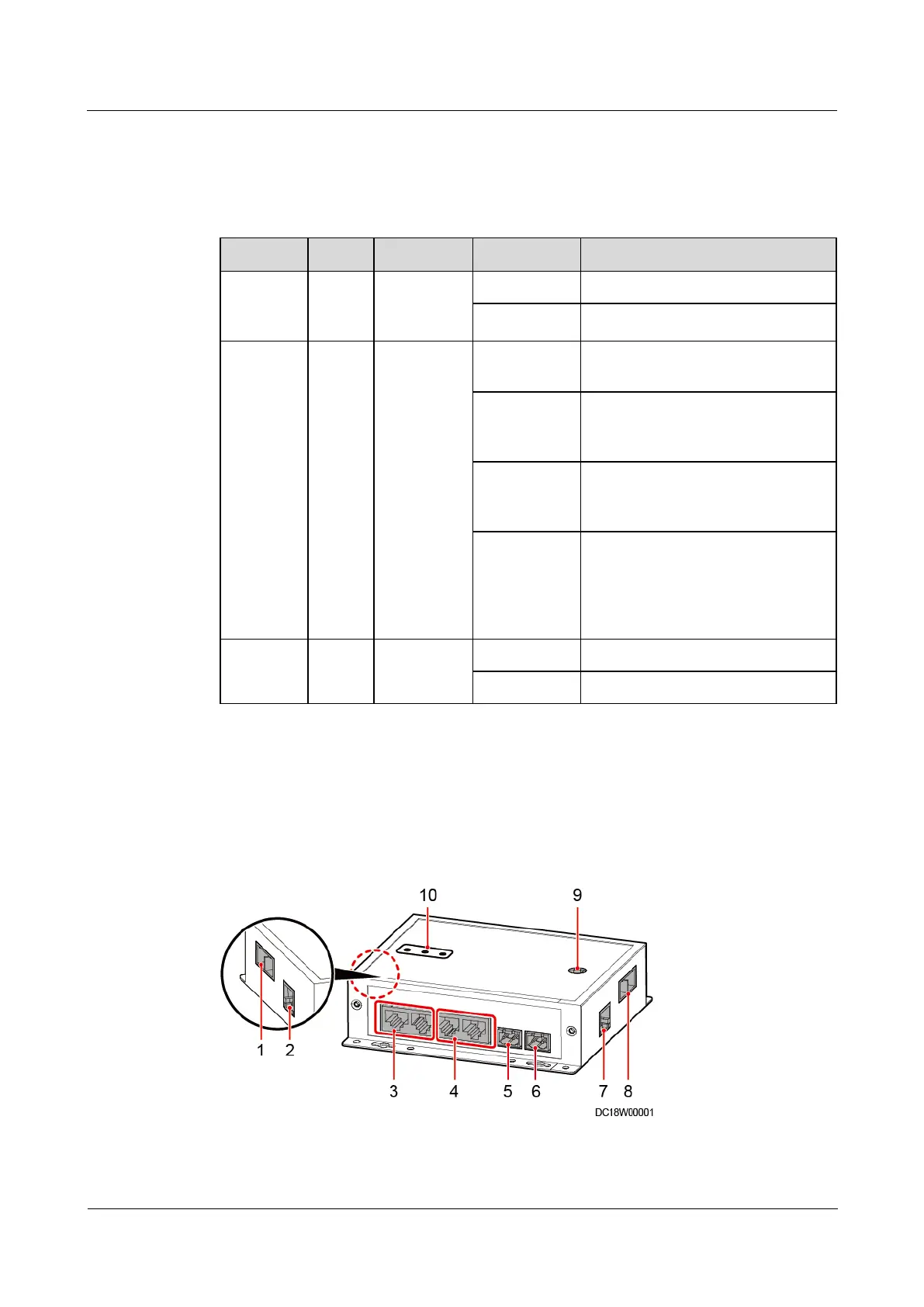
A smart ETH gateway allows the extension of the 53.5 V DC power supply and FE
communication for the ECC800-Pro and can be flexibly deployed in a smart module.
Figure 3-9 Smart ETH gateway



 To Next Page