ECC800 Data Center Controller
User Manual (for ECC800-Pro)
Copyright © Huawei Technologies Co., Ltd.
(5) 48V_OUT1
power output port
(6) 48V_OUT2
power output port
(7) FE_2
cascading signal
port
(8) PWR_OUT
cascading power port
Specifications
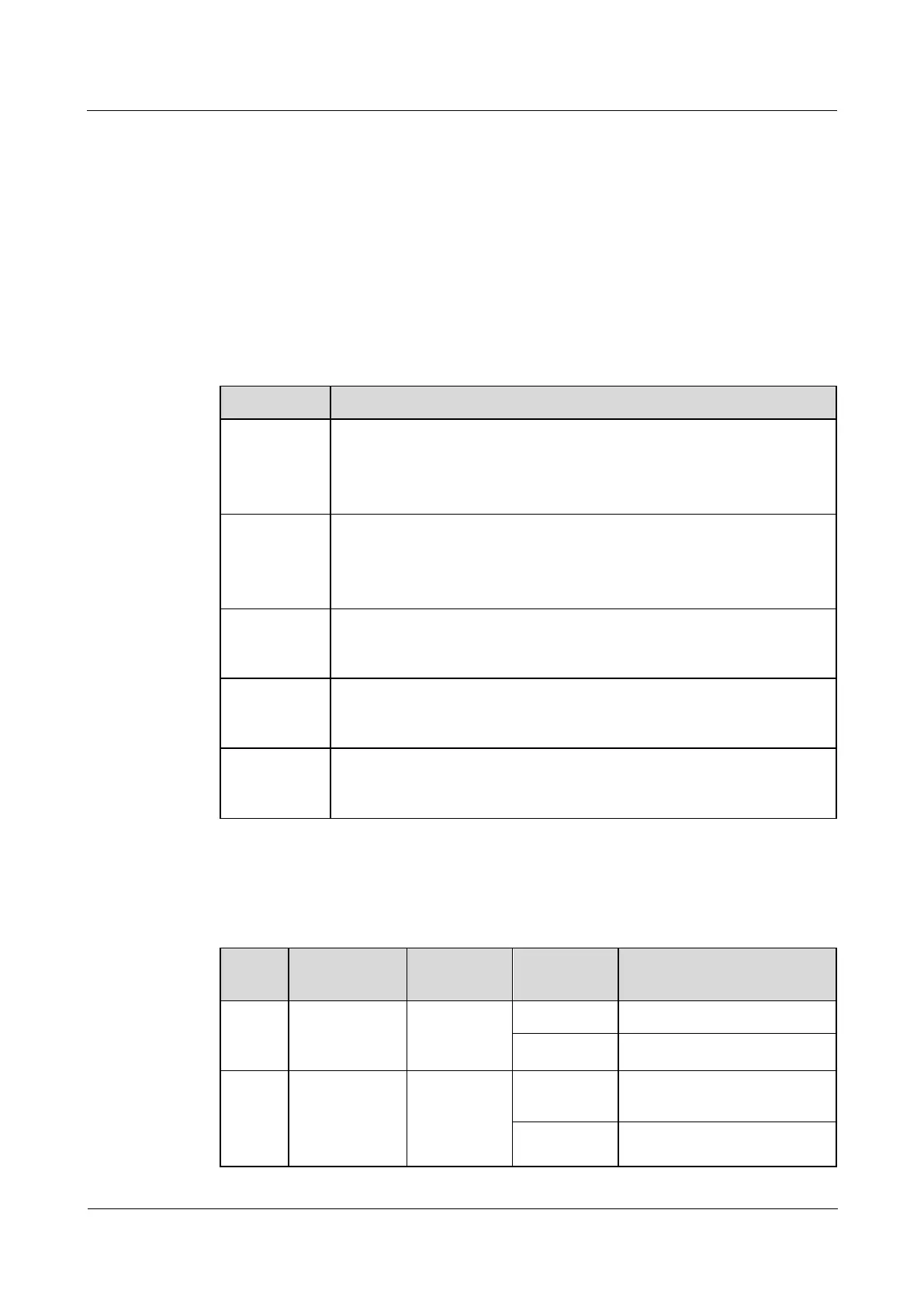
Table 3-25 Technical specifications for a smart ETH gateway
PWR_IN D-type power input terminal, for power cascading, input voltage
range: 45–55 V DC
Power of a single smart ETH gateway: max (2.7 A, 48 V DC); power of
cascaded smart ETH gateways: max (25 A, 48 V DC)
PWR_OUT D-type power output terminal, for power cascading, output
voltage range: 45–55 V DC
48V_OUT1 and 48V_OUT2, terminal (1 A, 48 V DC), output voltage
range: 45–55 V DC
Two FE ports, RJ45 terminal with an indicator, 10/100M communication
rate, for the cascading between smart ETH gateways and the
communication with the upper computer
Four POE ports, RJ45 terminal with an indicator, 10/100M
communications rate, complying with IEEE802.3, IEEE802.3u,
IEEE802.3af/at
If you press the BLINK button, the RUN indicator blinks intermittently at
super short intervals (blinking at super short intervals for 0.5s and then off
for 0.5s) for 5 seconds.
Indicators
Table 3-26 Indicators on a smart ETH gateway
Power input
status
indicator
The power input is normal.
Module
running
status
indicator
The power supply is
abnormal.
The smart ETH gateway
successfully registers with the



 To Next Page