EasyManua.ls Logo

Huawei ECC800 - Fingerprint and Card Reader

Huawei ECC800
321 pages
Print Icon
To Next Page IconTo Next Page
To Previous Page IconTo Previous Page
Loading...
ECC800 Data Center Controller
User Manual (for ECC800-Pro)
3 Device Description
Copyright © Huawei Technologies Co., Ltd.
36
Item
New Version
Standby
LED indicator
The indicator is steady blue.
Fingerprint reader
The indicator is off.
Unauthorized fingerprint
collection
LED indicator
The indicator blinks blue,
red, blue, red, and blue in
order.
Fingerprint reader
The indicator turns on
(white).
Buzzer sounds
The buzzer sounds three.
Authorized fingerprint
collection
LED indicator
The indicator blinks blue,
red, and blue in order.
Fingerprint reader
The indicator turns on
(white).
Buzzer sounds
The buzzer sounds once.
Card swiping
LED indicator
The indicator blinks blue,
red, and blue in order.
Buzzer sounds
The buzzer sounds once.
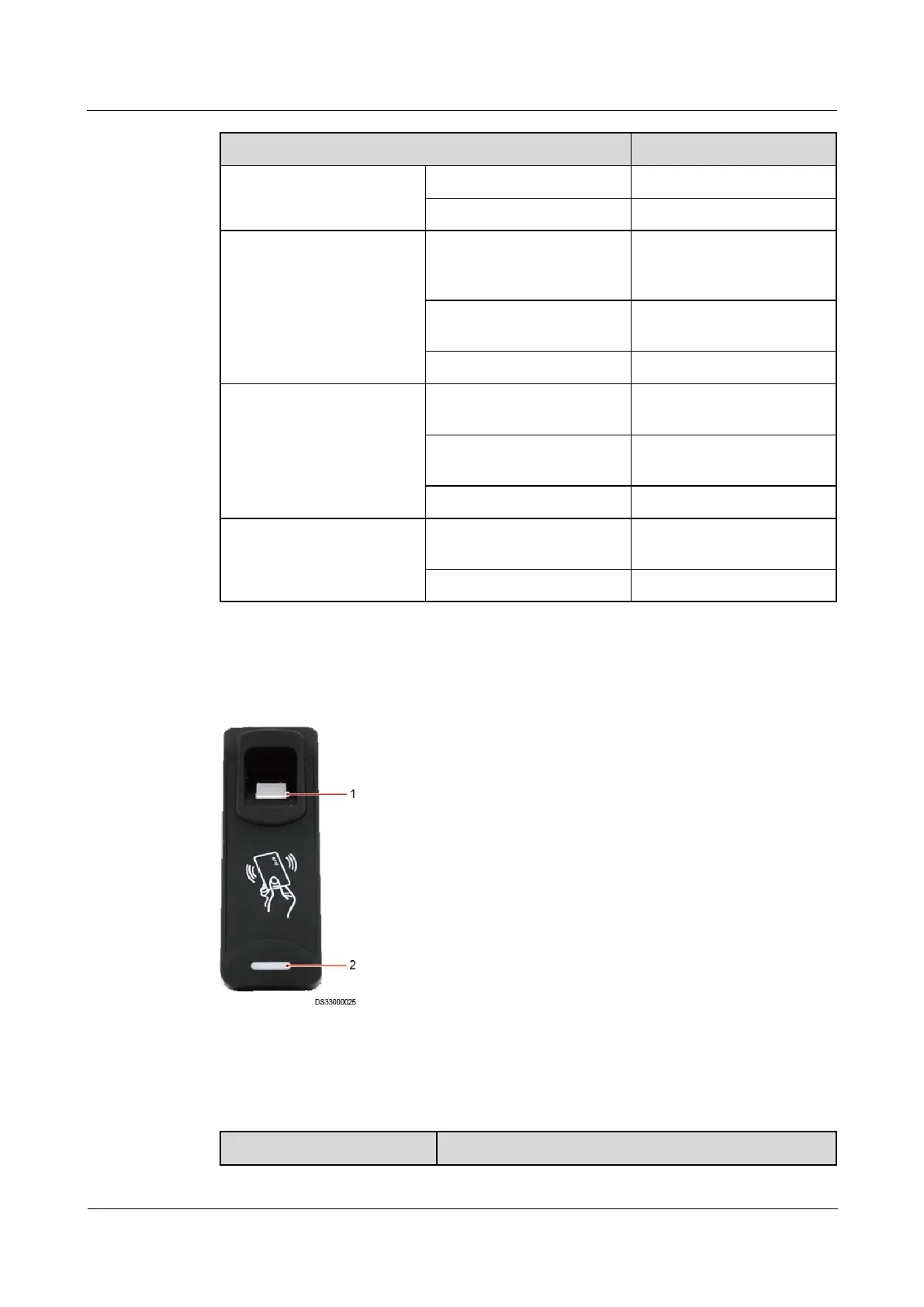
3.2.4.1.3 Fingerprint and Card Reader
Figure 3-12 Fingerprint and card reader
(1) Fingerprint reader
(2) LED indicator
Table 3-33 Specifications of a fingerprint and card reader

Item
Specifications

Table of Contents

Related product manuals