ECC800 Data Center Controller
User Manual (for ECC800-Pro)
Copyright © Huawei Technologies Co., Ltd.
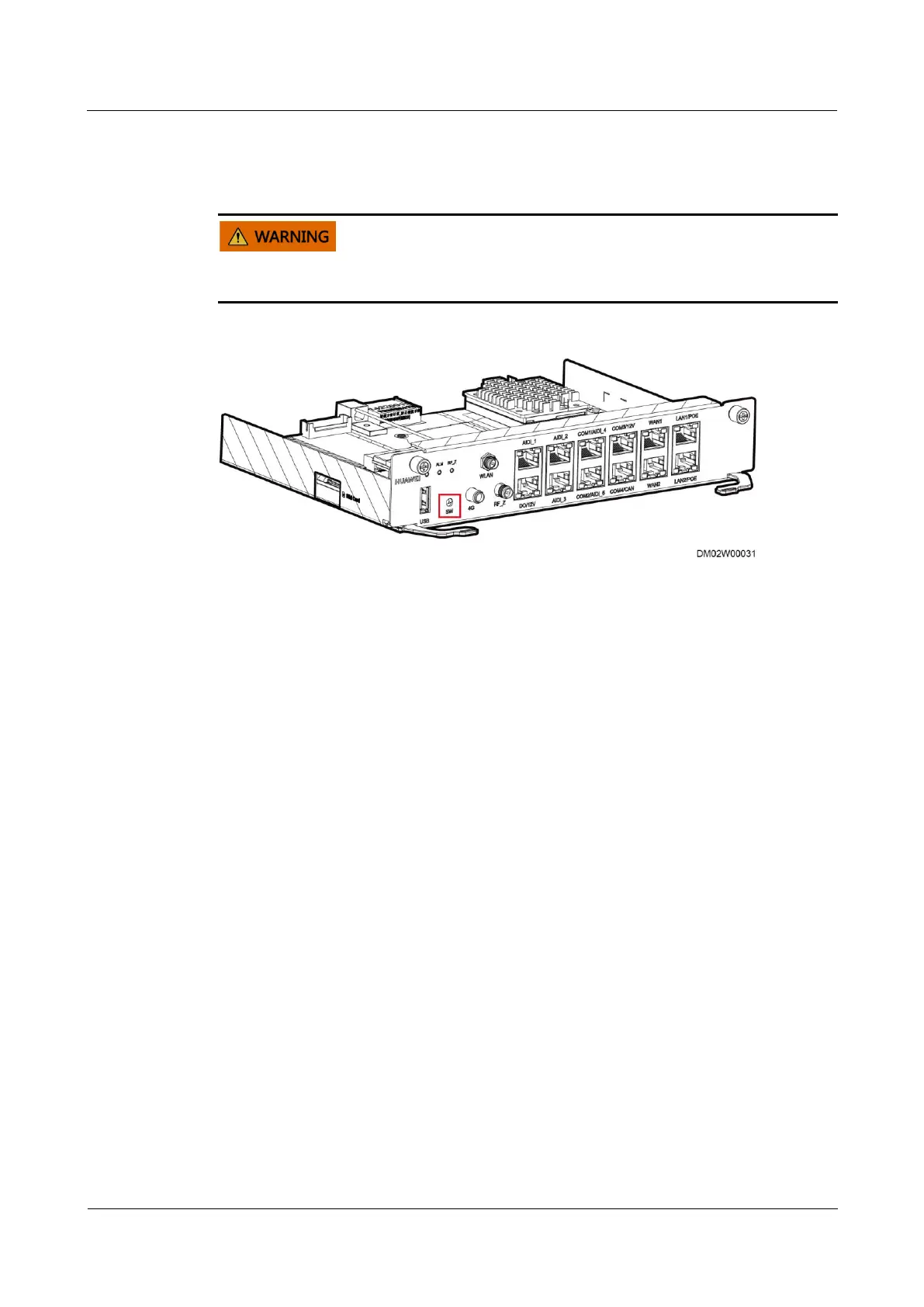
Step 2 If the ECC800 is not connected to the NMS, hold down the SW button on the ECC800 for 1
minute to restore the default IP address.
Press and hold down the SW button for 1 minute to restore factory settings and clear user
information. Exercise caution when performing this operation.
Figure 8-27 SW button
----End
8.1.23 What Should I Do If a Message Indicating Unauthorized
Fingerprint Is Displayed During Fingerprint Scanning on the
Access Control Device (Fingerprint Has Been Recorded)?
Procedure
Step 1 Ensure that no obstacles exist in front of the fingerprint, and then scan the fingerprint on the
access control device again.
Step 2 If the message is still displayed after you perform Step 1, synchronize the fingerprint
information.
1. Choose System Settings > Access Management. On the Authorization Operations tab
page, click Synchronize to Device, select the device for synchronizing fingerprint
information, and click Start Synchronization.
2. After the Synchronization Status of the device becomes Synchronized, close the
Synchronize Access Permission page.
3. Scan the fingerprint on the access control device again.
Step 3 If the message indicating unauthorized fingerprint is still displayed after you perform Step 1
and Step 2, you need to record the user's fingerprint again.
1. Choose System Settings > Access Management.
2. Select the involved user and record the fingerprint again.
----End



 To Next Page