ECC800 Data Center Controller
User Manual (for ECC800-Pro)
Copyright © Huawei Technologies Co., Ltd.
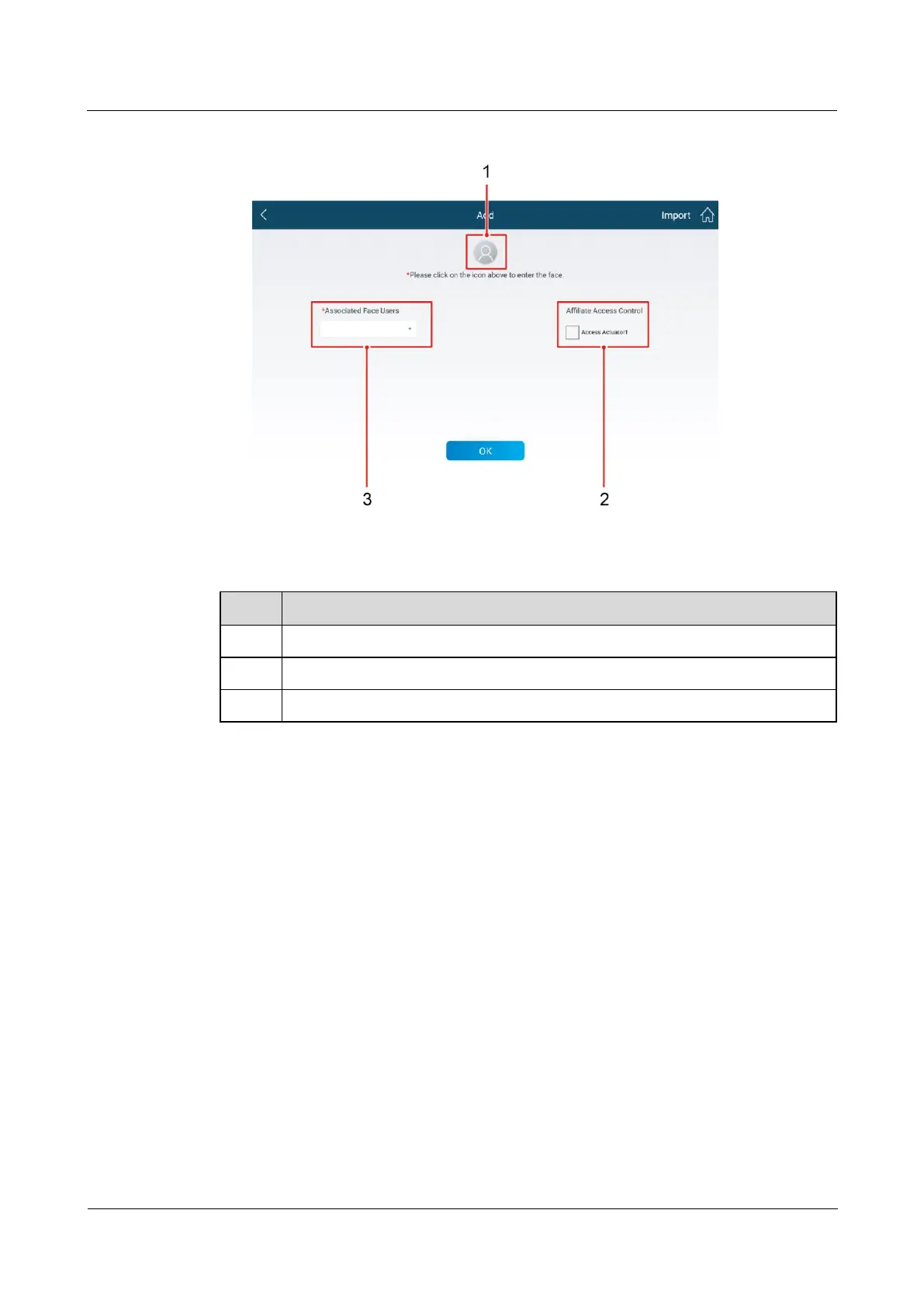
Figure 6-60 Recording facial data
Table 6-44 Facial data to be recorded
Click this icon to start recording facial data.
Select the access actuator associated with the facial data.
Select the user associated with the facial data.
4. Click OK.
6.13.2 Collecting and Importing Facial Data in Offline Mode
Prerequisites
The FusionModule app has been installed on the pad and mobile phone.
Context
You can collect facial data and import the collected facial data to other devices in offline
mode for facial recognition.
Procedure
Step 1 Collect facial data in offline mode.
1. On the login screen of the app on the mobile phone or pad, tap Settings and select Face
Info Collection to collect facial data.



 To Next Page