ECC800 Data Center Controller
User Manual (for ECC800-Pro)
Copyright © Huawei Technologies Co., Ltd.
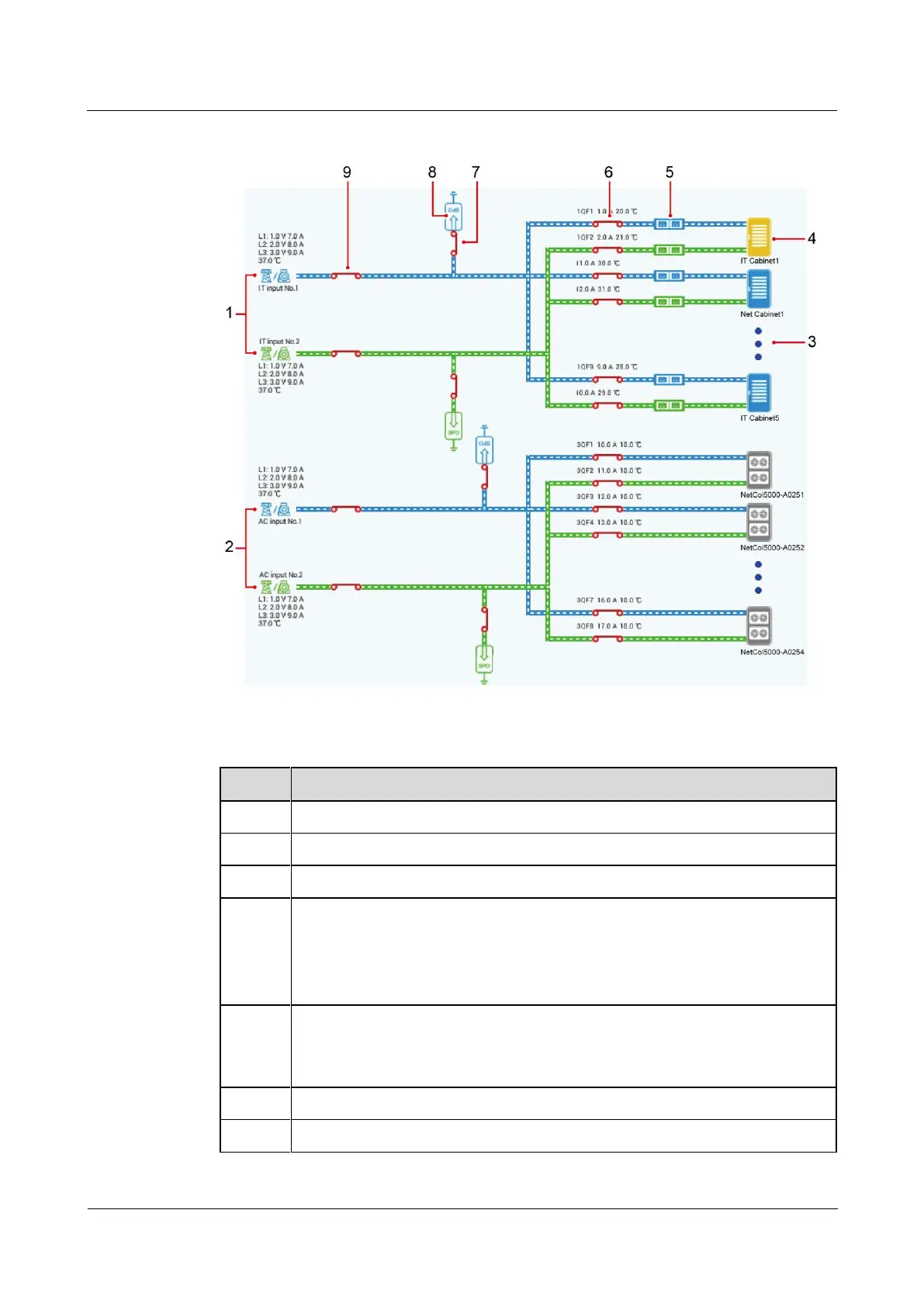
Figure 6-51 Power supply links diagram
Table 6-40 Specifications of the power supply links diagram
Two AC inputs for IT cabinets
Two AC inputs for smart cooling products
Tap to view the IT cabinets connected in real time.
IT cabinet (tap to view the cabinet name, current power, and status)
Yellow: The cabinet has an alarm. Tap to view the alarm.
Blue: The cabinet is running properly.
Gray: The cabinet is not running.
rPDU
Yellow: smart rPDU (Click to view the rPDU number, current, and status)
Blue or green: non-smart rPDU



 To Next Page