ECC800 Data Center Controller
User Manual (for ECC800-Pro)
Copyright © Huawei Technologies Co., Ltd.
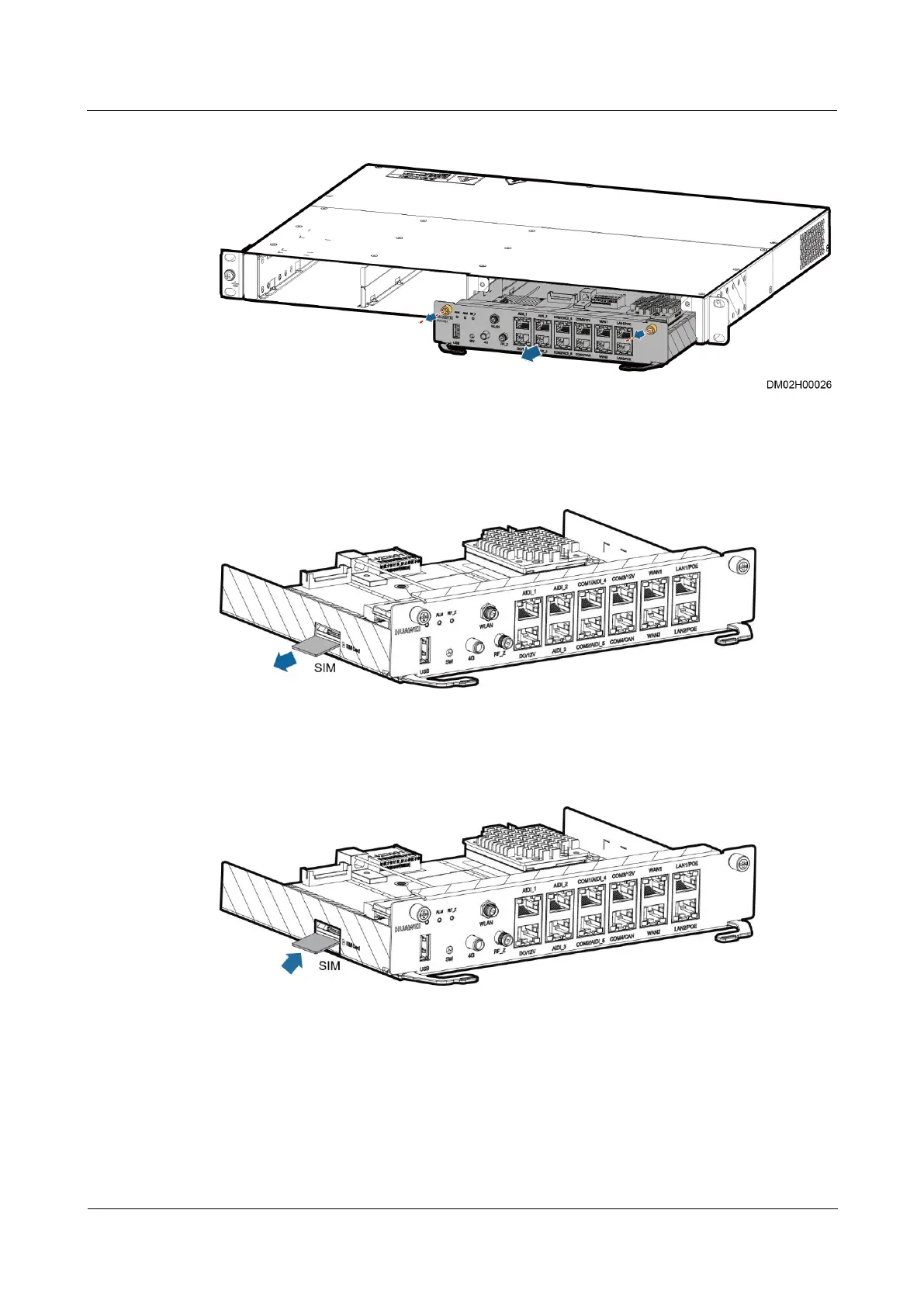
Figure 7-5 Removing the ECC800-Pro main control module
Step 4 Remove the SIM card from the card slot.
Figure 7-6 Removing a SIM card
Step 5 Insert the spare SIM card into the card slot.
Figure 7-7 Installing a SIM card
Step 6 Install the ECC800-Pro main control module in the card slot.
Step 7 Tighten the screws on both sides of the ECC800-Pro main control module.
Step 8 Reconnect signal cables to the ECC800-Pro main control module panel based on the recorded
information.
----End



 To Next Page