ECC800 Data Center Controller
User Manual (for ECC800-Pro)
Copyright © Huawei Technologies Co., Ltd.
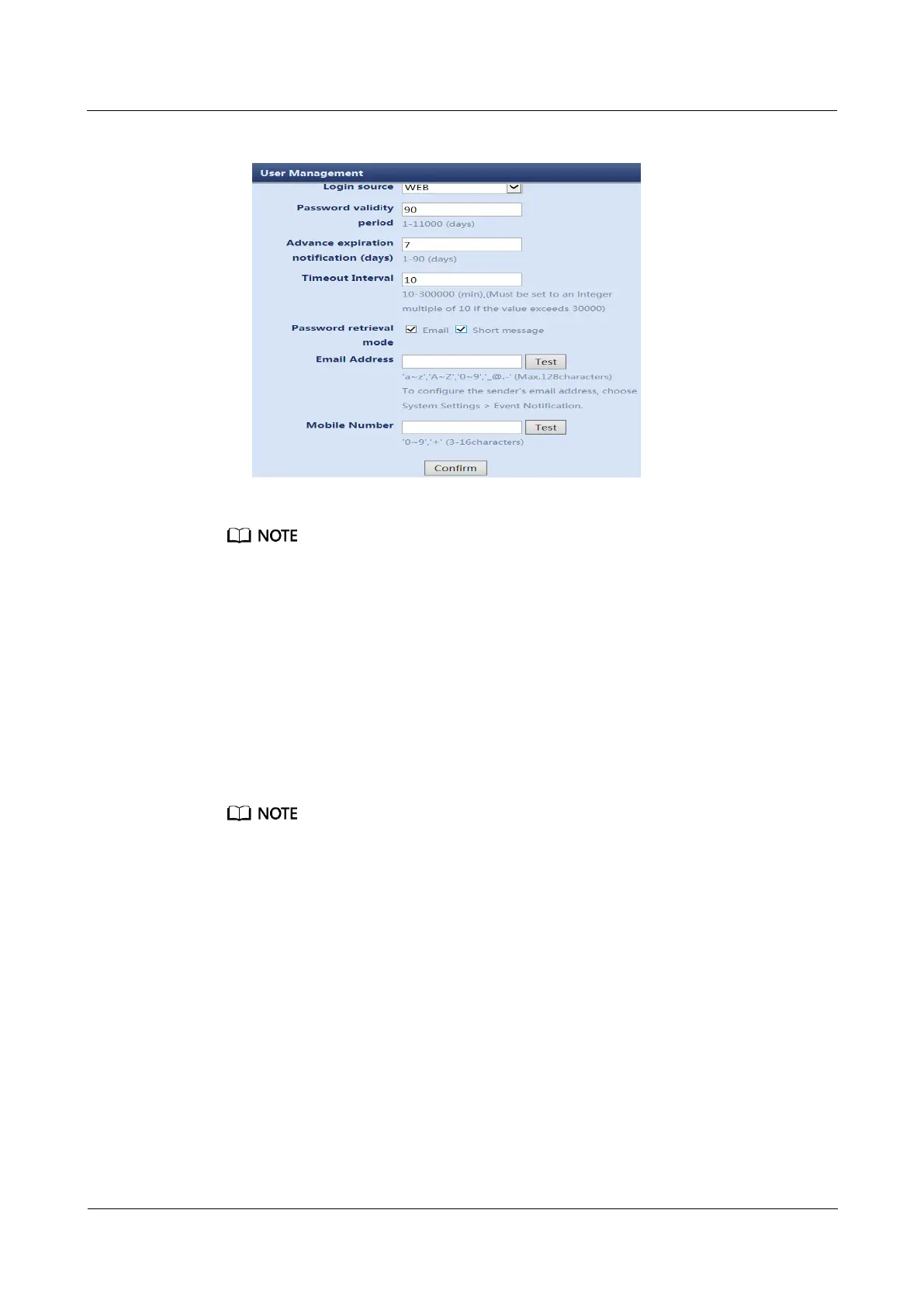
Figure 8-3 Modifying parameters
Select Email for Password retrieval mode, set Email Address, and click Test. After the test is
successful, you can retrieve the password using the email address.
Select Short message for Password retrieval mode, set Mobile Number, and click Test. After the
test is successful, you can retrieve the password by SMS.
Step 2 Add a WebUI user.
1. Choose Maintenance > User Management. The user management page is displayed.
2. Click Add.
3. Specify User name, Password, Confirm password, Password validity period,
Advance expiration notification (days), and Timeout Interval, select appropriate
values from the Access right and Login source drop-down list boxes, and click
Confirm.
On the user management page, you can modify, delete, lock, and unlock a user.
The value of Advance expiration notification (days) must not be greater than the value of
Password validity period.
You can choose the password retrieval mode as required, either by email or SMS or by both.
The WebUI supports a maximum of 16 users and a maximum of 3 concurrent online users.
----End
Follow-up Procedure
If you forgot the password, perform the following steps:
1. Click Forgot password.



 To Next Page