ECC800 Data Center Controller
User Manual (for ECC800-Pro)
Copyright © Huawei Technologies Co., Ltd.
Prerequisites
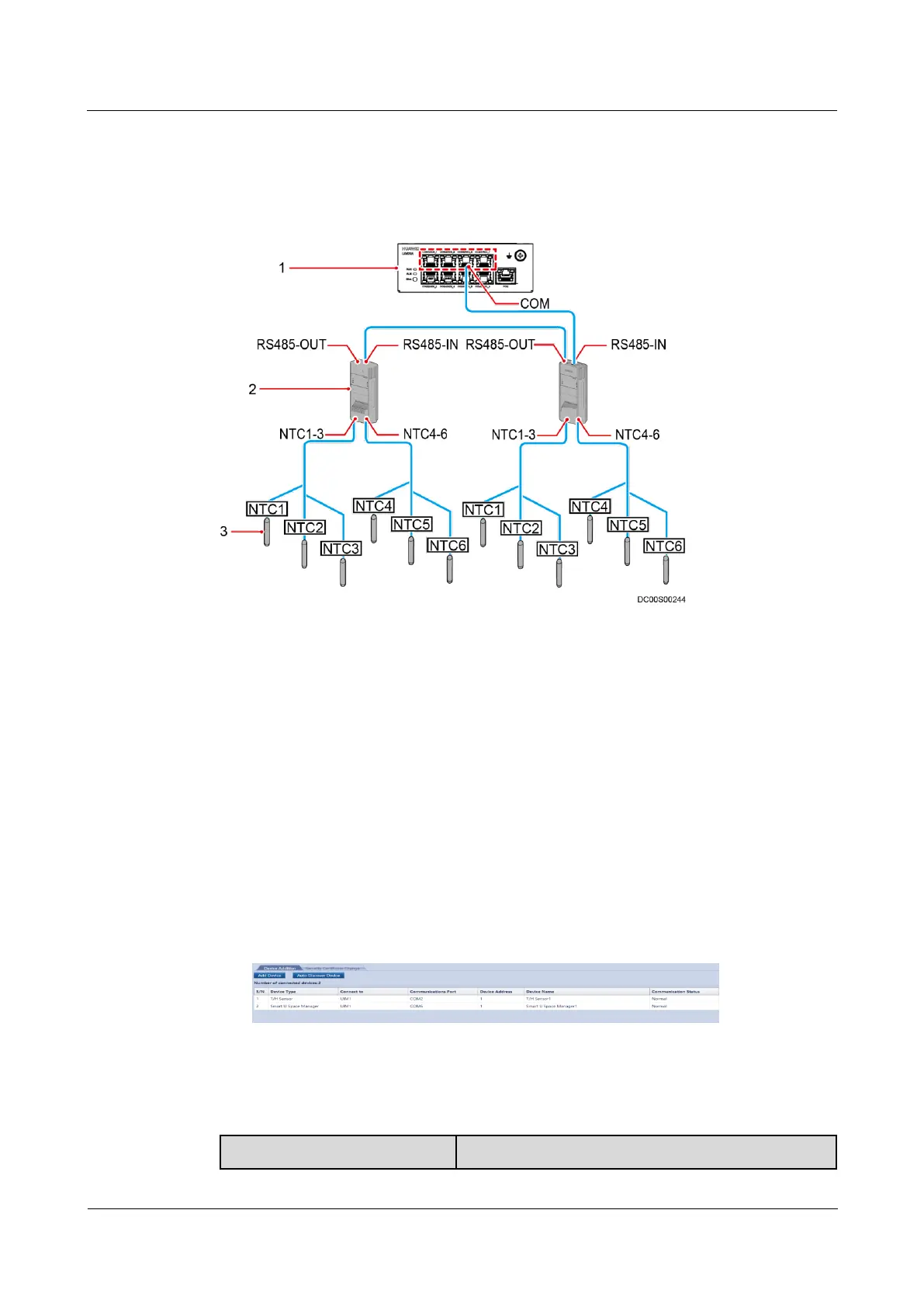
Cables have been connected to the NTC, T/H sensor, and UIM20A expansion module.
Figure 8-20 Wiring diagram
(1) UIM20A expansion module
Procedure
Step 1 The NTC port on the T/H sensor connected to the temperature sensor supports automatic
identification. Therefore, you do not need to set parameters.
Step 2 Add the T/H sensor.
1. Log in to the ECC800-Pro WebUI as an administrator.
2. Add the T/H sensor.
Choose System Settings > Device Management and click Auto Discover Device to add
the T/H sensor. The device connection information is displayed.
Figure 8-21 Device connection
Step 3 Check the monitoring functions of the temperature sensor.
Table 8-30 Function check



 To Next Page