ECC800 Data Center Controller
User Manual (for ECC800-Pro)
Copyright © Huawei Technologies Co., Ltd.
Indicators
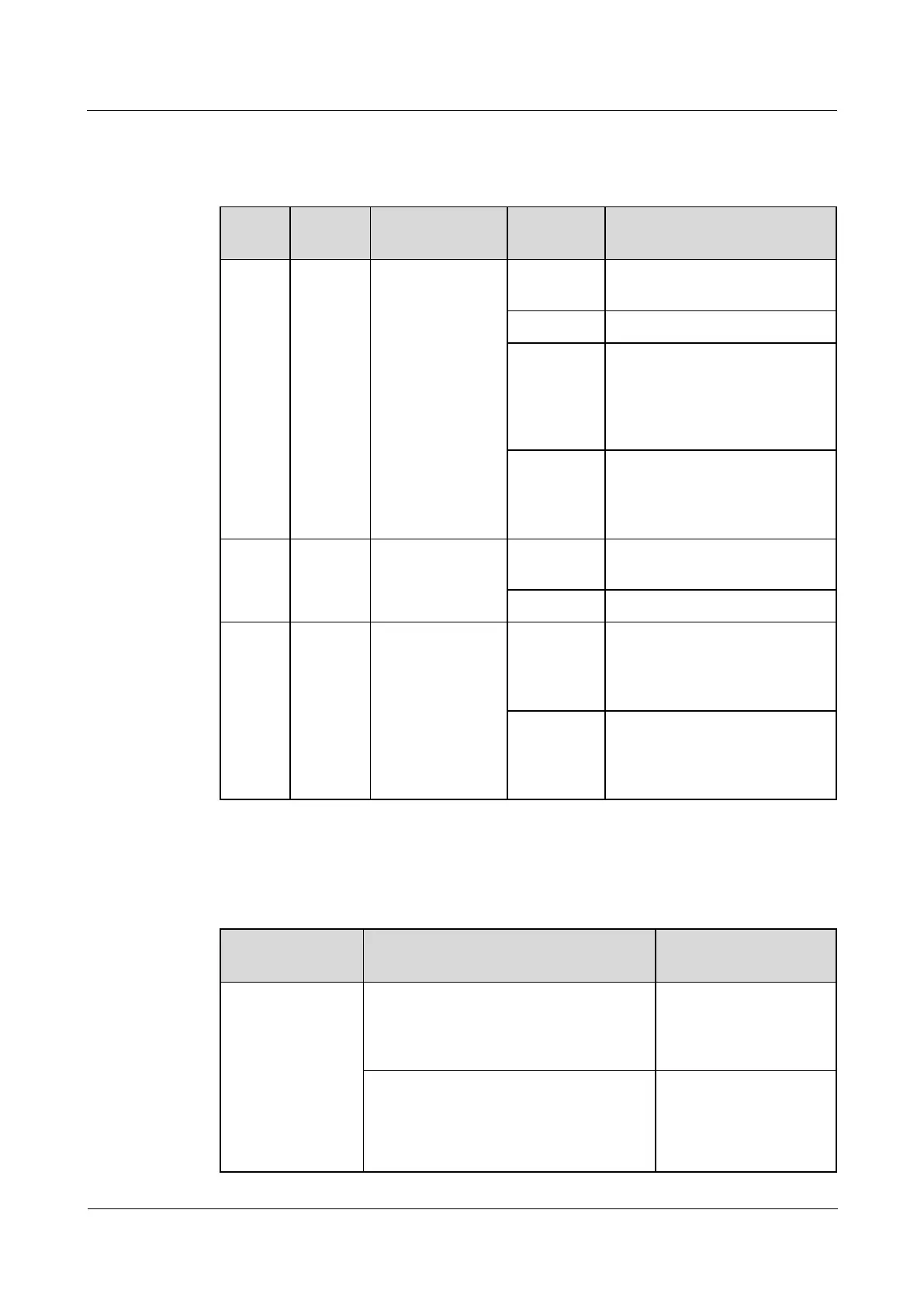
Table 3-14 Indicators on the ECC800-Pro main control module
The power supply is normal, the
program is being loaded.
The power supply is abnormal.
Blinking at
long
intervals
The software runs properly (the
indicator blinks at 0.5 Hz, on for
1s and then off for 1s) or the
ECC800-Pro registers with the
NetEco successfully.
Blinking at
short
intervals
The ECC800-Pro does not
register with the NetEco (the
indicator blinks at 5 Hz, on for
0.125s and then off for 0.125s).
A system failure alarm is
generated.
Communication
status indicator
Blinking at
long
intervals
A network is set up, and no
node access is allowed (the
indicator blinks at 0.5 Hz, on for
1s and then off for 1s).
Blinking at
super short
intervals
A network is set up, and node
access is allowed (the indicator
blinks at 10 Hz, on for 0.05s and
then off for 0.05s).
SW Button
Table 3-15 SW button description
Wireless network
RF_Z (802.15.4)
pairing
In non-wireless network (802.15.4)
pairing mode, press and hold down the
button for 3s to 5s to enter the wireless
network pairing mode.
The RF_Z indicator is
blinking at super short
intervals.
In wireless network (802.15.4) pairing
mode, press and hold down the button for
3s to 5s to exit the pairing mode; or the
system automatically exits the pairing
mode after 30 minutes without pressing
The RF_Z indicator is
blinking at long
intervals.



 To Next Page