Cross-Talk Screen 91
User Guide v 2.3 — September 2015 Mold Diagnostics
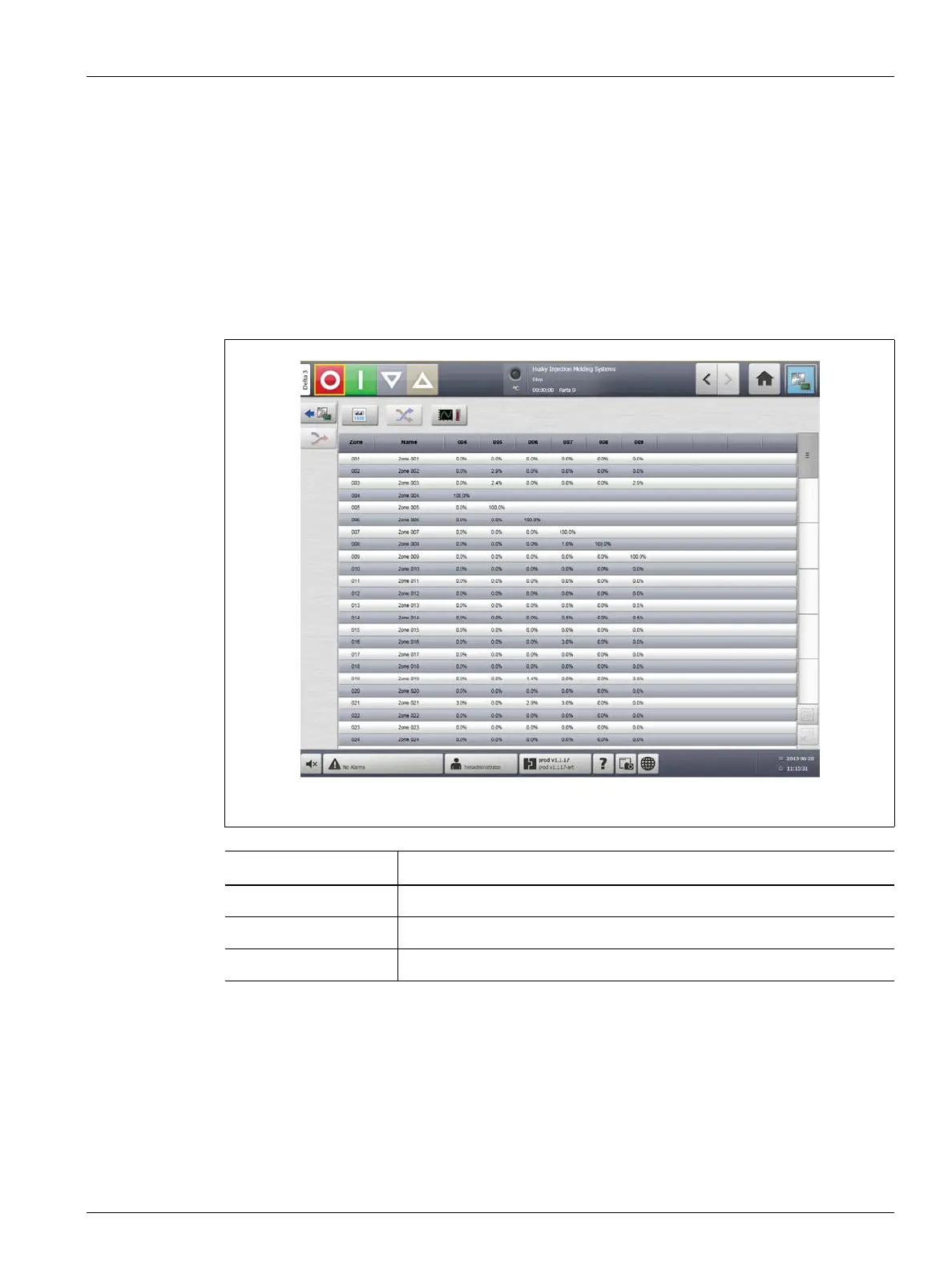
8.3 Cross-Talk Screen
On the Diagnostics Results screen, touch the Cross-Talk button to open the Cross-Talk
screen. Use this screen to view how much heat transfer is occurring between zones in the
mold. A zone in a correctly wired mold with no thermal isolation issues will display 100%, all
other zones will display 0%.
For example, Zone 9 finishes the test and shows 100%, but zone 10 shows 60%. If zone 9
increased 10 degrees during the test, zone 10 increased 60% of this 10 degrees, or 6 degrees,
without having any energy applied.
To view the cross-talk information, do the following:
1. On the Mold Diagnostics screen, select the desired zones.
2. Touch the View Cross Talk button.
NOTE:A maximum of 10 zones at a time can be selected and viewed.
Figure 8-3 Cross-Talk Screen
Item Description
Zone The zone number.
Zone Name The name of the zone.
Cross-Talk The amount of cross-talk between zones.



 To Next Page