v 2.3 — September 2015 Altanium Delta3
188 Mounting the Display Module Remotely
15.4.3 Mounting the Display Module Remotely
The display module can be mounted remotely if the Remote Mount option is ordered.
To mount the display module remotely, do the following:
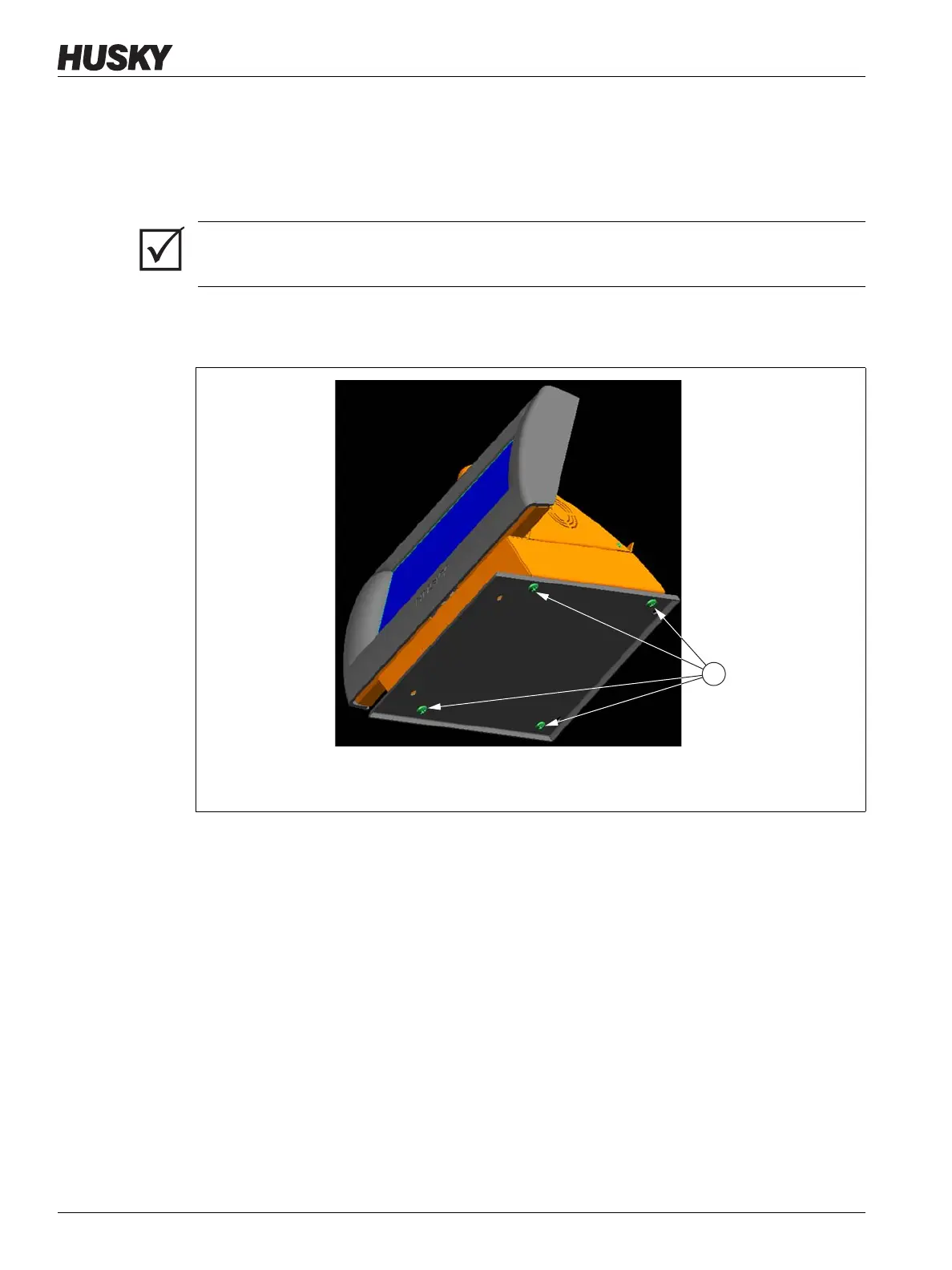
1. Facing the bottom of the interface plate, locate the four 1/4 inch-20 button head cap
screws under the interface plate.
NOTE:The mounting feet and the extension cables are supplied with the Remote
Mount option.
2. Hold or gently brace the display module. Remove the four screws using the 5/32 inch
hex wrench provided with the controller.
3. Remove the mounting plate.
IMPORTANT!
A minimum of 2 people are required to perform this procedure.
Figure 15-13 Disconnecting the Delta3 Mounting Plate from the Display Module
1. Button Head Cap Screws, Bottom



 To Next Page