v 2.3 — September 2015 Altanium Delta3
146 Edit Mode
11.3.1 Edit Mode
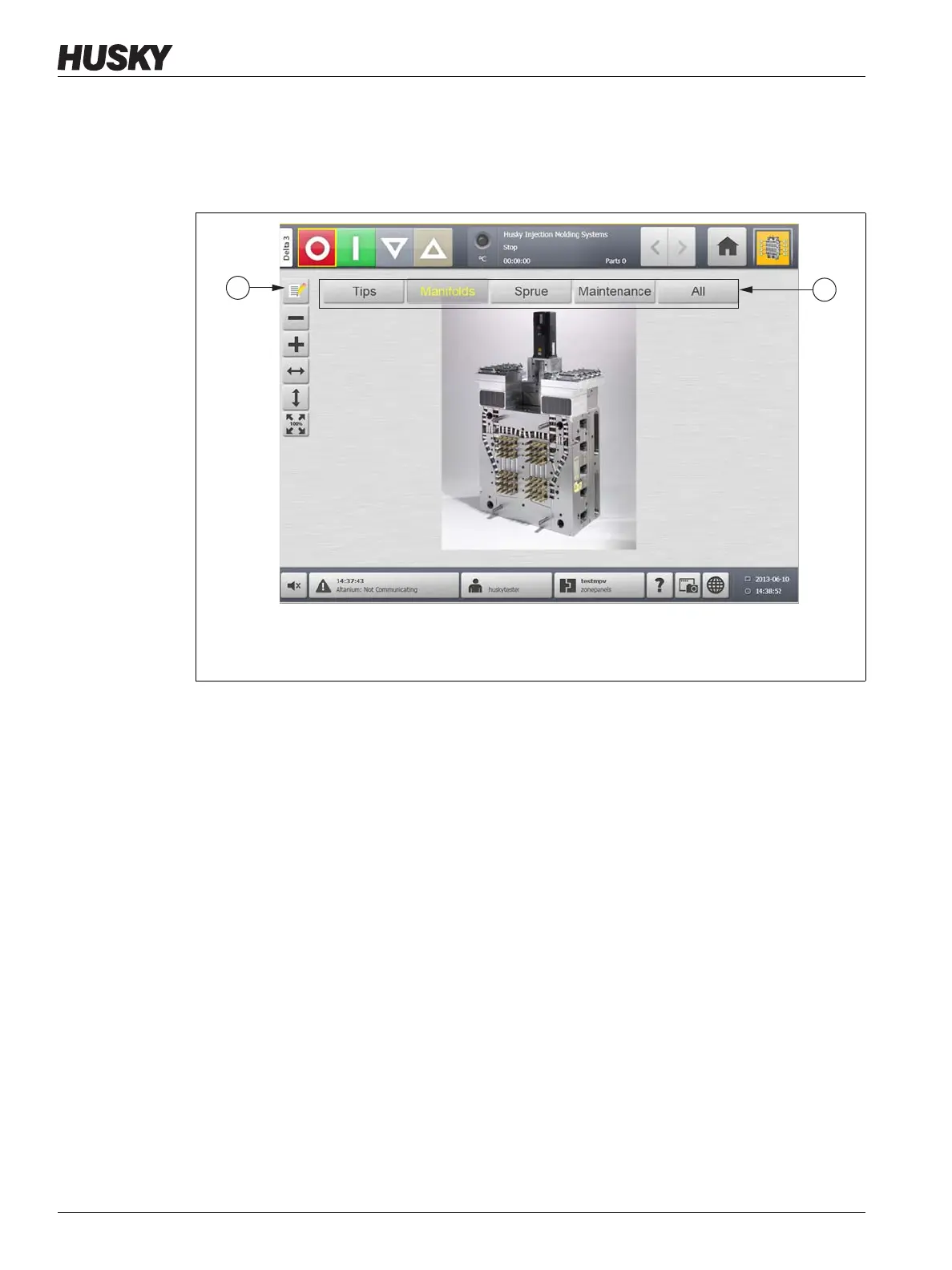
To put Mold Picture View into Edit mode, do the following:
1. On the Mold Picture View screen, touch the Edit button.
11.3.2 Configuring a Zone Information Panel
Each Zone Information Panel provides three pieces of information about a zone. A Zone
Information Panel always contains a zone number. The other two pieces of information
displayed on a Zone Information Panel can be chosen from the following list:
• Zone Name
• Current Temperature Setpoint
• Actual Temperature
• Power Output
• Amperage
NOTE:Actual earth leakage is an option when ICC
3
cards are installed and the display earth
leakage parameter is set.
11.3.2.1 Creating a Zone Information Panel
A Zone Information Panel provides information about a zone. To create a Zone
Information Panel, select a zone and then configure a Zone Information Panel to display
the desired information about the zone selected.
Figure 11-6 Mold Picture View Screen
1. Edit Button 2. Views



 To Next Page