v 2.3 — September 2015 Altanium Delta3
32 Selecting a Language
4.3 Selecting a Language
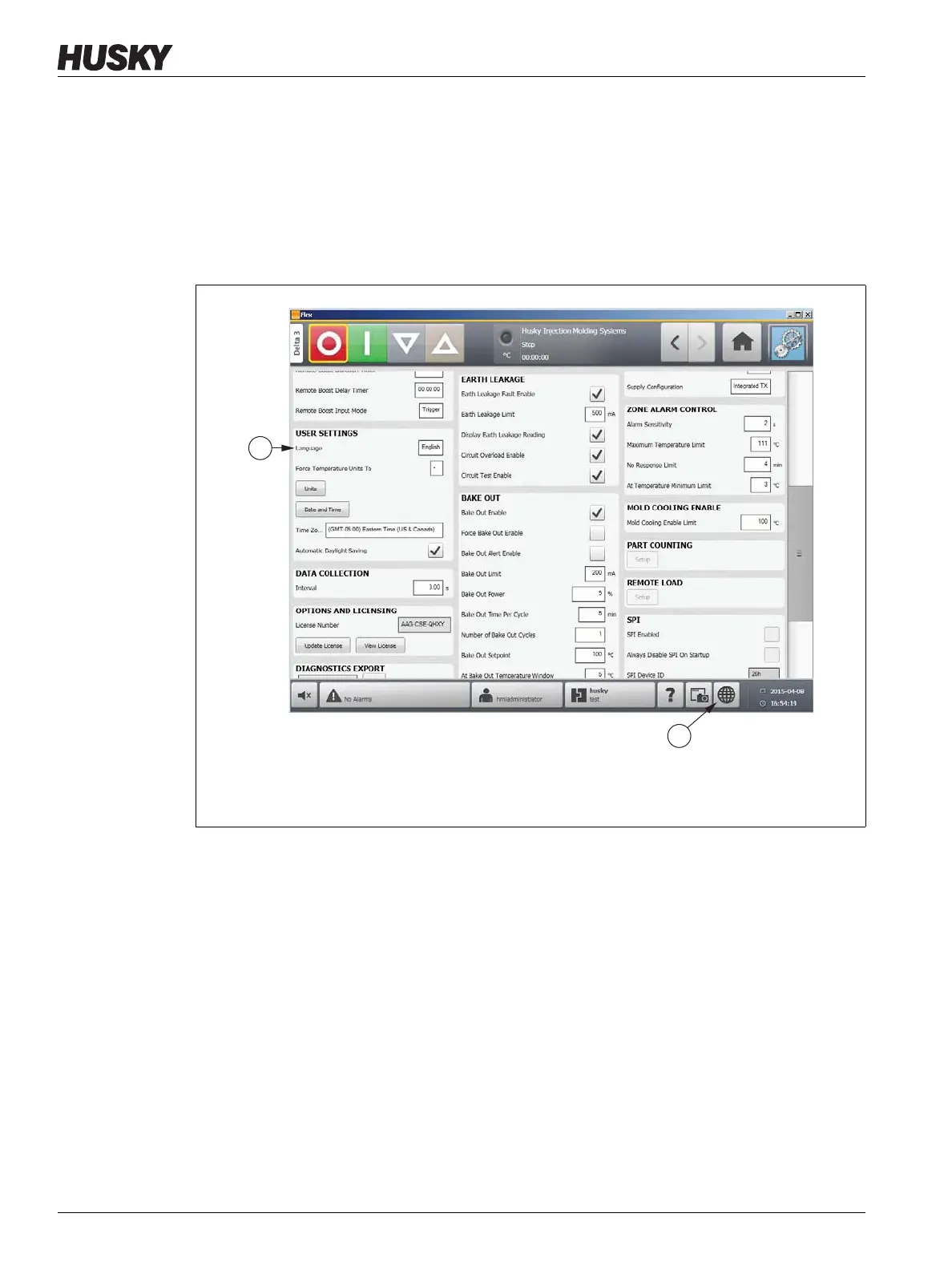
Altanium screens are available in several languages. The default language is English. Each
screen contains a globe icon which displays the available languages.
To select a language, do the following:
1. Touch the Language Selection button. The Language dialog box appears.
2. Touch the desired language.
Figure 4-5 Language Selection
1. Current Language/Language Selection 2. Language Selection Button



 To Next Page