Signals 201
User Guide v 2.3 — September 2015 UltraSync-E, If Equipped
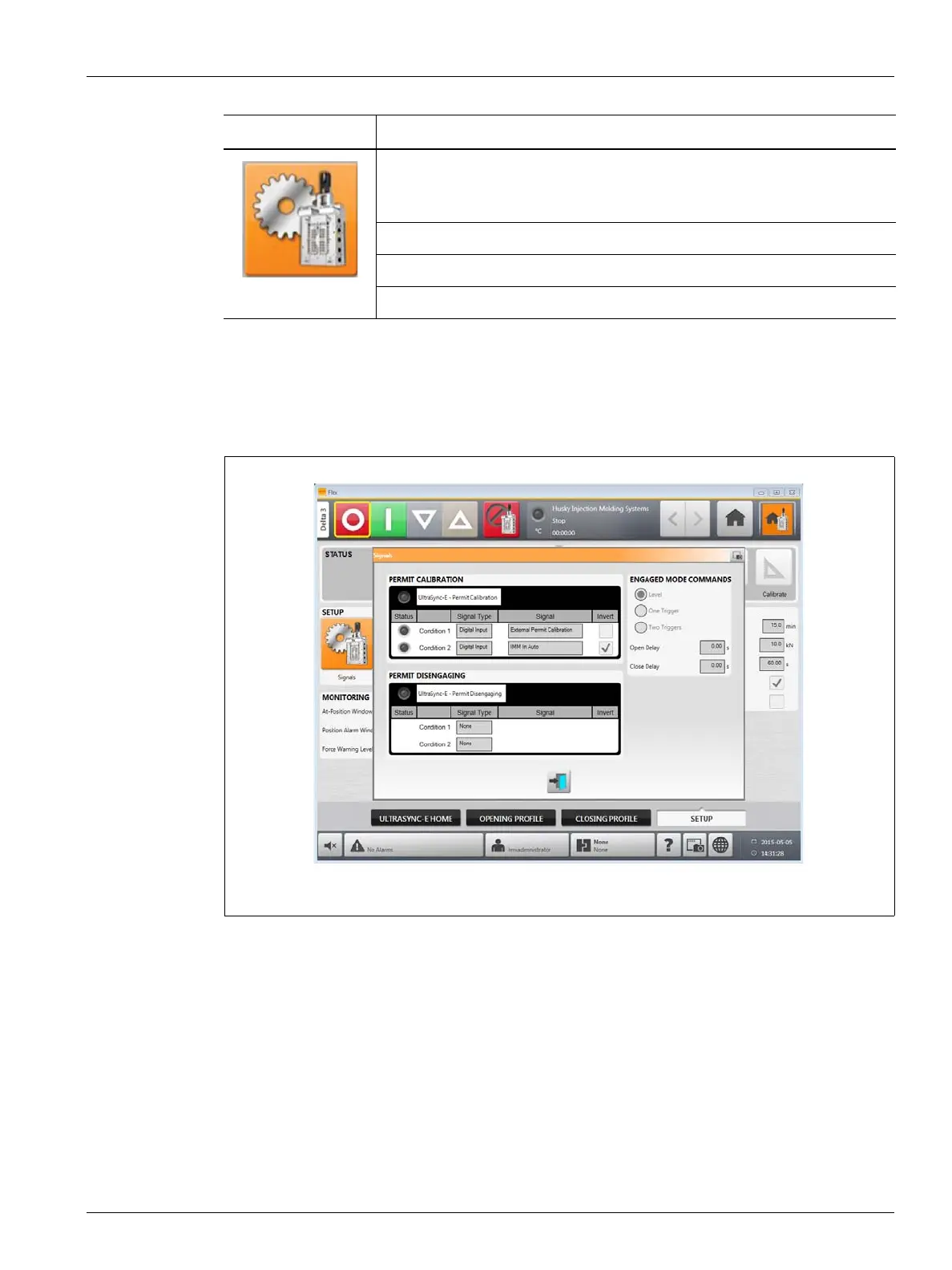
16.4.3.1 Signals
Use the Signals screen to configure the engage mode commands, permit calibration and
permit disengaging signals from the IMM.
The features in the Signals screen are:
• Permit Calibration
• Permit Disengaging
• Engaged Mode Commands
16.4.3.1.1 Permit Calibration
For Permit Calibration:
• This configurable input signal must be TRUE to initiate valve stem calibration.
• The signal type choices are digital input and none.
• If the input is lost during calibration, the calibration sequence is cancelled.
Item Description
Use the Signals button to open the Signals screen. Use this screen to
configure the permit calibration and permit disengaging signals from the
IMM.
Use the Maintenance button to open the Maintenance screen.
Use the Tool button to open the Tool screen.
Use the Pullback button to open the Pullback screen.
Figure 16-4 Signals Screen



 To Next Page