Changing a Zone Name 71
User Guide v 2.3 — September 2015 Making Adjustments
7.5.10 Changing a Zone Name
Customize the name of each zone in the system to make it easier to find and make changes.
Rename each zone to correspond with a cavity, gate, probe or manifold, or to any
appropriate name.
To rename a zone, do the following:
1. Touch the zone to be renamed.
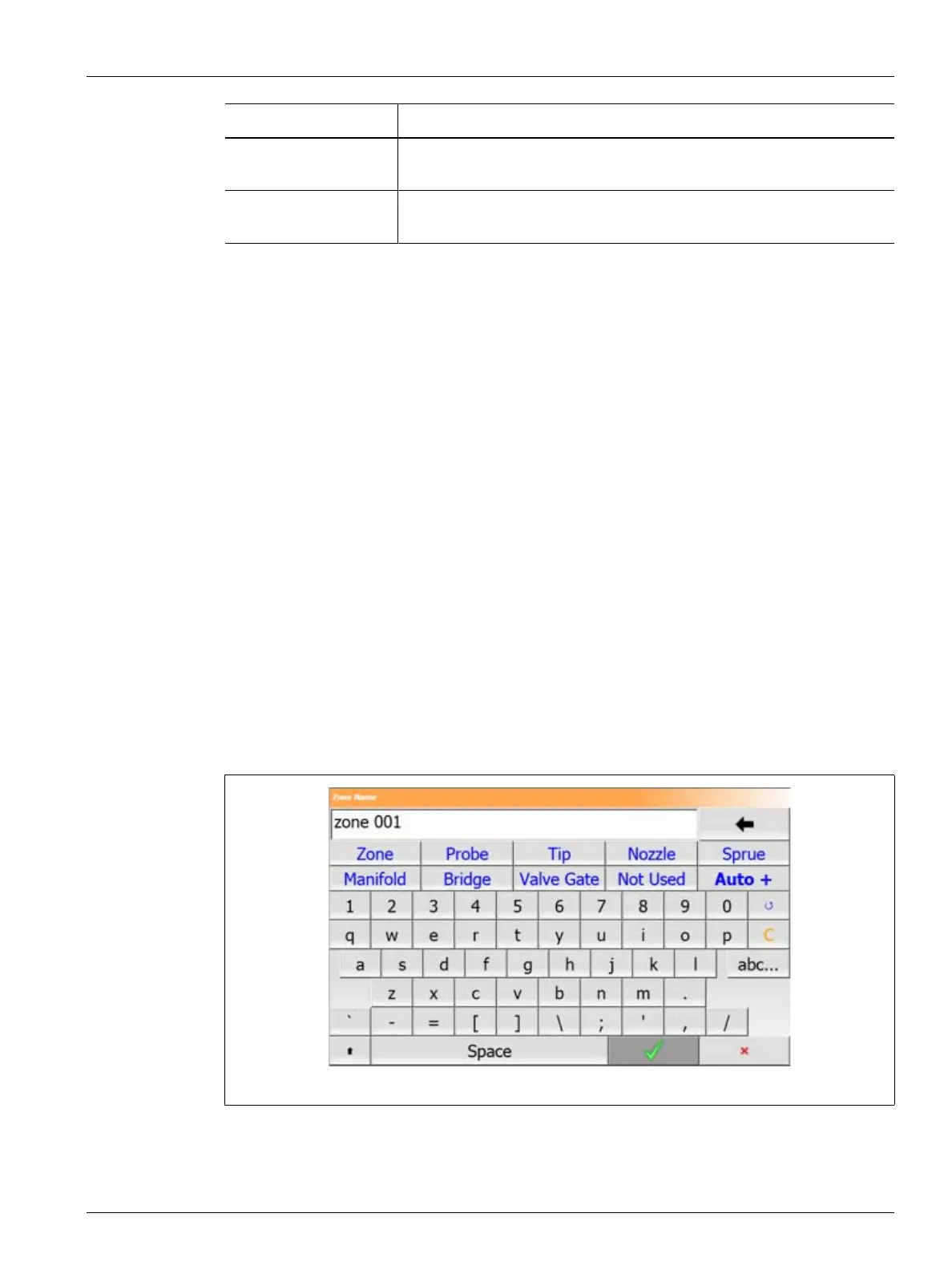
2. Touch the Zone Name field and enter a new zone name.
NOTE:Refer to Section 7.5.10.1 for information about renaming multiple zones.
To select commonly used zone names, use the following keys:
• zone
• probe
• tip
• nozzle
• sprue
• manifold
• bridge
• valve gate
• not used
3. Touch the Accept button.
I-Integral This is the integral term value used by the control algorithm. Possible
values are: 0 – 250.
D-Derivative This is the derivative term value used by the control algorithm. Possible
values are: 0 – 250.
Item Description
Figure 7-8 Zone Name Dialog Box



 To Next Page