Event History Screen 101
User Guide v 2.3 — September 2015 Heating the Mold
9.5 Event History Screen
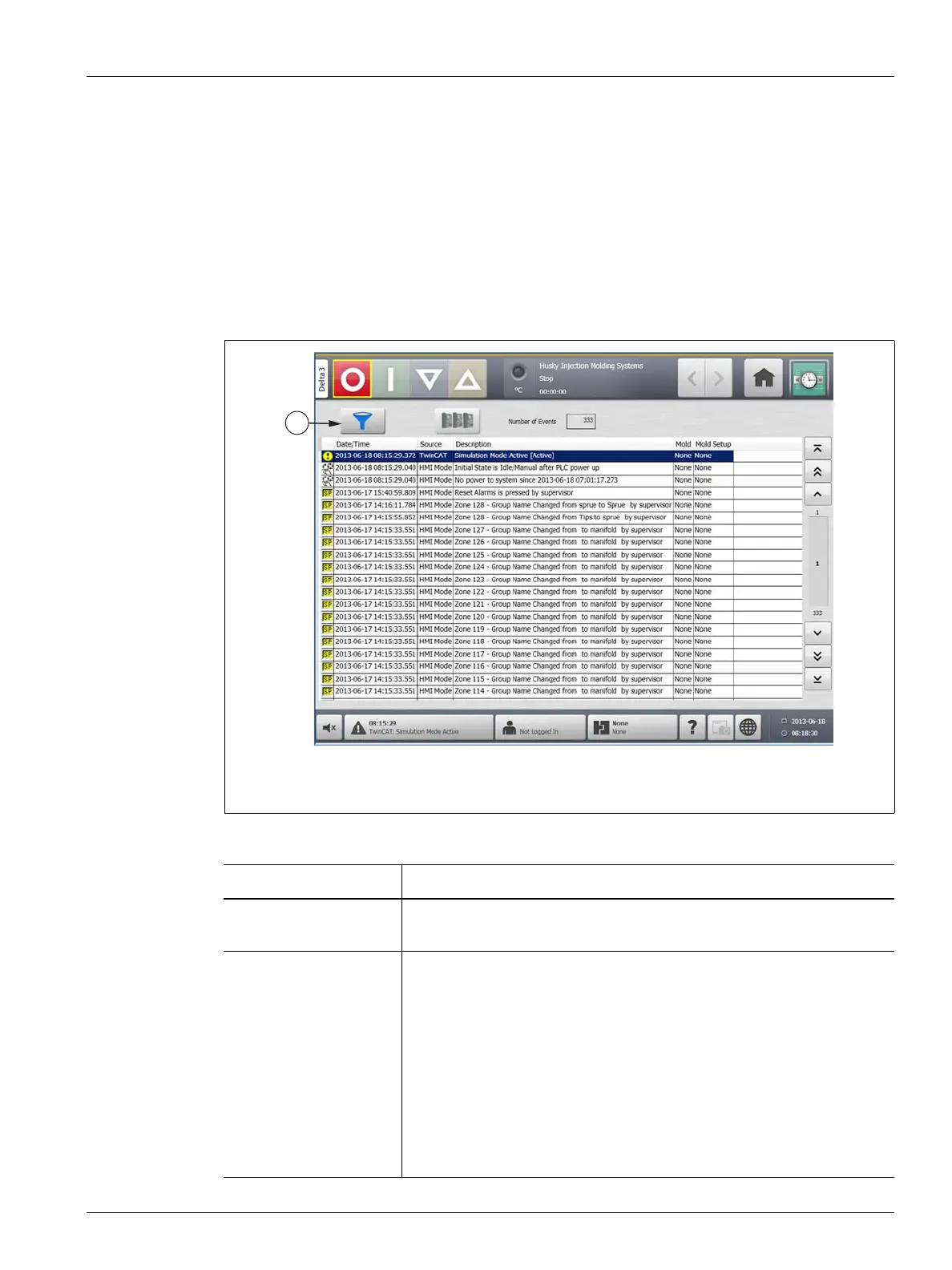
The Event History screen lists the zone alarms, alarms, warnings, setpoint changes, setup
changes, HMI startup and out of specification events that have occurred previously. On the
Home screen, touch Event History.
NOTE:For a description of the alarm conditions displayed on the Event History screen and
Alarm Summary screen, refer to Section 9.7. For a description of the abort conditions
displayed on the Event History screen and Alarm Summary screen, refer to
Section 9.8.
Figure 9-3 Event History Screen
1. Filter Button
Table 9-3 Event History Screen Item Descriptions
Item Description
Number of Events Number indicates how many events are listed on the Event History
screen.
Filter Selects the type of event displayed on the Event History screen. Event
types include:
• zone alarms
• alarms
• warnings
• setpoint changes
• setup changes
• HMI startup
• previously occurring out of specification events



 To Next Page