Opening the Alarm Screen 99
User Guide v 2.3 — September 2015 Heating the Mold
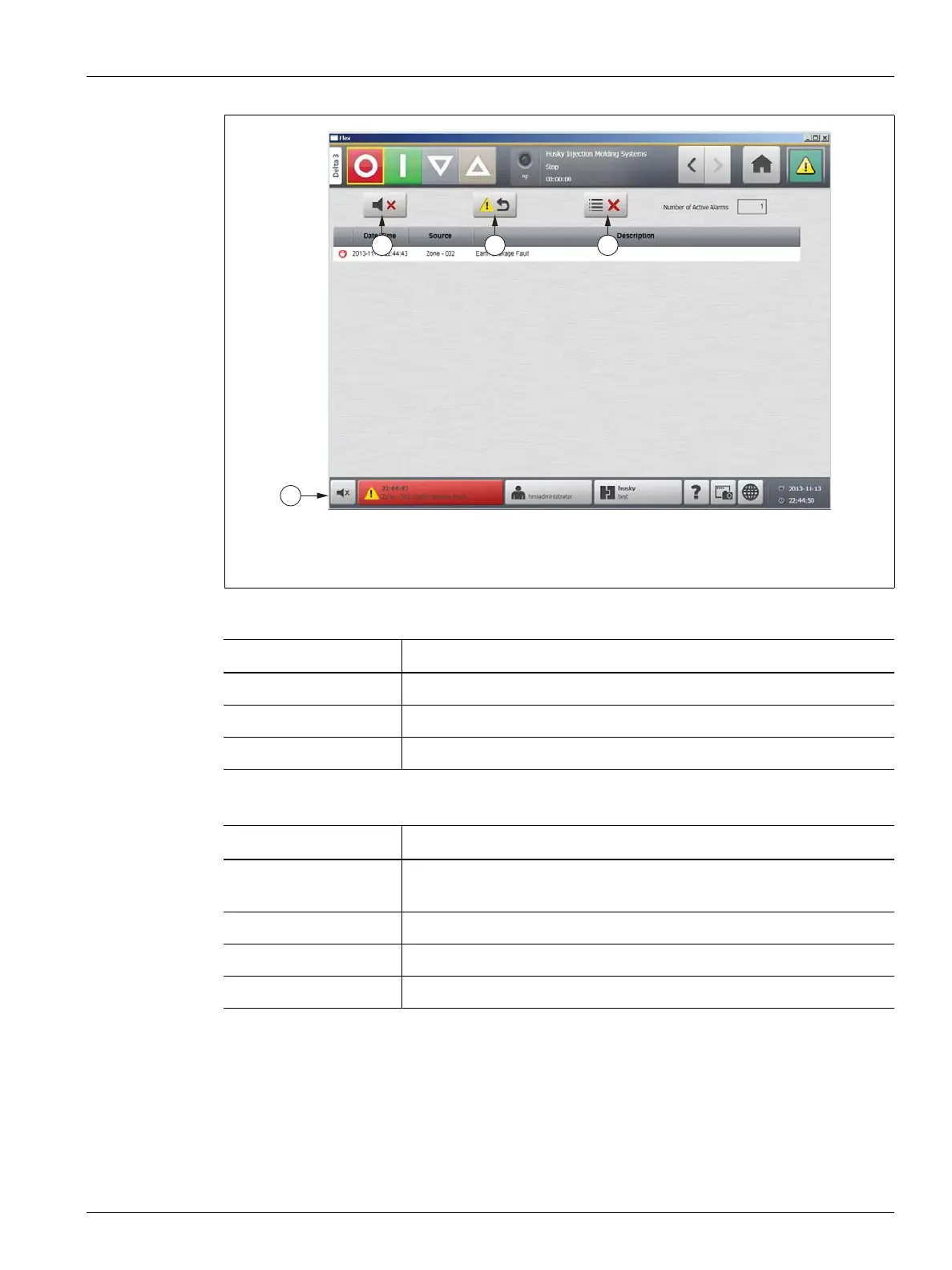
9.4.1 Opening the Alarm Screen
To open the Alarm screen, do one of the following:
• On the Home screen, touch the Alarms button.
• In the system footer, press the Alarm Information button.
Figure 9-1 Alarm Screen
1. Silence Horn Button 2. Reset Alarms Button 3. Clear Inactive Alarms Button
Table 9-1 Alarm Screen Button Descriptions
Button Description
Silence Horn Clears the audible alarm.
Reset Alarms Resets the alarm light and error message.
Clear Inactive Alarms Clears the inactive alarms.
Table 9-2 Alarm Screen Item Descriptions
Item Description
Number of Active
Alarms
Number indicates how many alarms are currently active.
Date/Time Date and time that the alarm was triggered.
Source Cause of the alarm.
Description Description of the problem that triggered the alarm.
2



 To Next Page