User Guide v 2.3 — September 2015 Mold Diagnostics
Testing the Mold 85
Chapter 8 Mold Diagnostics
Diagnostics is a useful tool for troubleshooting problems with a mold or for verifying the
wiring integrity of a mold after maintenance has been performed. Diagnostics can also be
used to analyze the thermal isolation between all the cavities in the mold.
8.1 Testing the Mold
To test the mold, do the following:
1. On the Home screen, touch the Mold Diagnostics button.
2. Make sure Altanium is in the stop state.
3. Select the desired zone(s).
4. Select the check box(es) for the desired test(s).
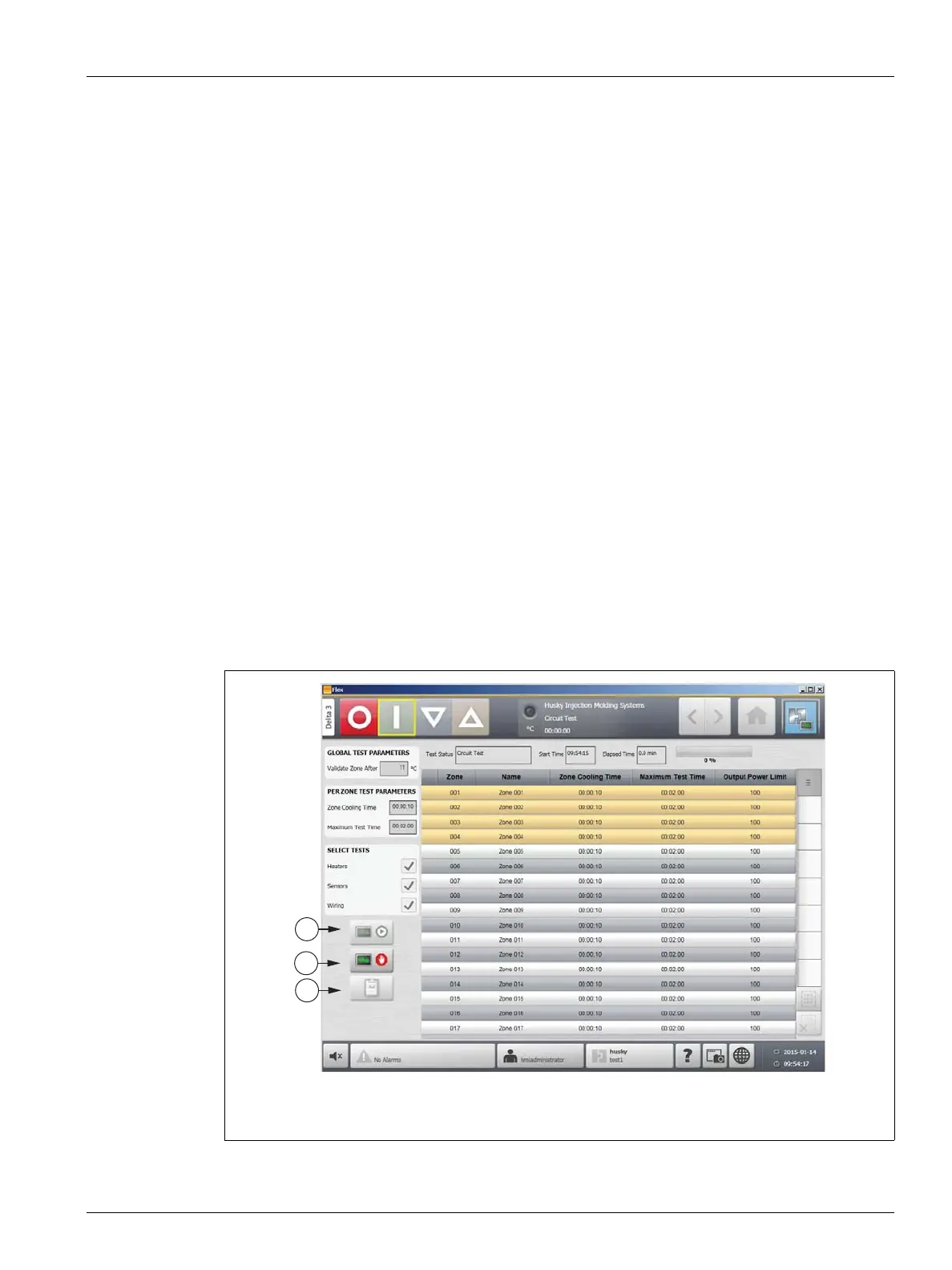
5. Touch the Run Test button.
Figure 8-1 Mold Diagnostics Screen
1. Run Test 2. Stop Test 3. View Test Results



 To Next Page