v 2.3 — September 2015 Altanium Delta3
196 Control Modes Buttons
16.3.1 Control Modes Buttons
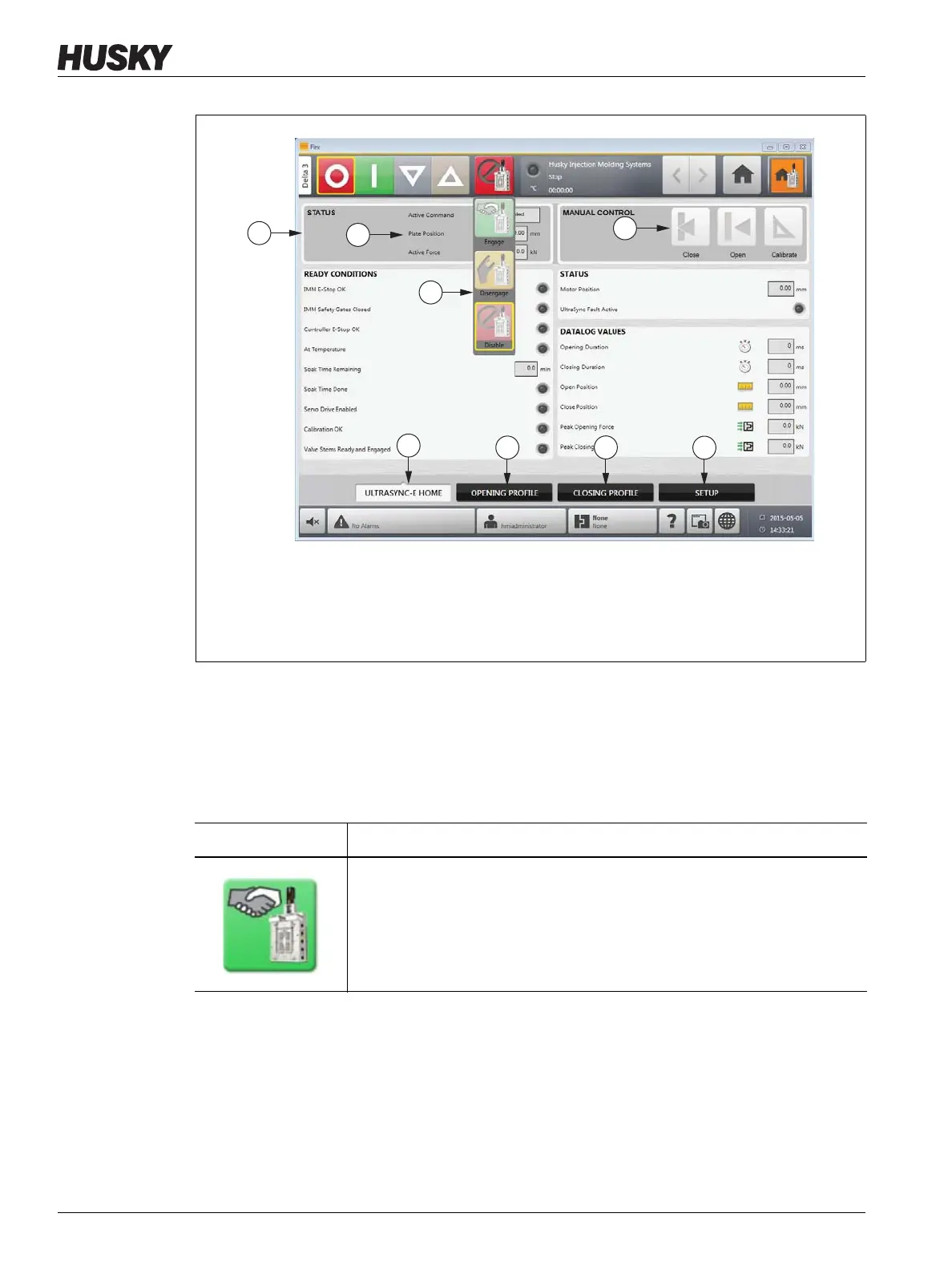
Use the Control Mode buttons to change the UltraSync mode between disengaged and
engaged.
Figure 16-2 UltraSync-E Home Screen
1. Control Modes Buttons Drop-Down 2. Control Bar 3. Control Bar Status Indicators
4. Command Buttons 5. UltraSync-E Home Screen Tab 6. UltraSync-E Opening Profile Tab
7. UltraSync-E Closing Profile Tab 8. UltraSync-E Setup Tab
Item Description
Engaged Button
Activates Engaged mode, where UltraSync-E is controlled by remote inputs.



 To Next Page