Replacing a Blown Fuse on an Intelligent Control Card (ICC2 or ICC3) 183
User Guide v 2.3 — September 2015 Maintenance
4. Carefully place the card on an earthed/grounded surface.
5. Slide the new card into to the slot and push the card slowly and firmly back into place.
An incorrectly oriented card will not seat properly.
6. Tighten the upper and lower slotted screws on the heat sink.
15.3.3 Replacing a Blown Fuse on an Intelligent Control Card (ICC
2
or
ICC
3
)
If Altanium informs that there is a blown fuse in the system, make a note of the error (which
fuse is blown) before proceeding. Use the on-screen Card Layout feature to display a picture
of the card with a red X shown over the faulty fuse.
To replace a blown fuse:
1. Locate the Card Cage that contains the faulty ICC
2
or ICC
3
. Use the on-screen Card
Layout feature to assist in locating the card.
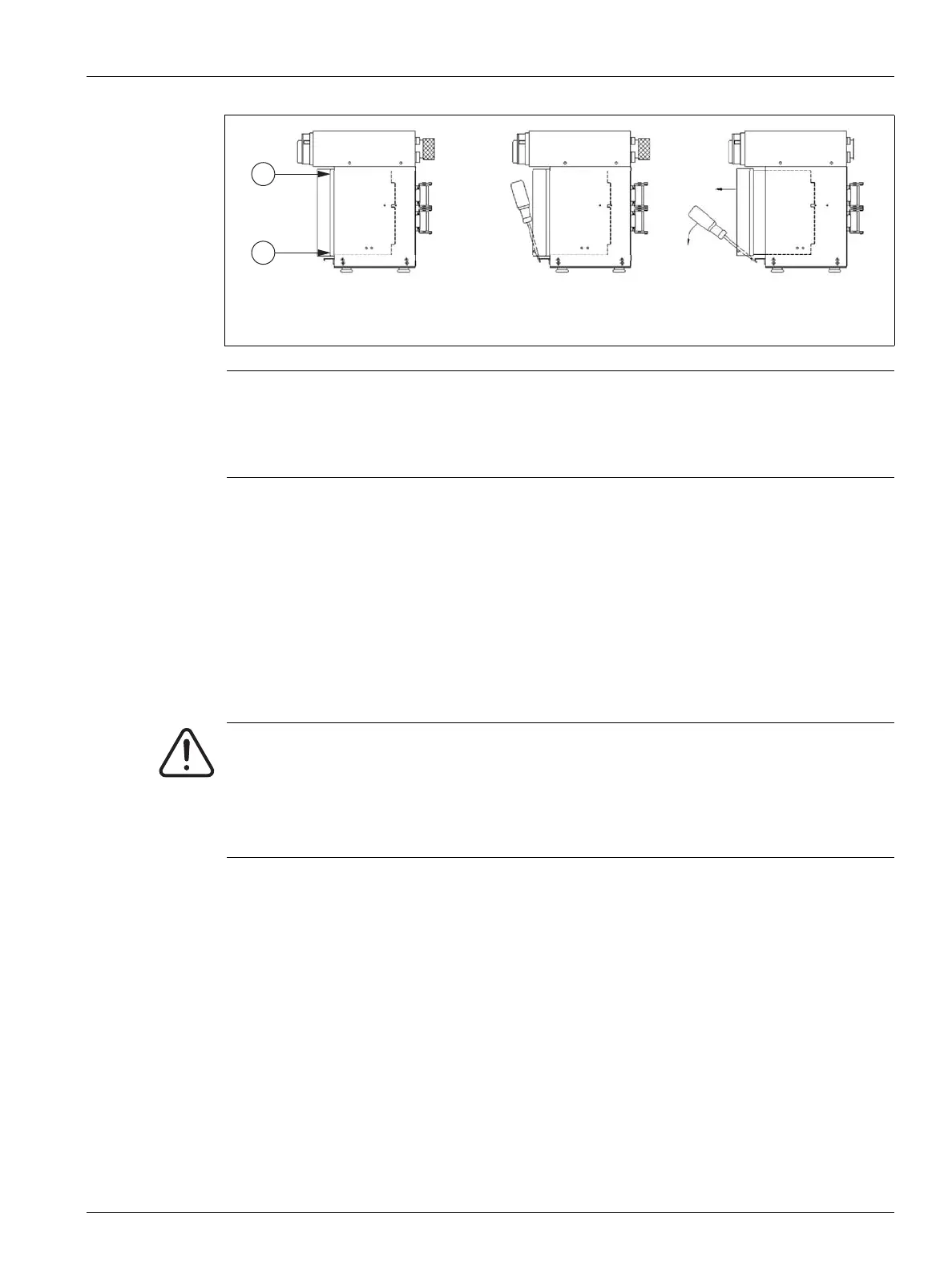
2. Loosen the upper and lower slotted screws on the heat sink. These two screws are
captive so they do not fall into the system or get lost on the floor.
3. Slide a screwdriver between the silver post and the ledge on the cabinet and gently pry
the card out. (see Figure 15-8)
Figure 15-8 Removing the Board
1. Screw Location
CAUTION!
Static electricity hazard - risk of damage to the equipment. Do not, under any
circumstances, place any PCB on carpets, rugs, or other material that is likely to create
a static charge.
WARNING!
Electrical and mechanical hazard- risk of death, serious injury and/or damage to the
equipment. Turn off all power to the system and disconnect it completely from the
main input power.
Use a ground strap when handling any of the Altanium components.



 To Next Page