v 2.3 — September 2015 Altanium Delta3
58 Creating a Group
7.2 Creating a Group
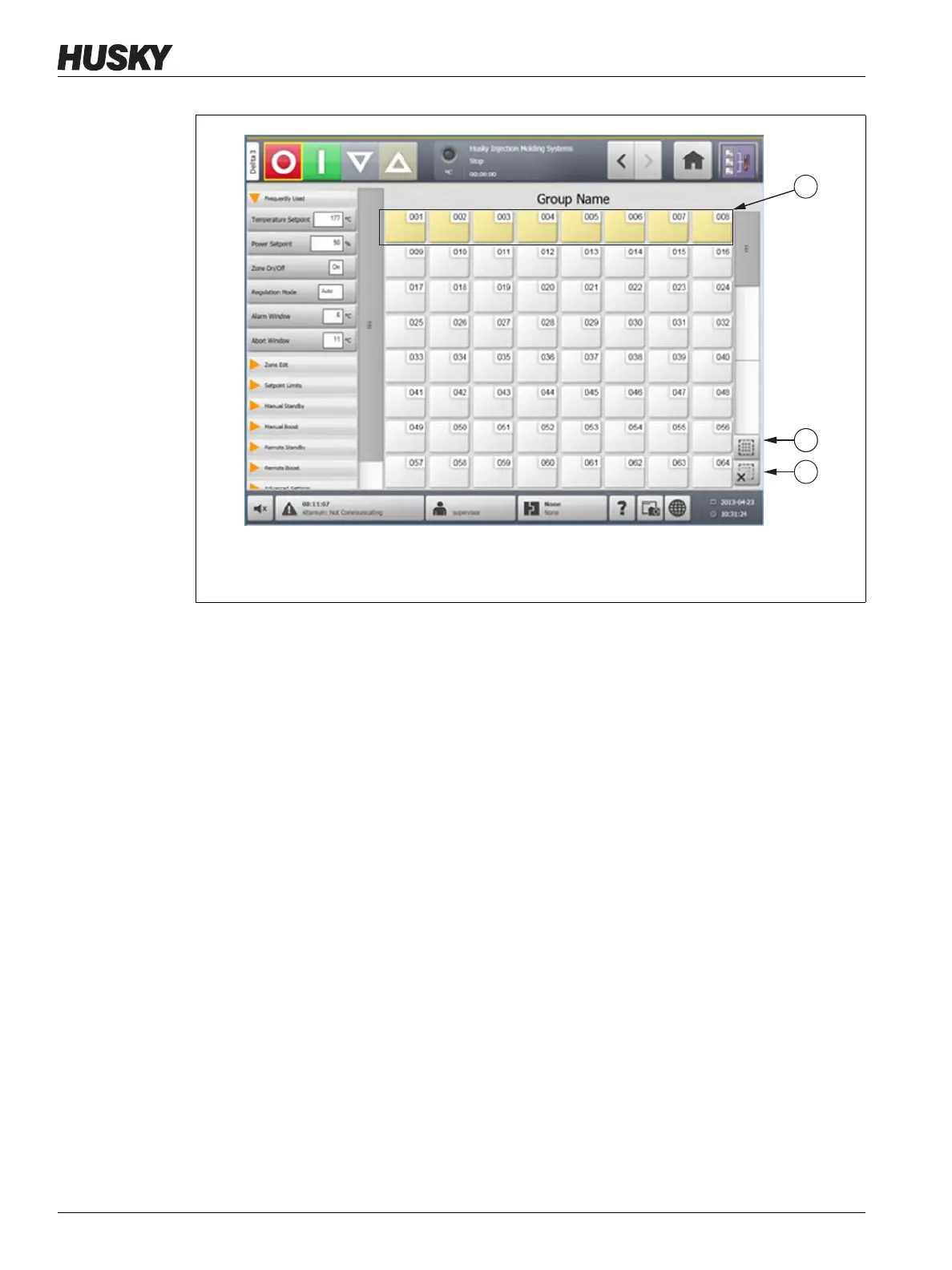
Use the Quick Set screen to select multiple zones to form a group.
To create a group, do the following:
1. On the Quick Set screen, touch and hold the first zone to select for one second.
2. Touch the last zone to select. All zones in between will be selected and highlighted in
yellow.
3. Touch the Zone Edit button.
4. Touch the Group Name field and enter a group name.
Figure 7-1 Zone Selection
1. Blocked Zone 2. Select All Button 3. Clear All Button



 To Next Page