Moving a Zone Information Panel 147
User Guide v 2.3 — September 2015 Mold Picture View
To create a Zone Information Panel, do the following:
1. Make sure Mold Picture View is in Edit mode.
2. Touch the Choose Heat Zone button.
3. Select the desired heat zone. A Zone Information Panel will be created for each heat
zone selected.
4. Touch the Accept button.
11.3.2.2 Moving a Zone Information Panel
Once a Zone Information Panel is created, it can be placed anywhere on the mold picture
view graphic.
To move a Zone Information Panel, do the following:
1. Make sure Mold Picture View is in Edit mode.
2. On the Mold Picture View screen, touch and drag the Zone Information Panel to the
desired location on the mold picture view graphic.
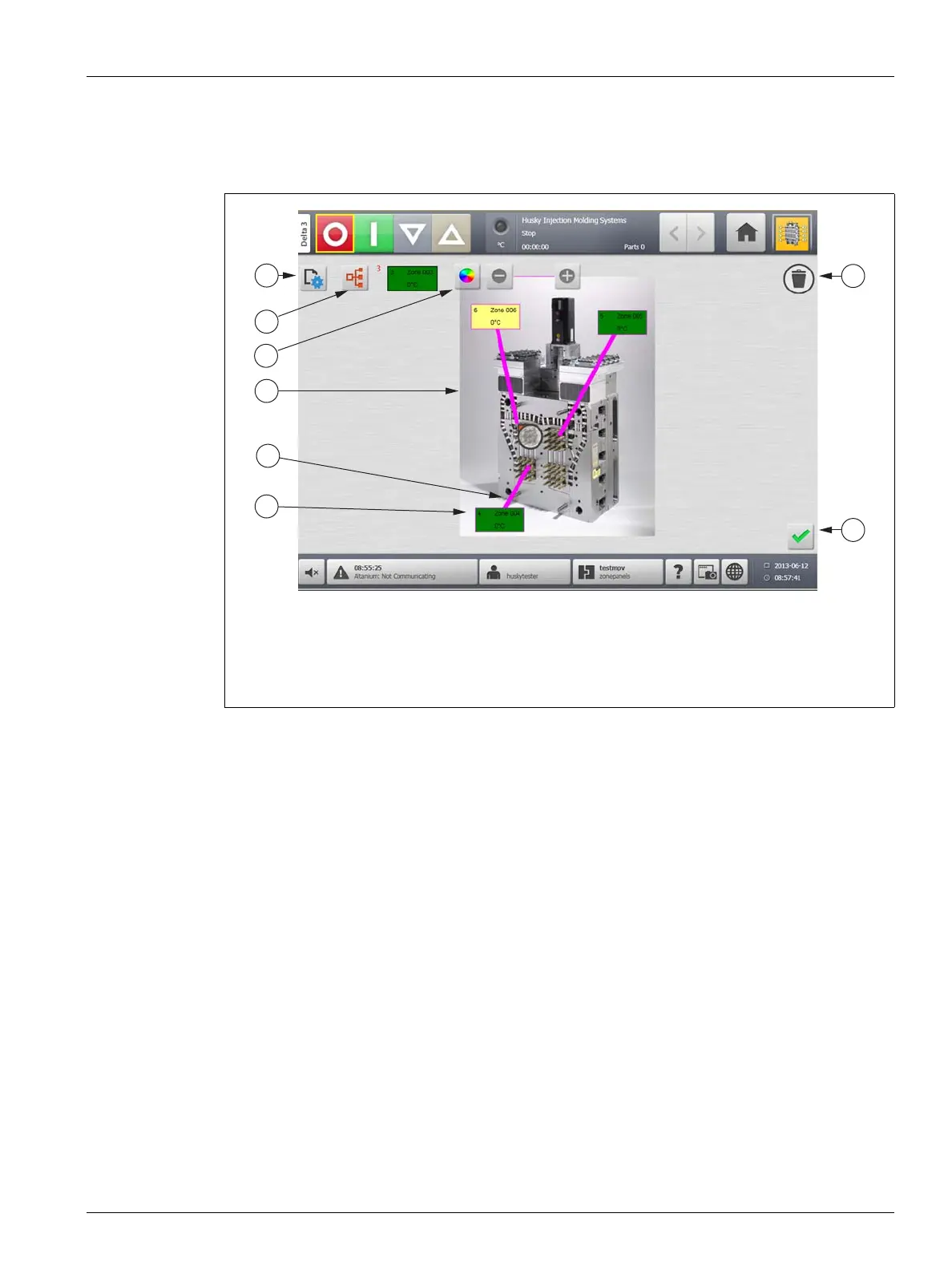
Figure 11-7 Mold Picture View Screen in Edit Mode
1. Change View Settings Button 2. Choose Heat Zone Button 3. Leader Line Color Button
4. Mold Picture View Graphic 5. Leader Line 6. Zone Information Panel 7. Delete Button
8. Accept Button



 To Next Page