Process Targets Screen 161
User Guide v 2.3 — September 2015 Data Recording
12.3 Process Targets Screen
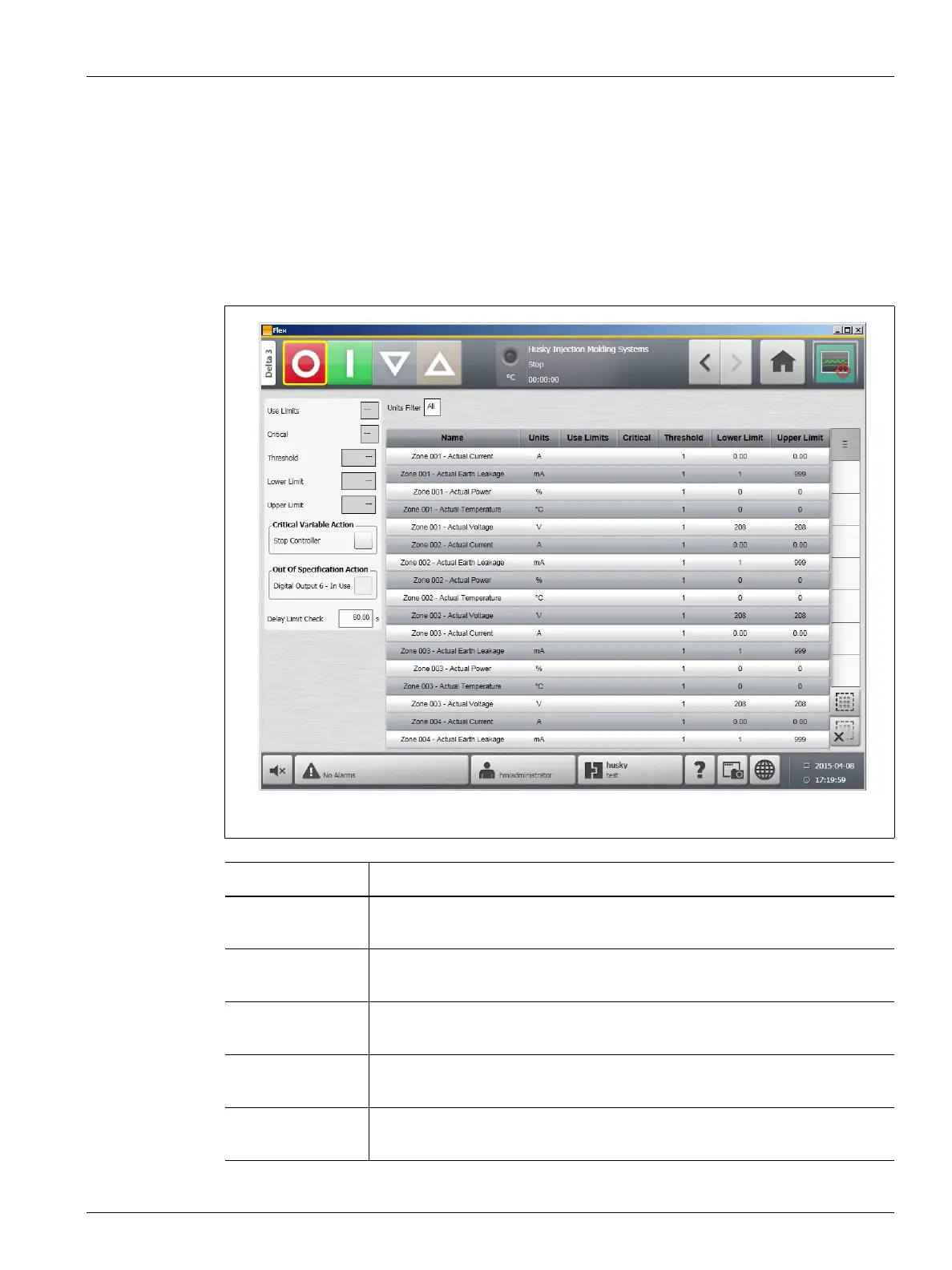
Use the Process Targets screen to set up the specification limits for each variable. When a
variable value is outside the lower or upper limits, the variable is considered out of
specification and triggers an alarm, a digital output and/or the controller may stop.
To access the Process Targets screen, do the following:
On the Home screen, touch the Process Targets button.
Figure 12-8 Process Targets Screen
Limit Definition
Use Limits Select the use limits check box and Altanium will trigger an alarm if the
process variable is not within the lower and upper limits.
Critical Controller may stop if the process variable is not within the lower and upper
limits. To perform this action, select the Stop Controller check box.
Threshold Limit The number of times that the value must be outside of the lower and upper
limit before alarm activation or stoppage, depending on setup.
Lower Limit The lowest value the process variable value can achieve before activation of
the “out of specification” alarm or stoppage, depending on setup.
Upper Limit The highest value the process variable value can achieve before activation of
the “out of specification” alarm or stoppage, depending on setup.



 To Next Page