Sack Full Output Optimization 129
User Guide v 2.3 — September 2015 System Setup Screen
To allow the system to optimize the sack full limit, do the following:
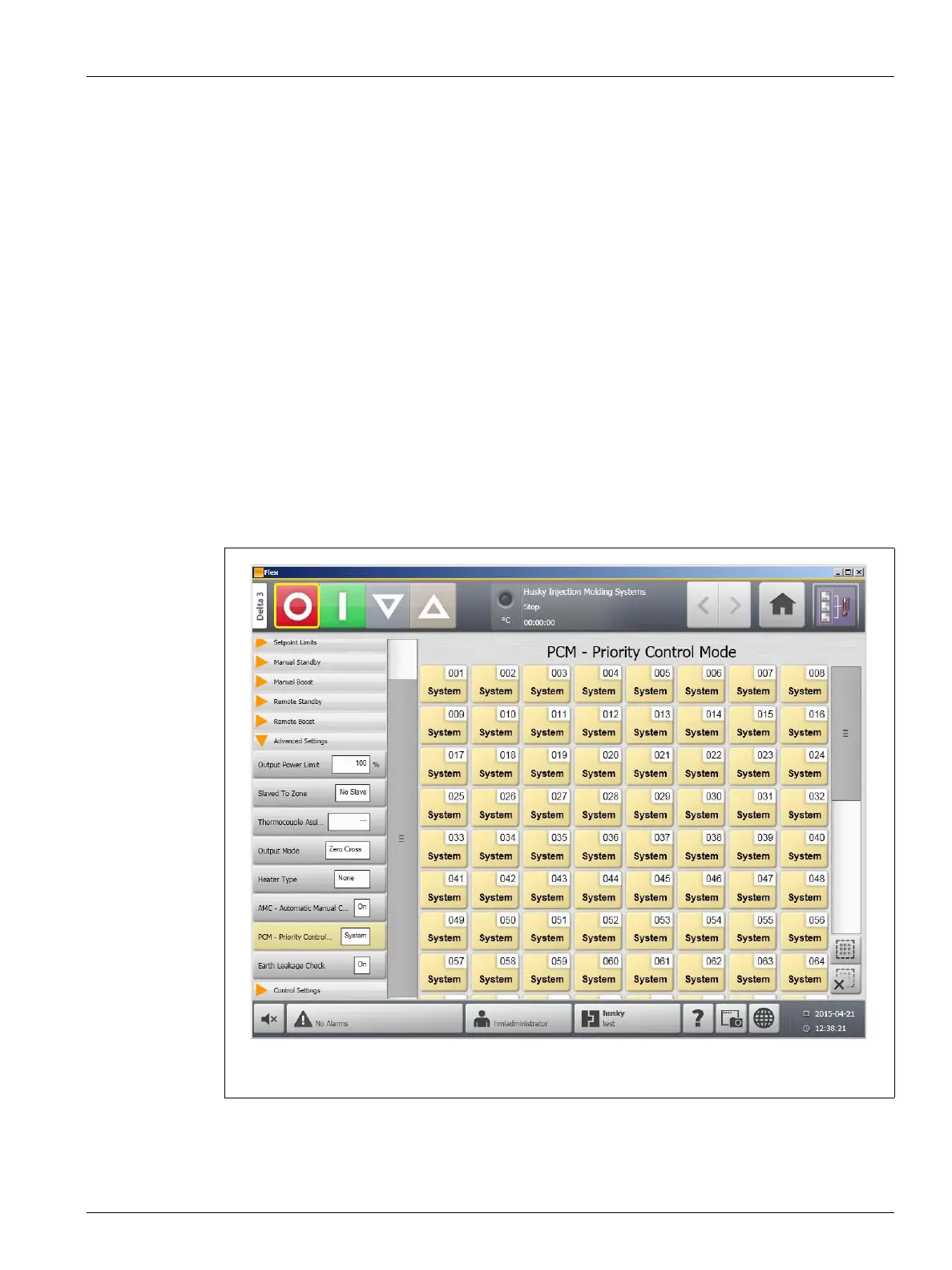
1. On the Quick Set screen, set the PCM - Priority Control Mode to Zone. The system will
automatically adjust the sack full limit when an abort condition error occurs. The
following are abort condition errors:
• Abort Over Temperature
• Abort Under Temperature
• Fuse 1 Blown
• No Response
• Lost T/C
• Reverse T/C
• Fuse 2 Blown
• Earth Leakage
• Over Maximum Temperature Limit
• Over Current Limit
• Configuration
• Receive Data Communication
• Read Time Out
• Control Card Over Temp
Figure 10-12 Quick Set Showing PCM - Priority Control Mode



 To Next Page