Troubleshooting Using the Card Layout Screen 179
User Guide v 2.3 — September 2015 Maintenance
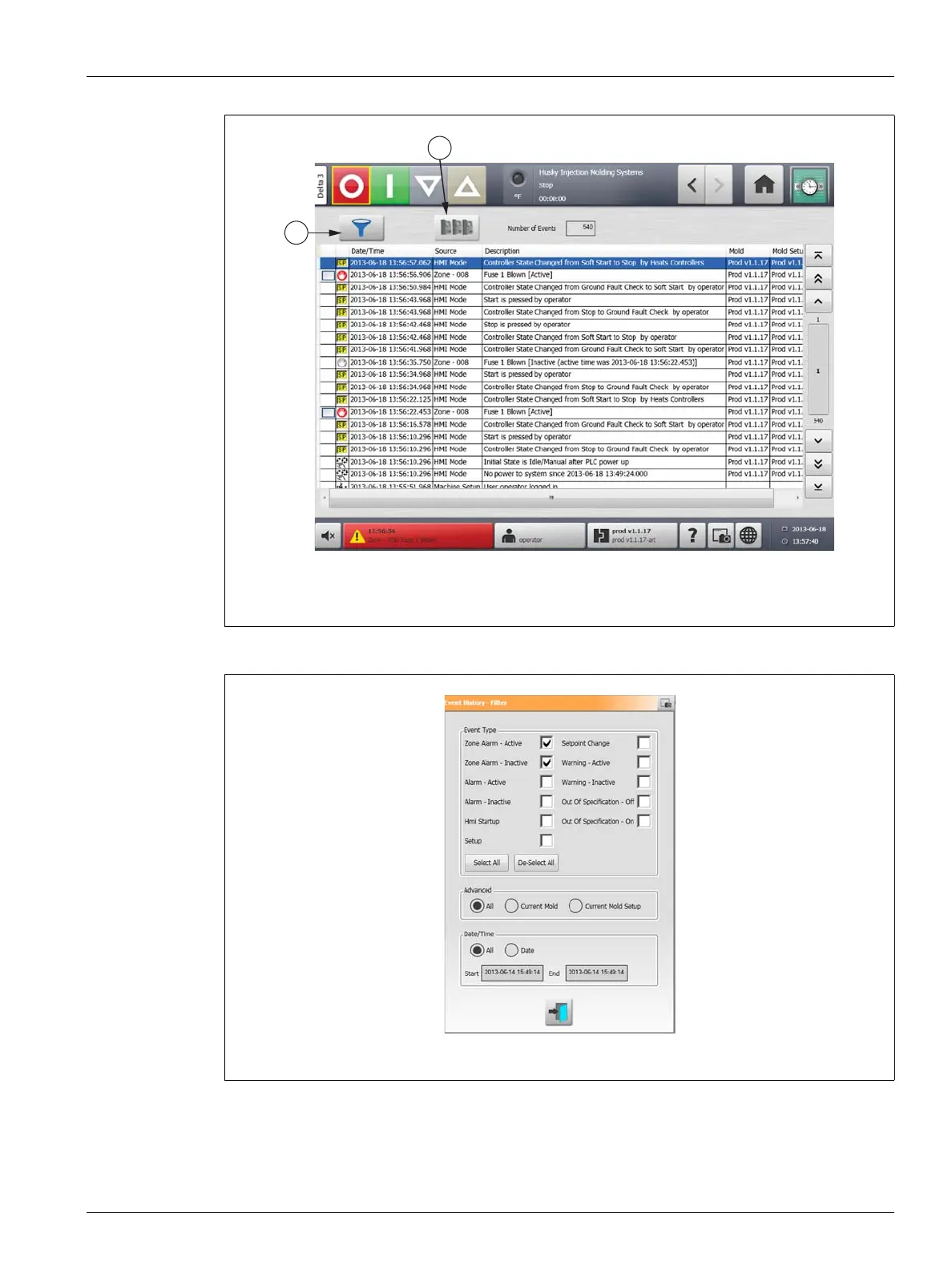
2. Deselect all check boxes, then select only Zone Alarm Active and Zone Alarm Inactive.
3. Touch the Exit button. A list of Active and Inactive faults will be displayed.
4. Select the applicable error, then touch the Card Layout button. A screen detailing the
fault information will appear.
Figure 15-3 Card Layout Screen
1. Filter Button 2. Card Layout Button
Figure 15-4 Filter Dialog Box



 To Next Page