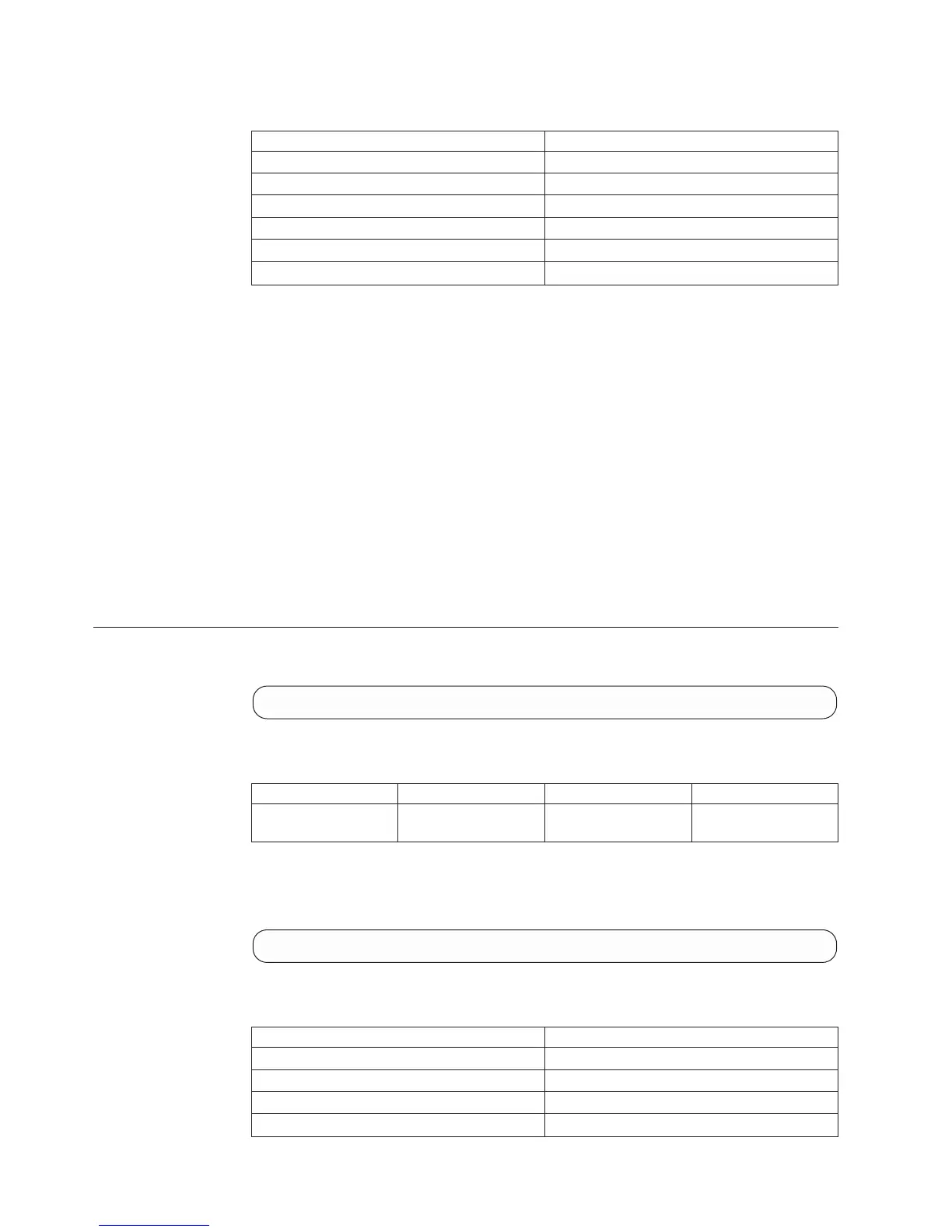
Access Control:
User Category Permission
Storage administrator Allowed
Storage integration administrator Disallowed
Application administrator Disallowed
Security administrator Allowed
Read-only users Disallowed
Technicians Disallowed
Completion Codes:
v FAILED_CREATING_CERTIFICATE_SIGNING_REQUEST
Failed to generate the certificate signing request
Troubleshooting: Generate a certificate signing request specifying a correct
subject (e.g., '/C=US/CN=IBM')
v FAILED_CREATING_PRIVATE_KEY
Failed creating private key
v CERTIFICATE_NAME_ALREADY_EXIST
Certificate with same name already exist
Troubleshooting: Choose a different name
v CERTIFICATE_CONTAINER_FULL
Can't add more ceritifactes, the maximum already defined
Troubleshooting: Delete certificate
Delete a PKI Content
Delete a PKI Content
pki_remove name=Name
Parameters:
Name Type Description Mandatory
name String The certificate symbolic
name
Y
Delete a PKI Content
Example:
xcli -u -c XIV1 pki_remove name="my_cert"
Access Control:
User Category Permission
Storage administrator Allowed
Storage integration administrator Disallowed
Application administrator Disallowed
Security administrator Allowed
340 IBM XIV Storage System User Manual











 To Next Page