17-19 Operators’ Manual
990400 Rev C 2010 May 1
9-10
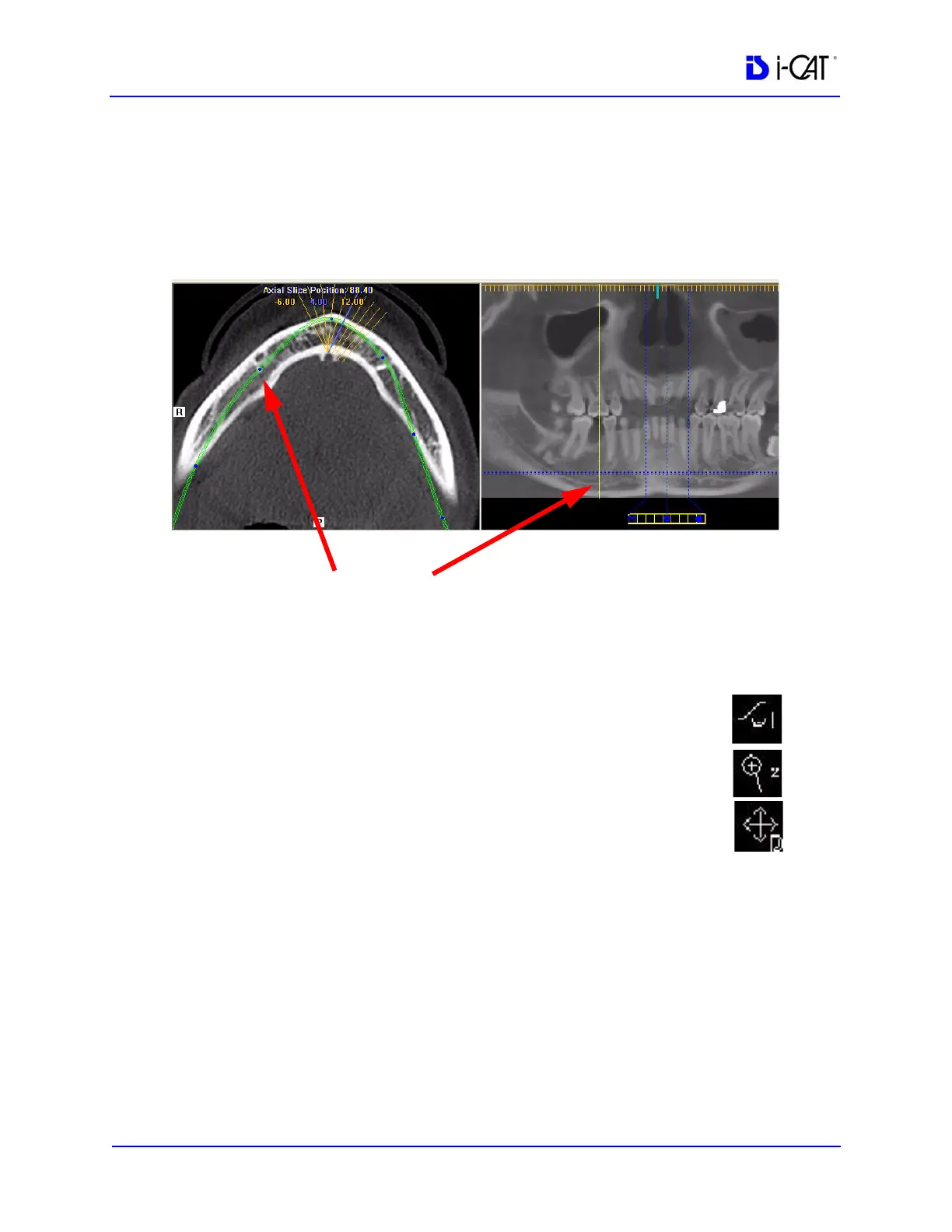
5. On the axial slice position view, click and drag the blue dots to
adjust the contourline to bring the nerve canal(s) into clear focus.
When you hover on a dot, a yellow line is displayed on the
panoramic map view showing the location you are adjusting.
Continue buccal-lingual adjustments as needed along the
contourline to clearly visualize the nerve canal(s).
6. You may also need to use the following tools to manipulate the
images to bring the nerve canal(s) into clear focus:
• Window/Level to adjust brightness/contrast.
• Zoom to zoom in on the image.
• Pan to view the desired portion of the image.
7. After you have adjusted the images to visualize the nerve
canal(s) on the axial slice position view, go to Estimate Nerve
Canal
.
BLUE DOT ON AXIAL SLICE POSITION VIEW CORRESPONDS
TO YELLOW LINE ON PANORAMIC MAP VIEW



 To Next Page