990400 Rev C 2010 May 1
Detail Screens
9-11
Estimate Nerve Canal
NOTE: A combination of the axial slice position, panoramic map,
and cross-section views can be used to mark the nerve canal(s) in
any order desired. The following steps describe the recommended
workflow. You may choose to use a different workflow to estimate
the nerve canal(s).
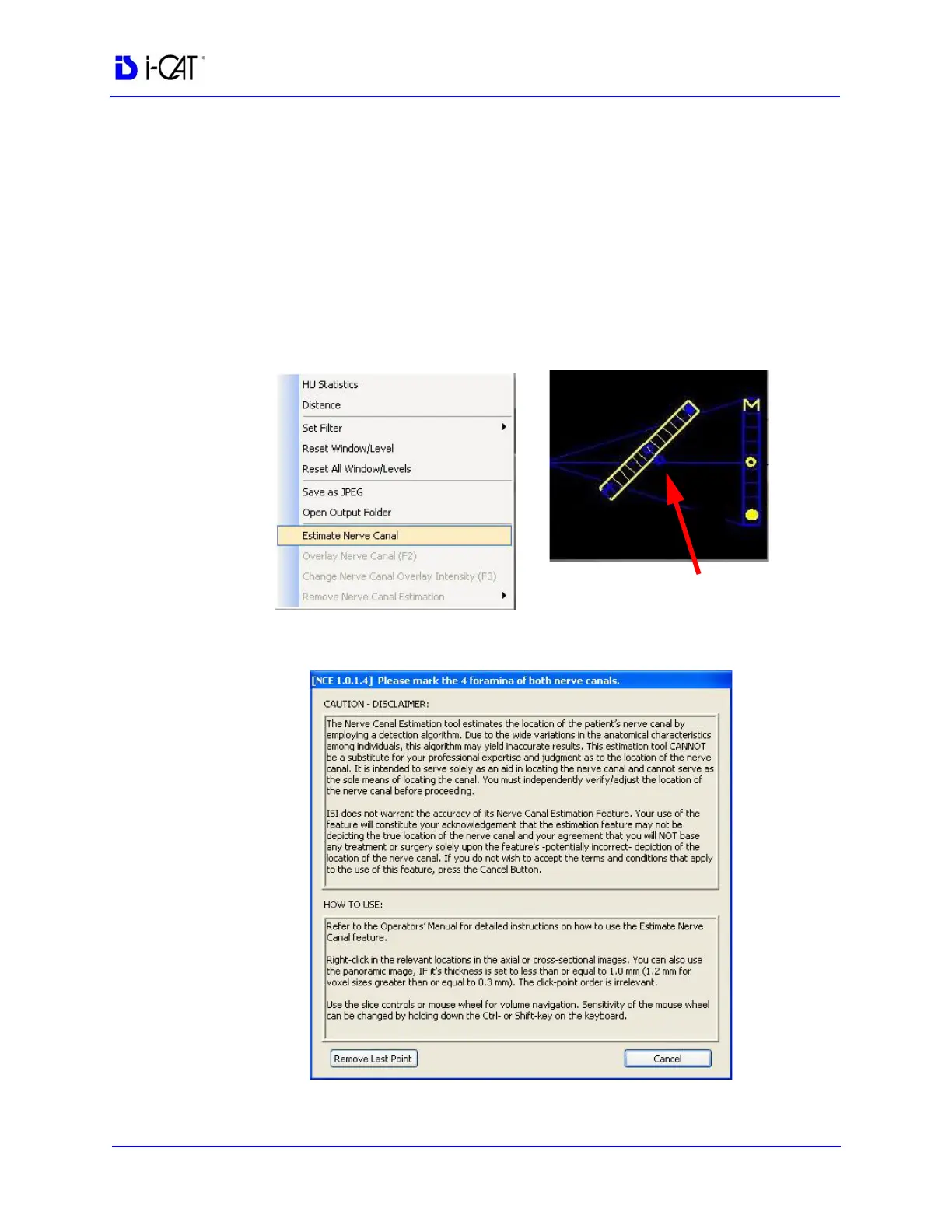
1. From the Implant Planning view, right-click to select Estimate
Nerve Canal, or click the O outside the center of the diagonal
slice control.
The nerve canal dialog is displayed.



 To Next Page