990400 Rev C 2010 May 1
Tools
10-15
6. Images can be repositioned or sized by clicking the image and
then holding down left mouse button and dragging the cursor.
• Cross Arrows – used to move image
• Double Headed Arrow – used to size image
Insert Text Box:
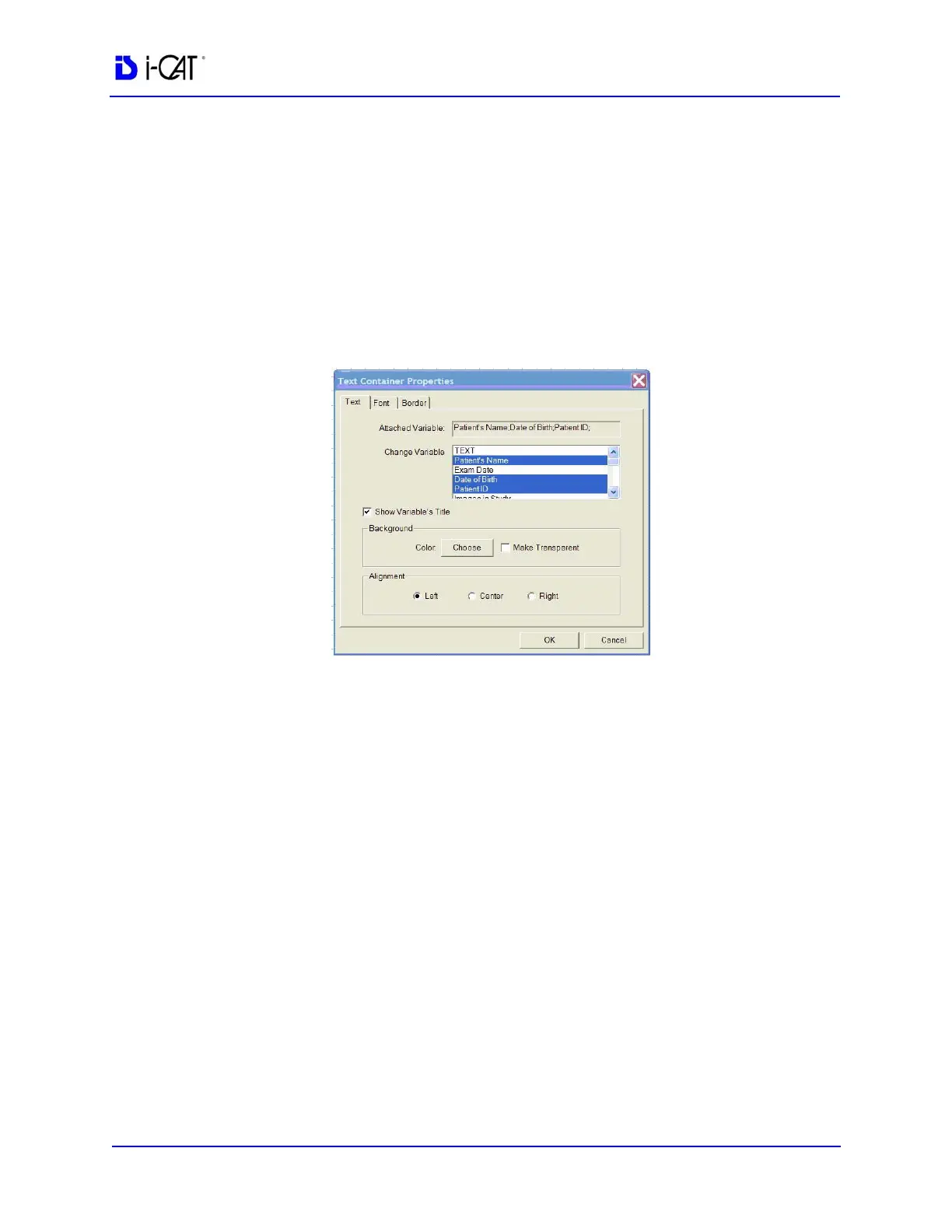
7. Select Insert > Text from the Main menu or right-click the
report page and select Add Text.
8. Select desired variable from the Change Variable list. Holding
down the CTRL key and selecting multiple variables allows all
selected variables to be displayed in one Text box.
The TEXT selection does not allow multiple variables to be
selected.
9. Select Show Variable’s Title check box to display each title
next to the variable information.
10. Backgrounds, Colors, Alignments, Fonts, and Borders are also
modified from this menu.
Double click an existing Text box to display the Text Container
Properties box.
11. Images can be repositioned or sized by clicking the image and
then holding down left mouse button and dragging the cursor.
• Cross Arrows – used to move Text box
• Double Headed Arrow – used to size Text box



 To Next Page