17-19 Operators’ Manual
990400 Rev C 2010 May 1
7-12
18. When prompted, press the Scan button on the Control Box.
An audible alarm is sounded and the X-ray ON light is
illuminated during radiation exposure.
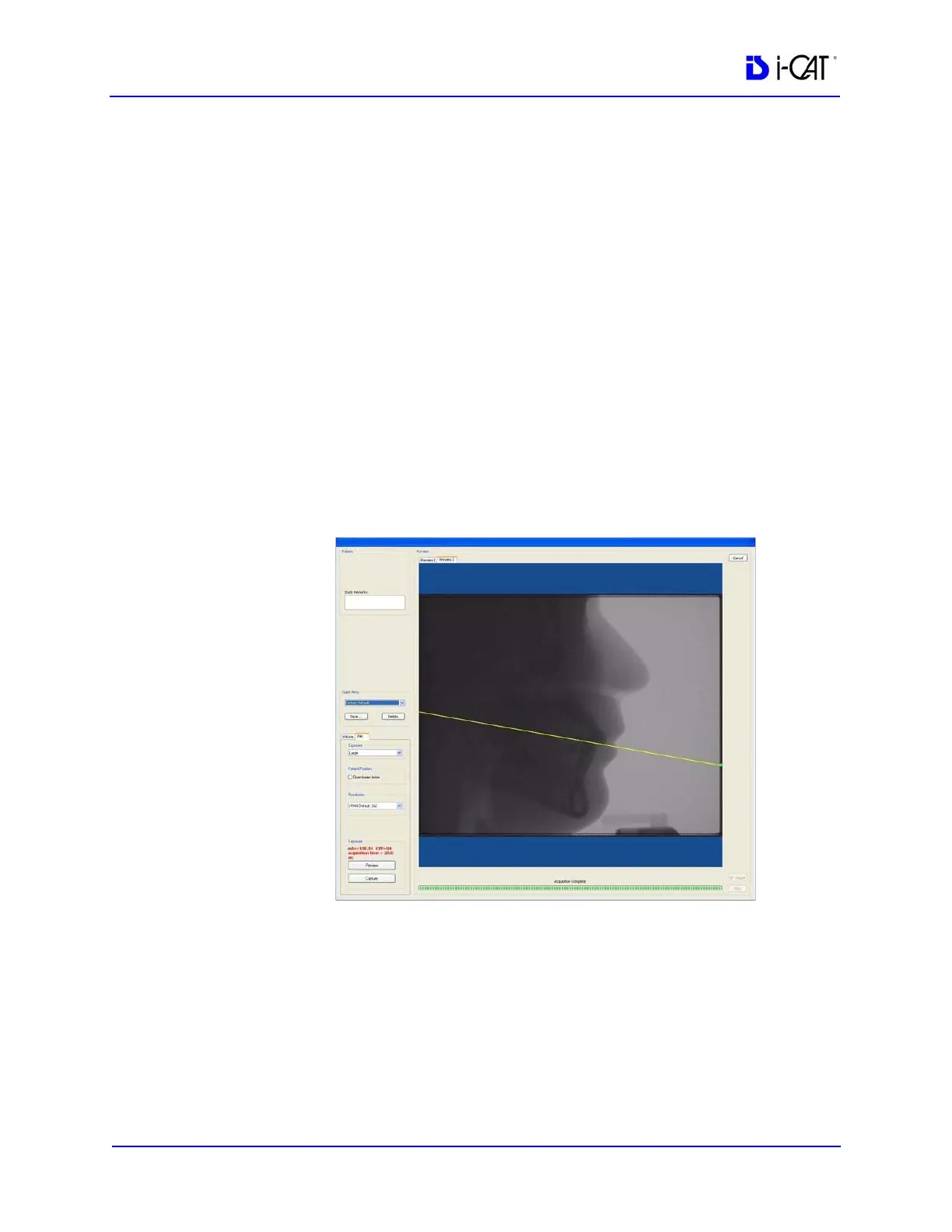
19. Check the Preview to ensure the following:
• Verify patient is positioned properly at a 10
o
angle. Click
and drag the green handle on the Occlusal (yellow) plane
line to position it over the patient’s Occlusal plane on the
Preview image. The line should roughly align from the back
of the smile line to the point where the patient is biting on
the bite tip.
• If alignment is not correct, use Patient Alignment Panel
buttons to lower or raise the chair. To lower the degree of
the angle, lower the chair. To raise the degree of the angle,
raise the chair. You may need to adjust the head holder and
bite tip holder appropriately. Perform another Preview scan
to check positioning.
20. Instruct Patient to close lips around the bite tip as if using a
straw, swallow and hold, and put the tongue to the roof of the
mouth and hold for the duration of the exposure.



 To Next Page