Page | 106
Timer
WP-IP has a function which allows the user to configure and display a timer window.
• Setting the Timer and starting, stopping and pausing the Timer is done in the Timer pane.
• The appearance of the Timer is set via Preferences in the Prompter Preview.
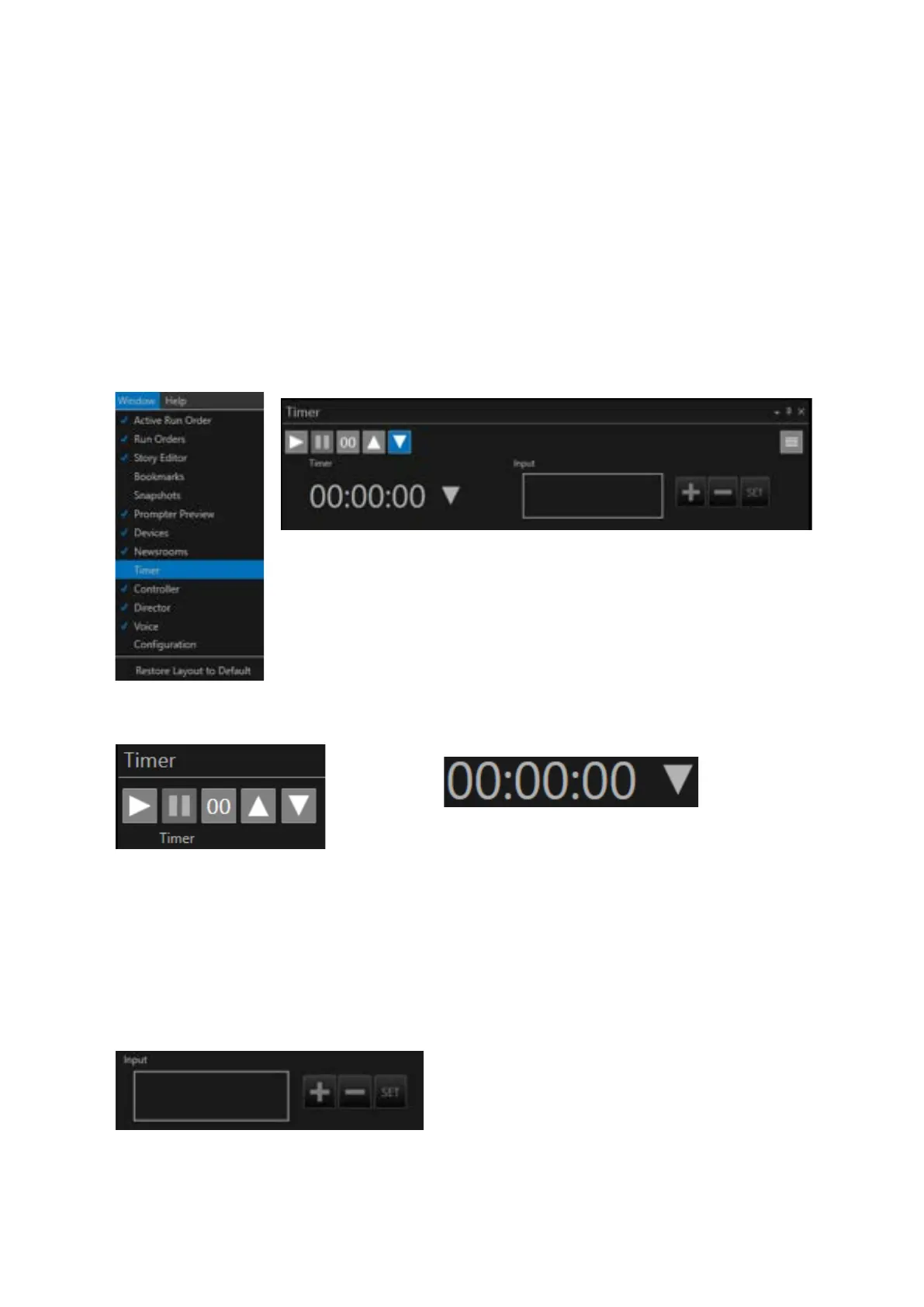
To open the Timer pane click Window/Timer.
Please Note: The Timer pane may be docked with other panes when launched.
The toolbar functions are (from L-R)
• Start Timer
• Pause Timer
• Reset/Zero Timer
• Count Up
• Count Down
The counter displays the time and status colour
• Red: the count has stopped
• Grey: the count has paused
• The arrow displays whether the time is counting up
or down
The input field is where you type the time
The + button adds the time in the input field to the Timer
The – button deletes the time in the input field to the Timer
The SET button loads the numbers in the Input field into the Timer



 To Next Page