Page | 231
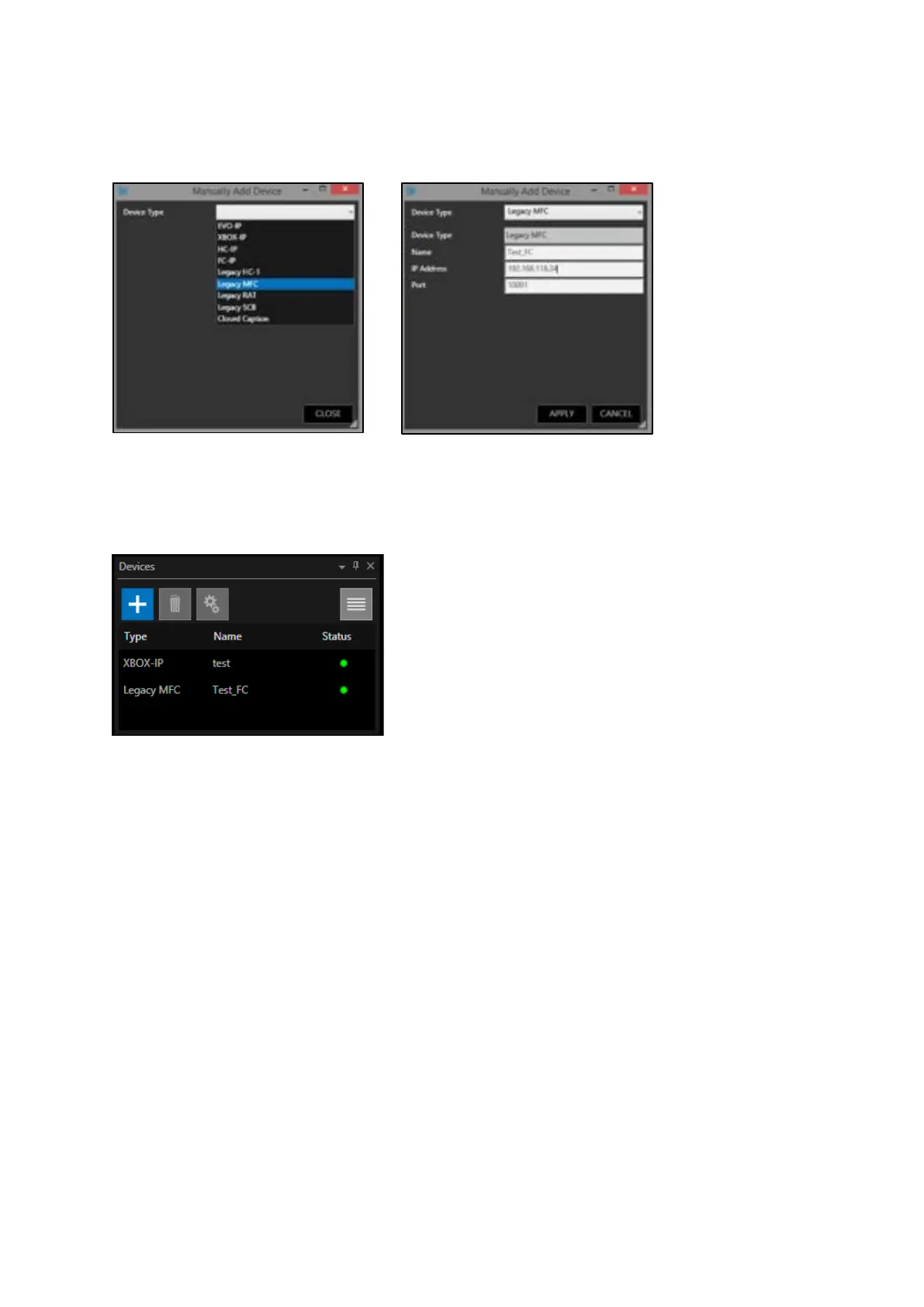
Click on the drop-down menu. For example, to add a Foot Control, select the ‘Legacy MFC’.
Type in a name and IP address. Leave the port as default
Click ‘Apply’ and then ‘Close’
The legacy MFC controller should appear in the Devices window ready to use
Integration of Legacy Autocue Controllers With WP-IP
Legacy Autocue controllers can be connected and used with the WP-IP application. This includes the
following controllers:
Autocue ShuttleXpress (CON-SE)
Autocue Multi Button USB Desktop Control (CON-MB/USB)
Autocue USB Foot Control (CON-FC/USB/001)
Please Note: The ShuttleXpress (CON-SE) can be added via Auto Discovery, the Multi Button USB
Desktop Control (CON-MB/USB) and USB Foot Control (CON/FC/USB/001) must be manually added.



 To Next Page